flemingworks

Forum Replies Created
-
also is there any way to add buttons that link to a contact page below the featured image?
Forum: Themes and Templates
In reply to: [Twenty Twelve] Menu not working on mobileI didn’t want to display the header that is on the other pages of my site on the homepage so I added this code to my front page template to get my menu to appear on the homepage. It works fine on the desktop version but it doesn’t display on the mobile version.
<nav id="site-navigation" class="main-navigation" role="navigation">
			<h3 class="menu-toggle"><?php _e( 'Menu', 'twentytwelve' ); ?></h3>
			<a href="#content">"><?php _e( 'Skip to content', 'twentytwelve' ); ?></a>
			<?php wp_nav_menu( array( 'theme_location' => 'primary', 'menu_class' => 'nav-menu' ) ); ?>
		</nav>
Forum: Themes and Templates
In reply to: [Twenty Twelve] Good image rotator on responsive theme?I bought Royal Slider to use on Twenty Twelve it has some good options, is responsive, supports multiple sliders and video.
I think I figured it out. This code did it for me if anyone has a similar need:
<?php if ( has_post_thumbnail() ) { // check if the post has a Post Thumbnail assigned to it.
  					the_post_thumbnail();
					}
					?>
<a href="<?php the_permalink(); ?>"><?php the_title(); ?></a> <?php the_content() ?> </div>
<?php endforeach ?>
Forum: Themes and Templates
In reply to: [Twenty Twelve] How to add a title above the posts@wpyogi LOL Me too! Need to step away from the computer… haha
Forum: Themes and Templates
In reply to: [Twenty Twelve] How to add a title above the postsHi,
I do have a child theme made and am making all edits to the child only.
The site is tarrusriley.com however I have a coming soon plugin activated so you will not be able to see it.
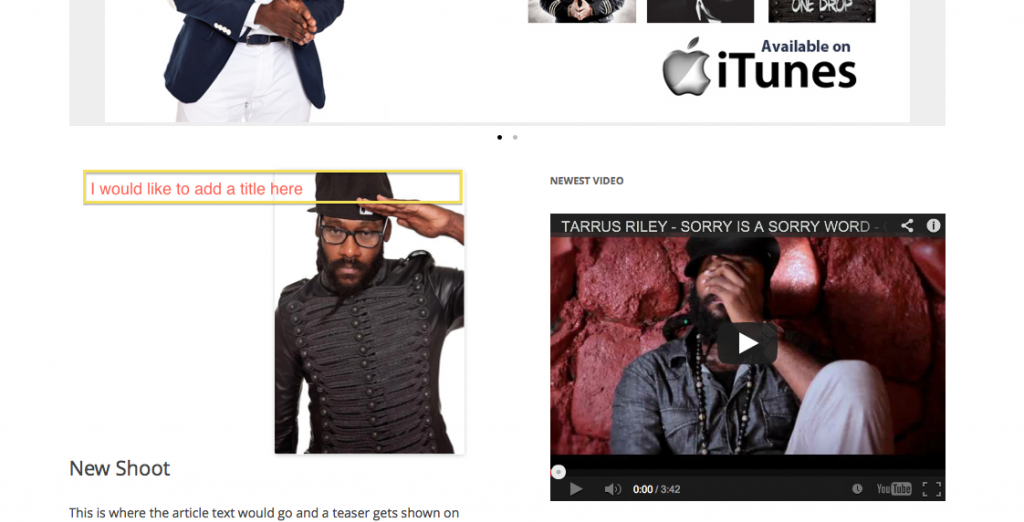
Here is a screenshot of my home page where I would like to add the title. The homepage is set to recent posts not a static page):
http://i1024.photobucket.com/albums/y308/flemingworks/ScreenShot2013-01-18at94059PM_zpsd1583185.pngThank you!
Forum: Themes and Templates
In reply to: [Twenty Twelve] Changing main content and sidebar widthmarking as resolved
Forum: Themes and Templates
In reply to: [Twenty Twelve] Changing main content and sidebar widthOMG thanks! I added them and updated but it still wasn’t working so I shifted this code to the top of my child’s theme css file and that did the trick. Thank you!
Hi, @leejosepho
thanks for sending that through. Before changing the htaccess file I scanned the posts in the link and saw some comments that made me think it might be related to other plugins I am running. So I deactived two plugins I had been running – Slick Contact Forms and WP Coming Soon – and it fixed the problem for me. One of those plugins must have been causing the error.
Thanks!
Hi,
Thanks for all the replies everyone. I activated the Twenty Twelve as well as the Twenty Eleven parent themes and in both cases I faced the same problem.I made sure that firefox has javascript enabled and ticked all the boxes in the advanced panel as well.
Am still having the problem.
@leejosepho what change did you make to the htaccess file to fix it?
Thanks!
Forum: Plugins
In reply to: [IQ Testimonials] [Plugin: IQ Testimonials] CSS default font not being used?I have the same issue was anyone able to resolve this?
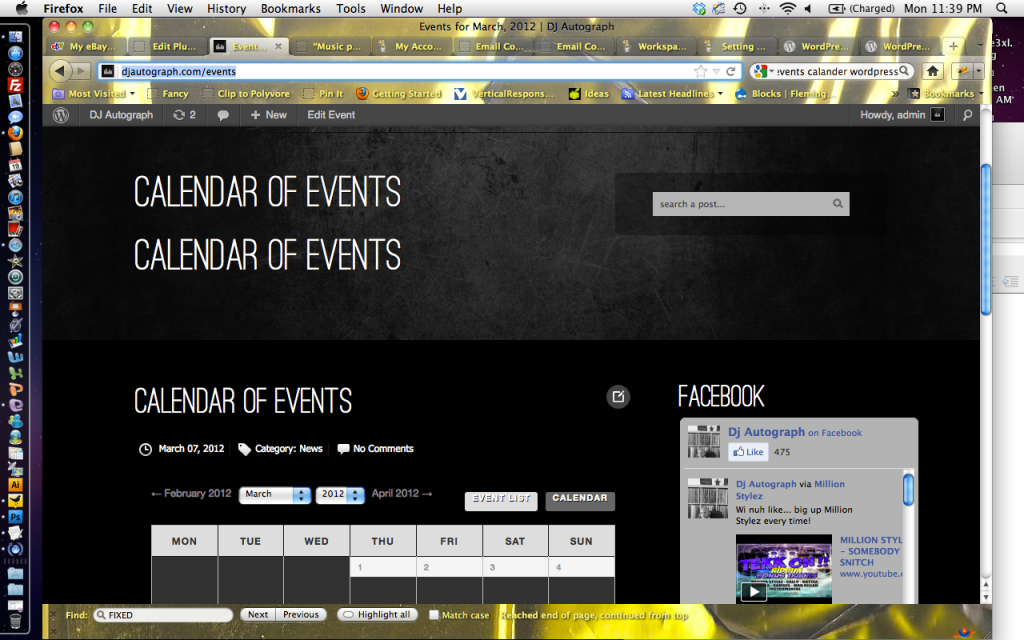
Thanks to you both for your replies. I checked the code and <?php wp_title() ?> is only in there once in the grid view. I took another look and calendar of events is actually appearing 3 times. This is in the blog view.
I took a screenshot and uploaded it here:
http://i1024.photobucket.com/albums/y308/flemingworks/Screenshot2012-03-19at113956PM.pngAny ideas?