Fronar

Forum Replies Created
-
The plugin was working fine until update. Can we get older version somewhere else?
Forum: Plugins
In reply to: [WooCommerce] Order Notes is being formatted.In fact, to put it simply, we have a website where we sell flavor components that you can use in various fields and prepare your own unique recipes.
Each ingredient has its own usage percentage. You need to use some component at 9% and some at 13%, etc. (Recommended usage rates)
The material to be used also has its own percent internal balances, acidity ratio, basicity level, ph level etc.
Therefore, it is quite common for our website to write something using the “%” sign in the comments section or in the order notes section, for people who are unfamiliar with the industry or for those who will prepare their own mix for the first time.
And the extra information I can add to this is that we use the % character at the beginning, as I mentioned above.
In fact, this is the summary of the situation.
You probably took the solution here in your notes and you will undoubtedly take the necessary actions in the future, but is there a snippet that can convert the order notes section into plain text as a solution to our situation?
Thank you for your help.
Forum: Plugins
In reply to: [WooCommerce] Order Notes is being formatted.https://gist.github.com/FronarTR/defb6ad931bc4c5c3716635293f0e3dc
Here’s the today’s error log.
Can you try %50 please” instead of “50% please”
In Turkish, we put the % sign at the beginning. And strangely, it only does this at the beginning, not when I type 50% like you did.
Forum: Plugins
In reply to: [WooCommerce] Order Notes is being formatted.Here’s the report Pepe:
https://gist.github.com/FronarTR/08403b519899799bb5ccd7fadb0d19c0I guess I didn’t explain exactly what I wanted to say.
We don’t want to change the background color of all the notes, we just want to change the backgrounds of the admin notes we added later.
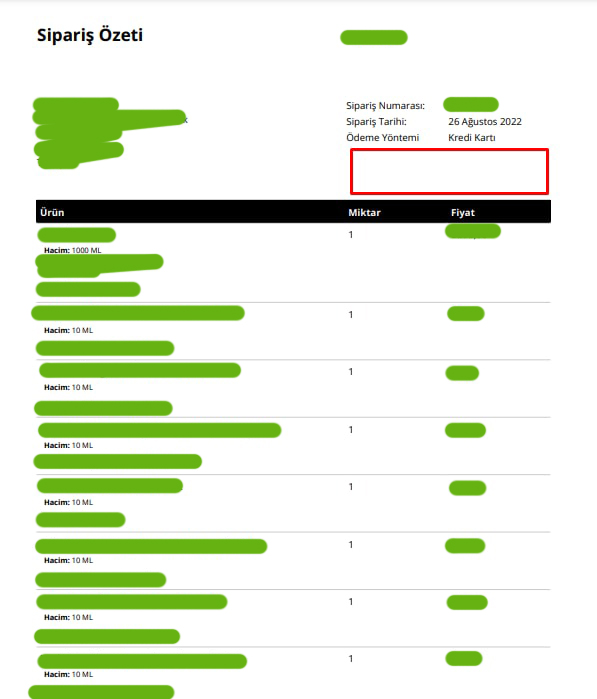
The customer’s order note and the admin note added later appear in the same section on the invoice.
We just want to color the background of the admin note so that our packaging team will pay attention to the instructions we have added and that there will be no mistakes in the shipping processes.
I tried the css code you sent, but it didn’t have any effect, shouldn’t we use a php snippet like above?
Thank you for your response, keep up the good work!
- This reply was modified 3 years, 9 months ago by Fronar.
I don’t want to keep polluting the support forum by opening new threads, please see me :))
This is also works great Yordan. There is no problem with it.
Can we make same thing for admin notes on pdf? (Coloring their background) We want to seperate it from customer notes.
I’m sure we can change color the background of admin note but can we also move it to area that shown at screenshot?
https://i.ibb.co/mHkh6yj/admin-note.jpg
I’ll be waiting your answer. Thank you very much.
- This reply was modified 3 years, 9 months ago by Fronar.
Yordan, i didn’t want to create another topic. I hope you see this message.
Yordan, name coloring works great, but can we also do background coloring to it? (I just want to color the background of that product line, with the same logic.)
- This reply was modified 3 years, 10 months ago by Fronar.
It worked perfectly. Thank you.
Hello again, Saumya
In addition to the plugin, I installed wp-rocket to solve the browser cache issue. I guess there is no problem now. Can you check it for me and confirm everything is ok?
I will be waiting your answer, thank you.
I forgot to write. The plugin seems to be working as it should. I see the phrase cf cache status: HIT in the network section on the front pages, and the phrase BYPASS on the admin panel.
While navigating in the admin panel, I see the expression “?swcfpc=1” in the url part of some pages, and I do not see it in others. Is this normal? Should I see “?swcfpc=1” in the entire admin panel?