Jeff Crawford

Forum Replies Created
-
Hello Yoast Team, any updates on this issue?
Thanks Sasa, appreciate the knowledgeable response.
You are correct that URLs are functionally equivalent. However, the SiteMap is pretty much unreadable. So we can’t do any kind of human verification to see what is in or out of the sitemap.
I believe Yoast could do a better job here of preserving the encoding when writing the sitemap.
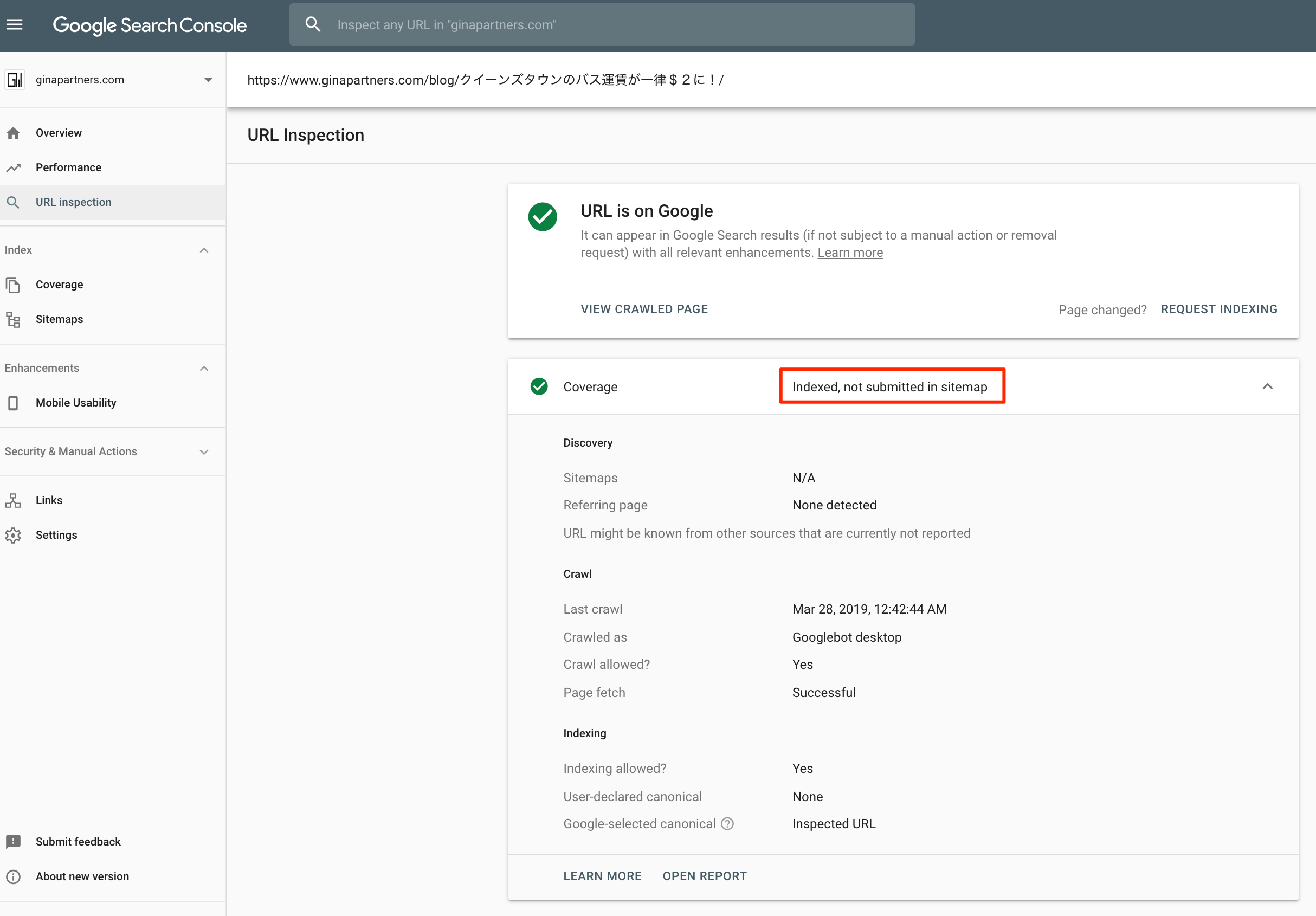
Here is a screenshot of the URL used in my example in Google Search Console.
https://www.zodigital.jp/wp-content/uploads/2019/04/Japanese_Problem_URL_Inspection.png
This problem has me more concerned. The whole purpose of the sitemap is to point out to Google which pages are available for indexing.
Forum: Plugins
In reply to: [CoolClock - a Javascript Analog Clock] GMTOffset not workingThank you @ravanh. Your sugestion (and one other change) fixed my problem. (Kicking myself for not noticing it in the first place). Cheers.
- This reply was modified 8 years, 10 months ago by Jeff Crawford.
Forum: Reviews
In reply to: [MslsMenu] A bit difficult to setup, but works great.problem fixed. Thanks for the quick response.
Forum: Reviews
In reply to: [MslsMenu] A bit difficult to setup, but works great.I’ll follow up offline, and gladly change if I can get this to work. Thanks.
FYI, I got this feedback from the Developer of “Very Simple Contact Form”:
I have looked into the WordPress SEO plugin and found a single ‘rand’
function in file class-wpseo-options (located in folder: inc). This might
create this conflict.I posted this bug report in GitHub. It would be nice if the Yoast Team can fix this.
Thanks,
JeffForum: Plugins
In reply to: [VS Contact Form] Upgraded to 3.0, forms stopped workingHi Guido,
I made the changes you suggested, and the problem still occurs. Feel free to contact me offline if you want to do more debugging.
JeffForum: Plugins
In reply to: [VS Contact Form] Upgraded to 3.0, forms stopped workingOK, after turning various plugins on and off, and swapping themes in and out. I have determined the compatibility problem is with the plugin “WordPress SEO” by Yoast.
I turn off Yoast SEO, and VSCF works fine. I turn Yoast SEO ON, and VSCF has this issue.
Yoast SEO is on of the most popular plugins in the WordPress world, and I really need it. So what can we do?
Jeff
Forum: Plugins
In reply to: [VS Contact Form] Upgraded to 3.0, forms stopped workingHi Guido,
Many thanks for the fast response. I have not customized your plugin.It sounds to me like we may have some type of plugin/theme conflict. Right now, suspect there may be a compatibility problem with he PHP Rand() function. I recall I had a problem with on other plugin that displays a random images. It would not display randomly.
I’ll try turning off plugins and switcing themes to determine the root cause of the problem. If I find anything, I’ll report back.
Thanks,
JeffForum: Plugins
In reply to: [VS Contact Form] Upgraded to 3.0, forms stopped workingOK, here is an update on this. The submitted form email went through to my mailbox, even though the form returned an error. (“please enter the correct number”).
Please fix this as it is a bad user experience. (Getting an error message when the form submission succeeded).
Thanks,
JeffForum: Plugins
In reply to: [Cyclone Slider] Feature Suggestions Thread 2015Great slider. I really like it a lot. It’s a nice balance of simplicity and functionality.
I have Cyclone Slider installed on my Home Page only. But I want to optimized the load time of other pages on my site, particularly my landing pages. I noticed that when my landing page loads, it loads up (I count 6) Javascript files from Cyclone slider, even though there is no slider on this page. I suspect it’s slowing down all my pages.
Can you optimize Cyclone slider to dynamically load only when the Slider is on that page?
Thanks,
Jeff