Joao D - a11n

Forum Replies Created
-
Hi there
Given the constraints you’ve outlined, re-importing your subscribers via a CSV file is indeed the most straightforward method available in MailPoet to bulk confirm subscribers. While it might seem repetitive, this process allows you to update the status of your subscribers en masse.
To make this as smooth as possible, here’s a quick guide:
- Export Your Current Subscribers: First, export your existing subscribers to a CSV file. This can be done following the instructions in this tutorial: How to Export Subscribers from MailPoet.
- Prepare Your CSV File: Open the exported CSV file and modify the status column for your subscribers to ‘confirmed’. This step is crucial as it will determine the status of your subscribers upon re-importation.
- Import the Modified CSV: Finally, import this modified CSV file back into MailPoet. The subscribers should now be listed as ‘confirmed’. You can refer to this guide for detailed steps: Importing Subscribers with CSV Files.
While this method requires a few steps, it’s a one-time process and should resolve the issue of unconfirmed subscribers.
Forum: Reviews
In reply to: [WooCommerce Blocks] Works but not good for meHi @yulich
Thanks for bringing up this concern. I understand your perspective about WooCommerce Blocks appearing to “deactivate” your theme styles. However, it’s important to clarify that WC Blocks don’t actually remove any styling from your theme.When you mention that the plugin deactivates your theme styles, could you please provide more detail about what exactly you’re observing? Is there a specific aspect of your site’s styling that isn’t behaving as expected when WooCommerce Blocks is activated?
To give you some more context, WooCommerce Blocks use a different kind of markup compared to shortcodes or PHP templates. This means the styles your theme applies to shortcodes or PHP templates might not be applied in the same way to blocks, leading to a change in the look of the site when you use WC Blocks. This is not so much a deactivation, but more of a difference in how styles are applied due to the different nature of blocks versus shortcodes and PHP templates.
Please rest assured, the goal of WC Blocks is to offer more customization and features, with the expectation that themes will add styling for blocks if they wish, or leave the default styling, which should integrate well with most themes.
It would be really helpful if you could share more about the issues you’re experiencing and the theme you’re using. That way, we can give you more targeted advice.
Looking forward to hearing from you soon.
Hi @earl_d
I am very sorry for the negative experience you had.
Could you talk more about what you were looking for for your front page? Or how would you like it looks like?
Forum: Plugins
In reply to: [WooCommerce Blocks] JS update woocommerce/filter-wrapperHi @alexodiy
I’ve sent your feedback to the product team, but apparently what you’re experiencing is a potential conflict. The filter-wrapper block is necessary for rendering all the filter blocks
Could you please share a copy of your site’s System Status? You can find it via WooCommerce > Status. Select “Get system report” and then “Copy for support”. Once you’ve done that, paste it here in your response.
With this information we can have a better picture of your environment.
Best,
Forum: Plugins
In reply to: [WooCommerce Blocks] 9.9.0 Conflicts with Woocommerce SquareForum: Plugins
In reply to: [WooCommerce Blocks] 9.9.0 Conflicts with Woocommerce SquareThere’s a new update from Square. I performed the update on my test site and now the incompatibility error is gone and Square’s credit card options are showing during checkout.
Could you test it on your website and confirm if you still face any issues?
Forum: Plugins
In reply to: [WooCommerce Blocks] 9.9.0 Conflicts with Woocommerce SquareHi @bellemode
We are still working on this case, but we would like to better understand your environment.
Could you please share a copy of your site’s System Status? You can find it via WooCommerce > Status. Select “Get system report” and then “Copy for support”. Once you’ve done that, paste it here in your response.
Thanks!
Forum: Plugins
In reply to: [WooCommerce Blocks] 9.9.0 Conflicts with Woocommerce SquareHi @bellemode
Thank you for reporting this case. I was able to reproduce this issue on my side.
I have reported this issue to the product team, and we will update you as soon as we have an update.
Forum: Reviews
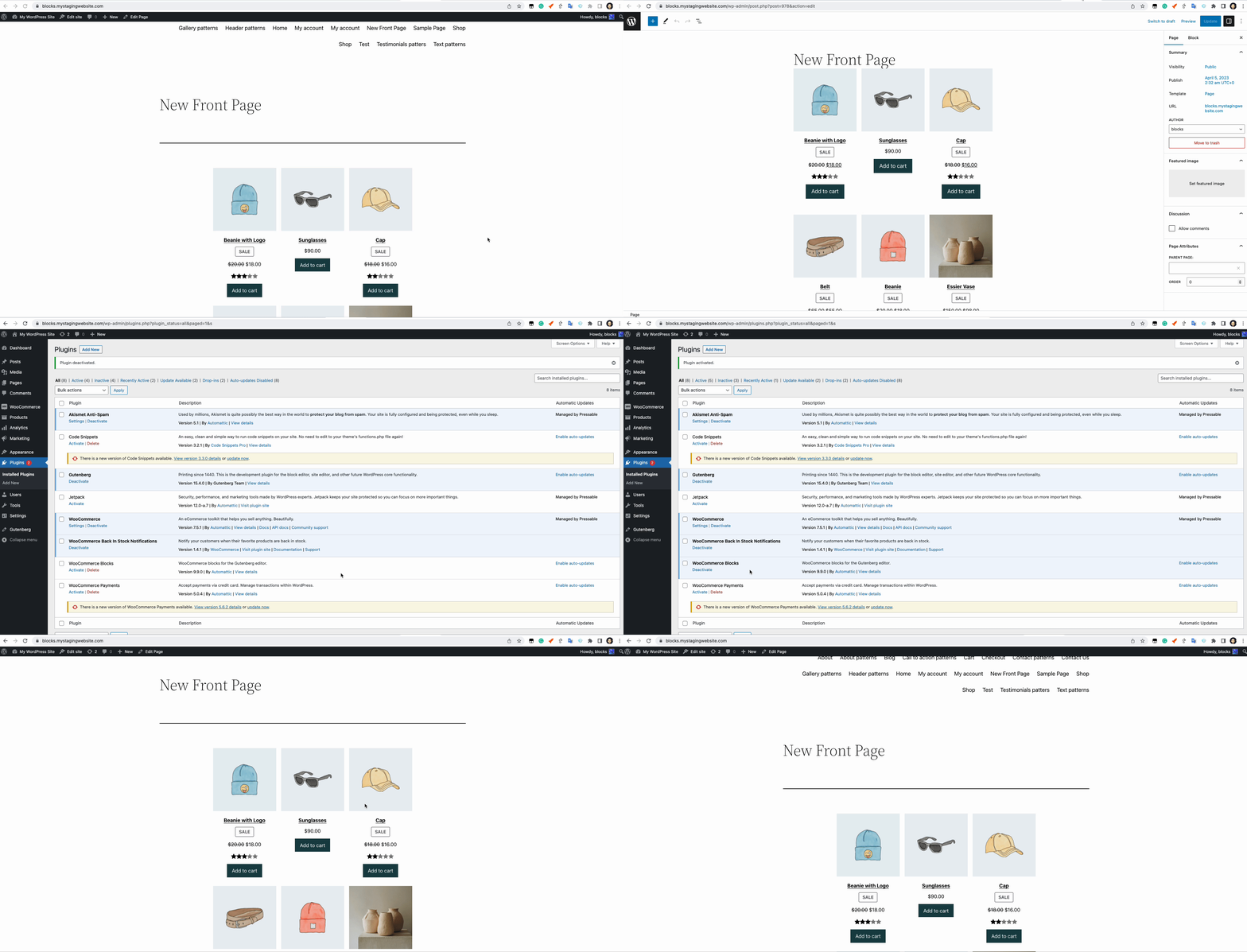
In reply to: [WooCommerce Blocks] It is a joke? Changed my site frontpage :/I performed the test you mentioned. Could you confirm from the gif below if the test is correct or if there is something specific missing from your test?
Gift link: https://d.pr/i/Enre68
But again, without much information like screenshots, system status report, it gets more complicated to provide you with a more assertive resolution.
If you are afraid to share this information here, please contact us at WooCommerce.com > My Account > Support. You may need to create an account before you can access that page.
Please include a link to this forum thread, so that we can keep track of what’s already been done.
We will be able to help you further there.
Forum: Reviews
In reply to: [WooCommerce Blocks] It is a joke? Changed my site frontpage :/Hi there @jtorresjtorres
Hi @nerrad, excuse me, I didn’t mean to offend you with the “joke” concept.
My wordpress versionis 6.1.1 and has installed Woocommerce plugin.
It is working with the Storefront free base theme which does not have the editor option, only customize option (where i miss the “Fonts” option)
I am new to Woocommerce, maybe that’s the reason why your documentation is not clear to me.
I am not sure what were the changes this plugin made and what were the advantages of having installed it. I couldn’t see any change in the Gutenberg options. The only change I could notice was that my front page changed.
ThanksWooCommerce Blocks shouldn’t perform modifications to your front page once it’s enabled. Maybe something else is going on, and we’d like to help you with that.
Regarding the settings, WooCommerce Blocks, as the name says, adds Blocks that you can use to improve your store design. However, many of these Blocks are already added to WooCommerce core, maybe that’s why you haven’t noticed a drastic difference.
But it’s important to point out that WooCommerce Blocks adds new Blocks first that are added to Core, and has many more styling options in blocks than WooCommerce Core. Things like borders, padding, margin, etc. are only enabled in the WooCommerce Blocks extension.
Now, back to the issue you are facing, could you please share a copy of your site’s System Status? You can find it via WooCommerce > Status. Select “Get system report” and then “Copy for support”. Once you’ve done that, paste it here in your response.
Also, could you share what specific style was modified on the frontpage when Blocks is enabled? If you can share screenshots showing this difference that would be great.
And lastly, which font would you like to change? Is the font of your entire site, or for a specific page/product?
Looking forward to your reply!
Forum: Plugins
In reply to: [WooCommerce Blocks] Product blocksWe haven’t heard back from you in a while, so I’m going to mark this as resolved – we’ll be here if and/or when you are ready to continue.
Forum: Plugins
In reply to: [WooCommerce Blocks] Incompatible Extension NoticeHi @mrclayton
Just an update.
WooCommerce Blocks 9.4.0 was released last week, fell free to try it out and let us know if you still encounter any issues!
Forum: Plugins
In reply to: [WooCommerce] Time Based Proration?Hi @sws3
This is possible with the Subscription Switching feature:
https://woocommerce.com/document/subscriptions/switching-guide/#section-4
You can choose to prorate your subscriptions product.
Subscriptions will never prorate the recurring payment by default. That means a customer can switch to a new subscription, without paying anything until the next payment is due. This is most suitable for subscriptions to physical items where the cost of the subscription is incurred at time of renewal.If you have further questions, please contact us at WooCommerce.com > My Account > Support. You may need to create an account before you can access that page.
Please include a link to this forum thread, so that we can keep track of what’s already been done.
We will be able to help you further there.Forum: Plugins
In reply to: [WooCommerce] WooCommerce All Products block will not display ChineseHi @mubiesam
This is a friendly reminder that a fix has already been released for this issue.
Let us know if you have any further issues.
Best,
Forum: Plugins
In reply to: [WooCommerce Blocks] All Reviews block wont show unless logged in.Glad to hear it – thanks for letting us know!
I’ll mark this thread as resolved now. If you have any further questions, I recommend creating a new thread.