logosbyls

Forum Replies Created
-
Thank you so much for the quick reply! That worked and I was able to change my password. Thank you for your help.
Awesome! It works now. Thank you so much for the fix and letting me know!
Hi, I just wanted to update you on the Page Layout problem I was having.
I tried switching my theme; I was with Astra (selecting options there in page customizer did nothing), then went to Generatepress. Unfortunately Generatepress customizer couldn’t fix the issue too. I turned off the plugin then switched my theme to Kadence and turned the plugin back on, and that theme fixed the issue. I went into Kadence’s Page Layout customizer and selected full width and unboxed, and all of Gutenverse’s blocks went back to full width/stretched.It seems when I changed Astra’s mobile header logo size (made it smaller) the call button now works on the hero section for my mobile device. I’ve made the Logo and hamburger menu now smaller for tablets too. Its now working on my tablet too. Customizing even the slightest thing in Astra (anything to do with the header) seems to be causing this issue for the blocks.
The width format did this when I was customizing in Astra and selected Breadcrumb and selected “inside”, that’s when everything suddenly narrowed and I cant get it to go back.
Thank you again for your help, I really appreciate it, and I do love the options in this plugin. The sections you can important are the nicest I’ve seen on any plugin, so hopefully the width issue can be fixed.Thank you so much for your help!
I went into Astra’s customizer and shrunk the Logo Width for mobile and that seemed to fix it. I hadn’t changed any of the margins. Astra’s header and footer editor is extremely glitchy. I’m thinking of changing themes.
The call back button on the front page; I had to change the button position from the the hero block to the block underneath it. Go to the contact page and try clicking on That button in mobile or tablet. It doesn’t work. If I place a button on the hero block, it wont work for a telephone link.The contact page seems to not have been affected by the block width issue either.
The only difference with that page was, when I imported the hero block, I had deleted both parts of the header in the template (the upper header and primary that were part of the block). On the other blocks I hadn’t yet deleted them.Sorry, miss spelled the name; Here’s the correct address
http://www.markbraundevelopments.ca
sorry about that.Yes, the site is live, I’m just setting this up for a friend.
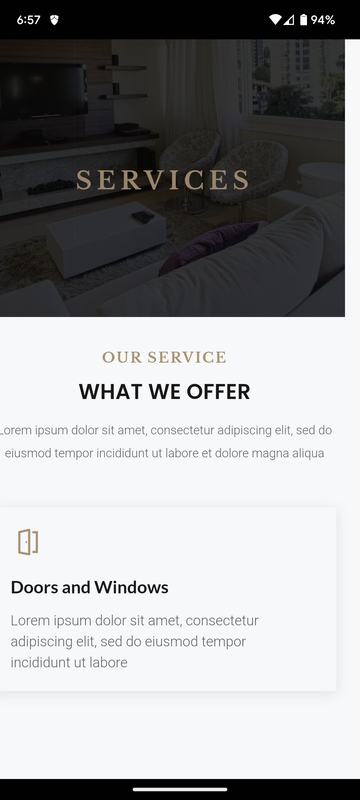
Heres a pic of the white space on mobile. Its only happening on the right side.
https://i.postimg.cc/13XvMc2c/Screenshot-20221103-185750.png
This is the site: http://www.markbrawndevelopments.caI’ve also noticed this white space is also happening to the desktop. I added a block, just a cover (just the regular block from Gutenberg), and even though its stretching full width, there is white space there too.
Another issue I’ve run into is with the Hero section. If I place a button in that section and add a telephone number to make it a call button, the link only works in desktop. When pressing it on tablet or mobile, it does not work.
I’ve tried deactivating all plugins and this does not resolve its self now. That white space now remains.
Another problem I’ve encountered is that there is empty white space on the right side. Its noticeable on tablet and mobile format. If you touch the screen and pull it towards the left, there is narrow width of empty white space. The left side is fine, only on the right side.
So its not the page container layout (purging all caches fixed the problem with Astras customizer and Gutenberg) its just the blocks from the plugin doing this.
They wont go full width anymore, they’re stuck in a narrow fixed width.
Blocks from Gutenberg and Spectra work perfectly and can go full width. The problem is only with blocks from this plugin.
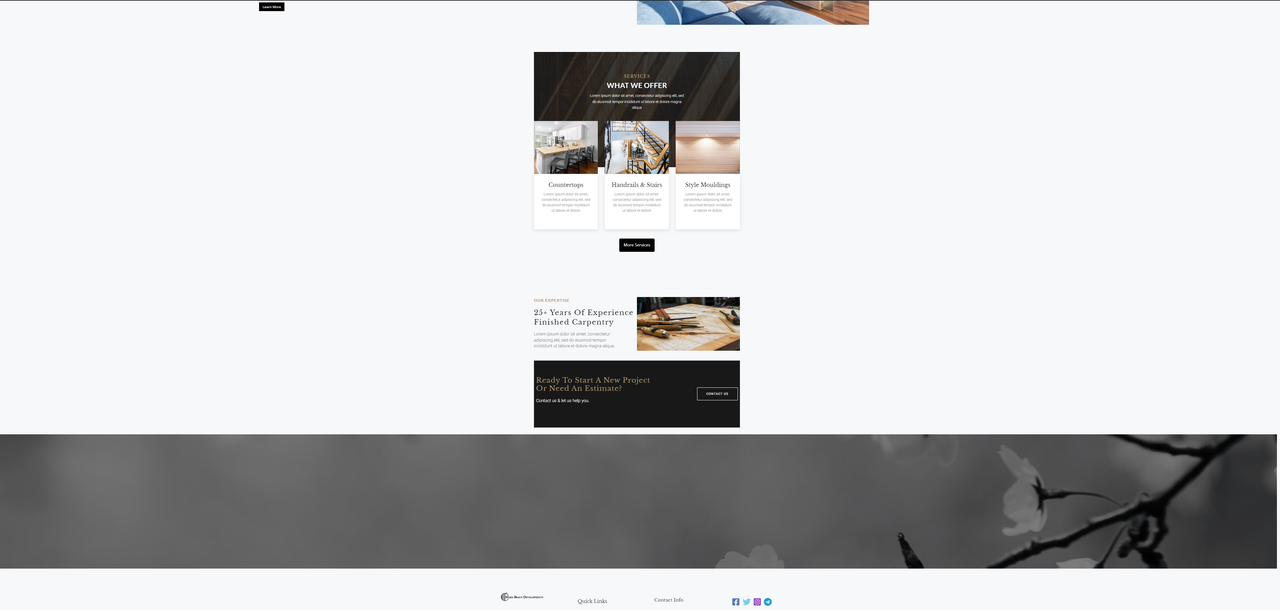
Here’s an image of what’s happening; the bottom block is Gutenberg’s and stretches full width. Gutenverse’s blocks are fixed in a narrow width and selecting options to change the width are not responding.
https://i.postimg.cc/25bgq6yF/Screenshot-20221101-204255gt.pngUnfortunately there was no section that could be selected in the list view to remove. I had to uninstall the plugin and Astra’s theme and reinstall everything. I did a re-install of the plugin and tried importing a page, and the header and footer showed up then. Unfortunately I have run into a new problem and will post that. I love the the pre made blocks in this plugin, but this plugin just doesn’t seem to want to work with Astra sadly.