Great Anthony

Forum Replies Created
-
Hi @itsmeit,
Rank Math recently published a workaround to make Polylang compatible with Rank Math by adding a compatibility code in the
rank-math-ppl.phpfile. If you have not implemented this, you should – here’s the guide: https://rankmath.com/kb/polylang-compatibility/
If you have already added this compatibility code and are still not able to get it to work, you can try opening a ticket here with more information on the issue: https://support.rankmath.com/new-ticket/
All the best,Hey @dswebnew,
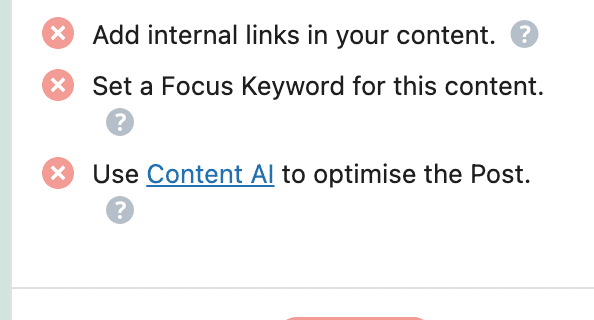
If you’re referring to this SEO Test that suggests you use Content AI to optimize your post:
You can disable this SEO Test by adding this code to your website:
/**
 * Filter to disable Content AI test.
 */
add_filter('rank_math/researches/tests', function ($tests, $type) {
	unset($tests['hasContentAI']);
	return $tests;
}, 10, 2);
You can add the code to your site using any of the methods here.
More info here: https://rankmath.com/kb/disable-seo-content-tests/#content-ai-testCheers!
- This reply was modified 2 years, 4 months ago by Great Anthony.
Hey @exoryhd,
First of all, you should review your Rank Math settings to make sure you have not misconfigured the plugin, i.e. via the Redirection module or Strip Category base options. If none of these are the culprits, you can try creating a ticket on support.rankmath.com with your website URL and maybe login details so they can help take a look for you.
Cheers!
Forum: Plugins
In reply to: [Rank Math SEO – AI SEO Tools to Dominate SEO Rankings] Blank sitemapHey @zambasha1987
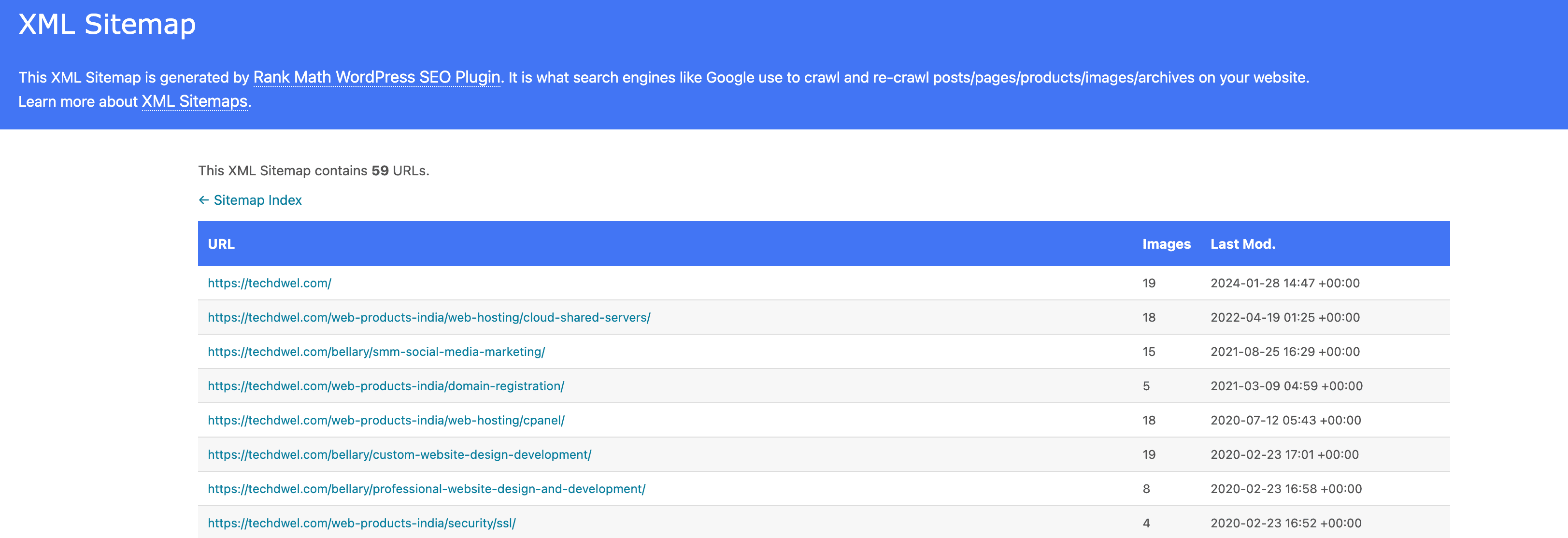
Just checked your page-sitemap.xml file and it’s loading and working fine for me.
If you’re still having issues with the sitemap, you can try clearing your browser cache and taking another look.
Cheers!
- This reply was modified 2 years, 4 months ago by Great Anthony.
Forum: Fixing WordPress
In reply to: white page everywhereIt seems what you’ve encountered is the infamous ‘White Screen of Death’, which occurs when certain things go wrong with your WordPress installation. There are a number of reasons why this could happen, but the most common one is usually from your theme or plugin.
Since you’ve troubleshooted your plugins, why not try troubleshooting your themes also?
By simply renaming your current theme (which would make WordPress revert to a generic theme automatically)
Forum: Fixing WordPress
In reply to: My site and wp-admin page will not load—instead they download a fileHi,
I visited your site and saw this: https://snag.gy/dxit2V.jpg
I will suggest you contact your Hosting provider
Forum: Fixing WordPress
In reply to: Comments on posts I didn’t publishHi @lbmmusic,
This is an image not a post, as such you dont need to “publish” it. Its automatically published as its being uploaded.
Meanwhile, you should try the plugin sugested by @rossmitchell
Chacha!
Forum: Fixing WordPress
In reply to: restrict catogery accessHi @amdh
Try using this:
https://ww.wp.xz.cn/plugins/restrict-author-posting/
Let me know how it goes <3
Forum: Fixing WordPress
In reply to: Looking to use rich text in commentWhile I would recommend @swansonphotos advice.
You might want to try https://ww.wp.xz.cn/plugins/tinymce-comment-field/
Forum: Fixing WordPress
In reply to: Changing Admin Email AddressHi hi,
If you don’t understand Multi-site, then ofcourse, you ain’t using it.
Did you check youdomain.com/you-login-url/options ?
If not try checking it.
Forum: Fixing WordPress
In reply to: Changing Admin Email AddressHello,
It would be helpfull to know if this is a Multi-site or not.
Meanwhile, try changing it from the following page
yoursite.com/wp-admin/options
//Hope that helps\\
Hello there,
Have tried checking http://www.yousite.com/wp-admin/network and navigating to settings and/or you can also check http://www.yousite.com/wp-admin/options and looking for
siteurlRegards,
Forum: Installing WordPress
In reply to: Two WordPress subdirectories in a NON WordPress websiteAs pointed out by @jaycbrf I would recommend you to create only one “Big” WordPress website, as it simplify all the process