mikeveitch

Forum Replies Created
-
Forum: Fixing WordPress
In reply to: How to create static home page with custom link?Ok, I have removed “home” page in the Pages section and then in the Static Pages I have not created a Static Page for a front page or nominated a blog page, instead I have not picked either but left them blank. I once again created a custom link pointed to mikeveitchblog.com and called it Home and then just created a normal page called Blog. For some reason it now works.. Home goes to my Front Page and Blog goes to my Blog. For some reason trying to use a “Static Page” in this theme does not work. Maybe this is true with all Graph Paper Press themes? I am not sure, but its that way with Albedo. Seems counterintuitive to me.. but, now it works. So, if anyone is having this same issue, simple resolution is don’t try to create a “Static Page” structure…
Forum: Fixing WordPress
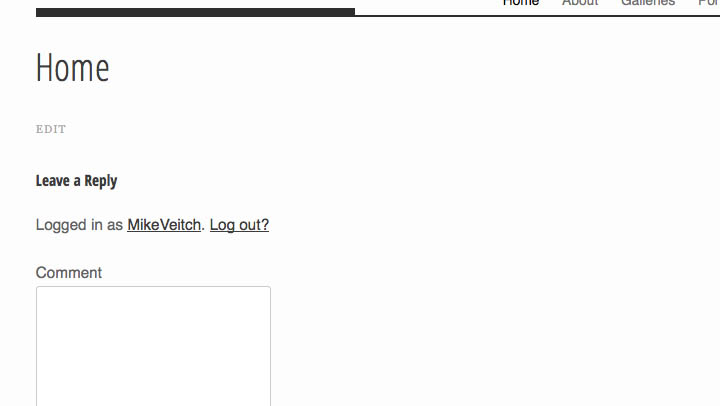
In reply to: How to create static home page with custom link?HI Christine, thanks for the answer. I switched over to Twenty Twelve and gave it a shot and still have the same issue. When I create a Home link and add it to the menu and mark it as the “static page” I just get a blank page that says Home at the top with a “leave a comment” box. My Landing Page that I created in the Albedo theme just doesn’t seem to have a “page reference” that will show up in the drop down list to allow me to choose it as the “Static page”, a custom link also doesn’t show up in that drop down list.. I can make it the landing page and refer to it as “home” by making a custom link for the menu bar and leaving the “static page” blank. But, then it also becomes the blog page as well. Surely there must be some way to nominate this Landing page as the Static page and I am missing something simple.. but I can’t figure out what
Forum: Fixing WordPress
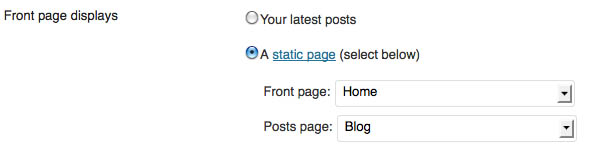
In reply to: How to create static home page with custom link?HI Christine, thanks for the quick reply. However, I have done that 3 or 4 times now, deleting and rebuilding. All i get under the Home link is a blank page on the Home page and my “home” page shows up on the Blog page. Even though I have put them in the proper place… Here are a couple of screen grabs. I wonder if this is an issue with Graph Paper Press?