Hi Herman,
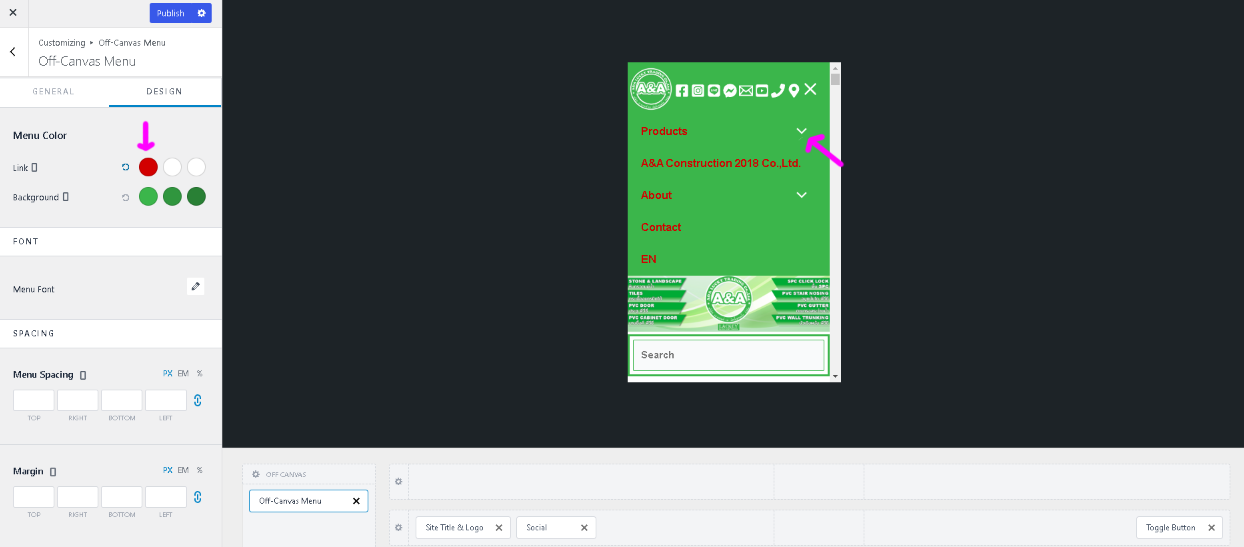
Thank you for your response. Unfortunately, it does not inherit from the Menu Color for me. It does for the desktop version but does not for the mobile/tablet version.
Please see this screenshot.
Managed to solve this by myself. I used SiteOrigin CSS which is an easy tool for people without the proper knowledge and those who are afraid they will mess things up. Clicking on the ”Eye” symbol opens the ”Visual Editor” which allows you to easily find the element you want to edit.
I couldn’t edit the mobile layout specifically but clicked the arrow and set the color to white, even though it was already showing white on the desktop layout. I then saved the CSS and was surprised to see that it worked.
This is the CSS code it generated:
.ast-arrow-svg {
color: #ffffff;
}