OxWeb

Forum Replies Created
-
Hi Nick, we just purchased today PRO version and we have the same issue as described above, we don’t see the “view cart” button next to add to cart after product is added to the cart, it is a variable product. I have a new version of the plugin, just downloaded and installed today, any help?
Forum: Plugins
In reply to: [Modern Events Calendar Lite] The full calendar load 10 secThe developer never got back to us and the calendar’s load now is 20 sec. We are looking for a different event calendar and will request a refund.
Forum: Plugins
In reply to: [Modern Events Calendar Lite] The full calendar load 10 secHi,
Thank you for offering your paid services.
We definitely see the problem in the ajax call of the MEC plugin.
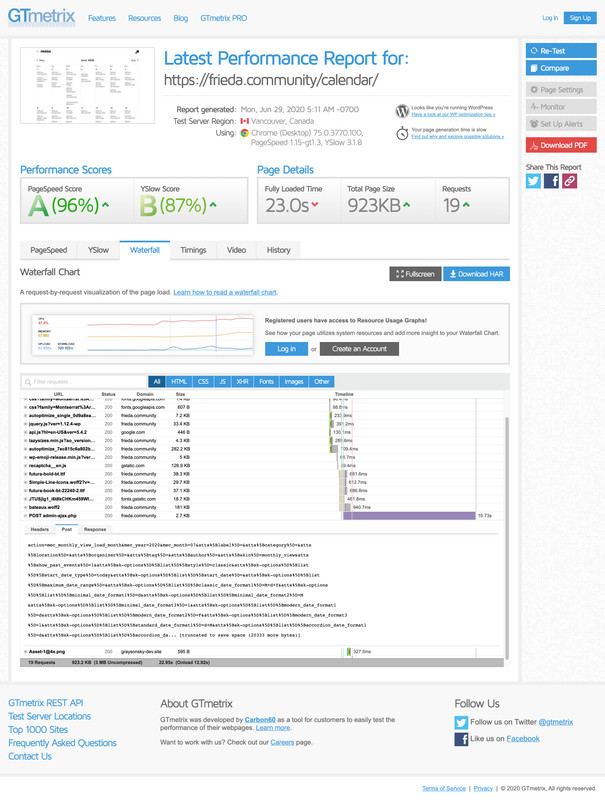
Please take a look again at this file from Waterflow of GT Metrix:
By doing the diagnostic we found that’s the only plugin that causes the issue.
The site works fast and the full calendar is the only page that gives trouble and in the screenshot, you can see why. It takes 10 sec now to load the full calendar.
I also did not mention that it started happening after the update 5.6.1
Thank you
Forum: Plugins
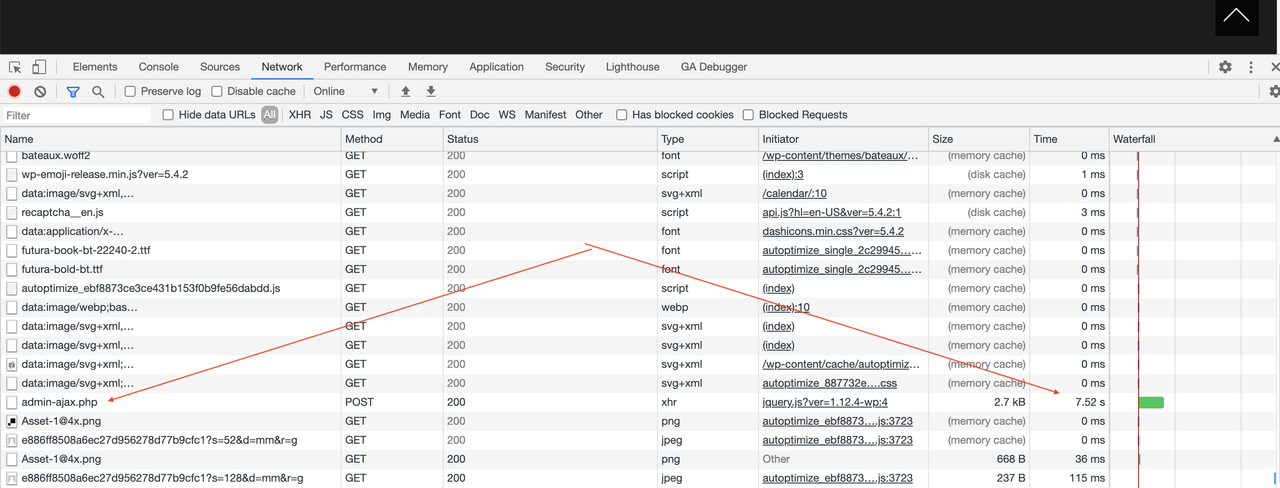
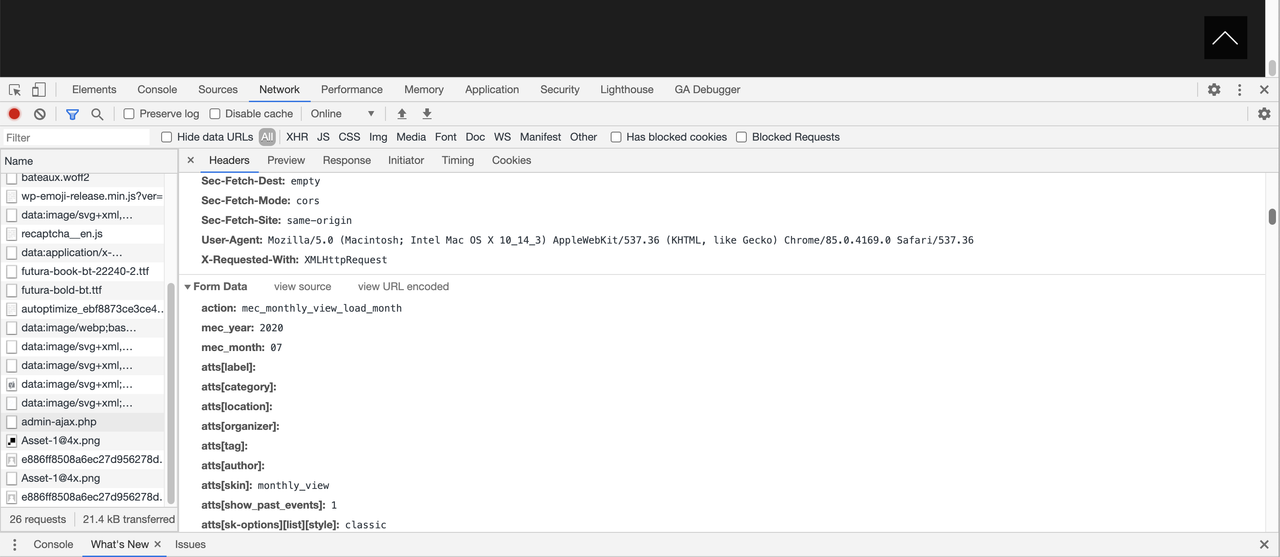
In reply to: [Modern Events Calendar Lite] The full calendar load 10 secHi, thank you for your reply. I added expired headers, I also added gzip compression and my whole page is only 930KB, but the loading time in average is still 16 sec. When I check at google chrome what takes so long, it is the admin-ajax.php of the calendar events and it takes 7.23 sec to load(!). How can I improve that? Are there any rules in the setting to decrease that load?
Here are the links to screenshots from google chrome:
https://i.postimg.cc/pXcyqbMy/admin-ajax.png
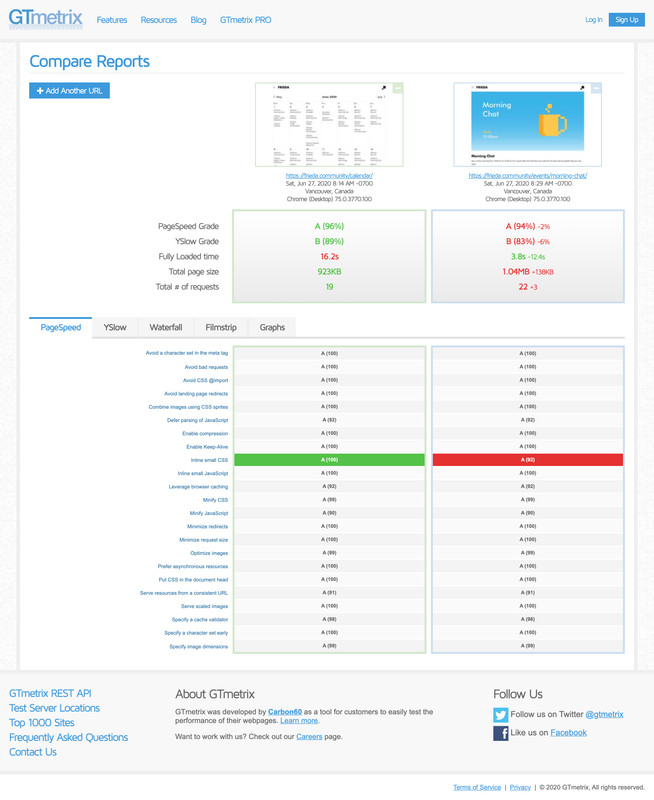
https://i.postimg.cc/SKFSvmTQ/admin-ajax-mec.pngIn comparison, if I check a GT metrics a different page ( an event page) and compare with the calendar page, I have 3.8-sec only.
See this screenshot: https://i.postimg.cc/7LFKzWZW/screencapture-gtmetrix-compare-sik-Ehj-Uv-2-XY8un-AW-2020-06-27-11-30-46.jpg
Please note, the cURL is enabled and all PHP requirements are met.
Thank you.
- This reply was modified 5 years, 11 months ago by OxWeb.
Forum: Plugins
In reply to: [Contact Form 7 Google Analytics] It’s not working for meNow it’s working for me, thank you!
Forum: Plugins
In reply to: [Contact Form 7 Google Analytics] It’s not working for meHi,
Thank you for testing. The google analytics still does not show anything,
Here is a part of a screenshot,
Not sure why,
I also use the Complete Analytics Optimization Suite (CAOS) for the google analytics, could it be an issue?
You’re welcome! Really thanks a lot! Also my client needs password protected galleries, so I just added password to the gallery itself using WP password settings and then to the page where certain gallery is located. It’s easy solution for photographers, who needs galleries to be visible only to people who have access.