papyrusdoc

Forum Replies Created
-
After recording all these steps again, with the same results, I tried something else. Since January was showing out of order even without the November event, I deleted ALL January events. Then added a new test and it placed it in the correct place. So perhaps the jan. 13 event was the one causing the problem.
Thank you for the followup.
I updated the event, changing some content (organizer) and clicked update. No change.
The troubleshooting page reports the following:
Views V2 Status
Enabled
Custom Tables Migration Status
Not Required
Custom Tables Health Check
Good!Again, the events show in different months based on whether it’s list view or month view. Thanks for your continued assistance.
I followed all these steps and created new events using the default theme and no plugins but TEC, and browser cache completely cleared.
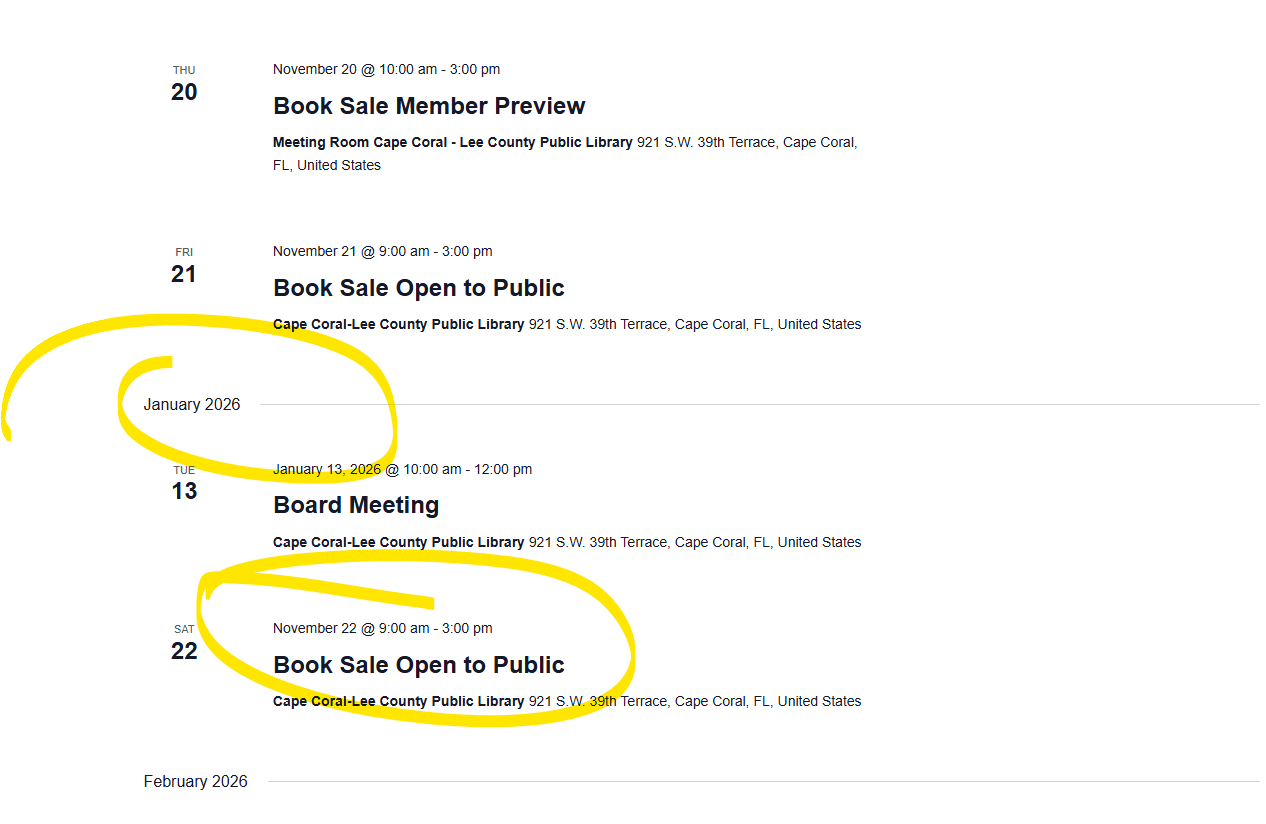
I got the same result. I tried testing events in other months (Oct and Dec) which posted correctly. However, it brought to my attention that the LIST view is showing January as a month out of order, placed between November and December. https://capefriends.org/events/ January is showing a November event and missing an existing January event.
If I switch to MONTH view, the November events show up correctly, but NO events are listed for January, despite one of them showing up in LIST view.
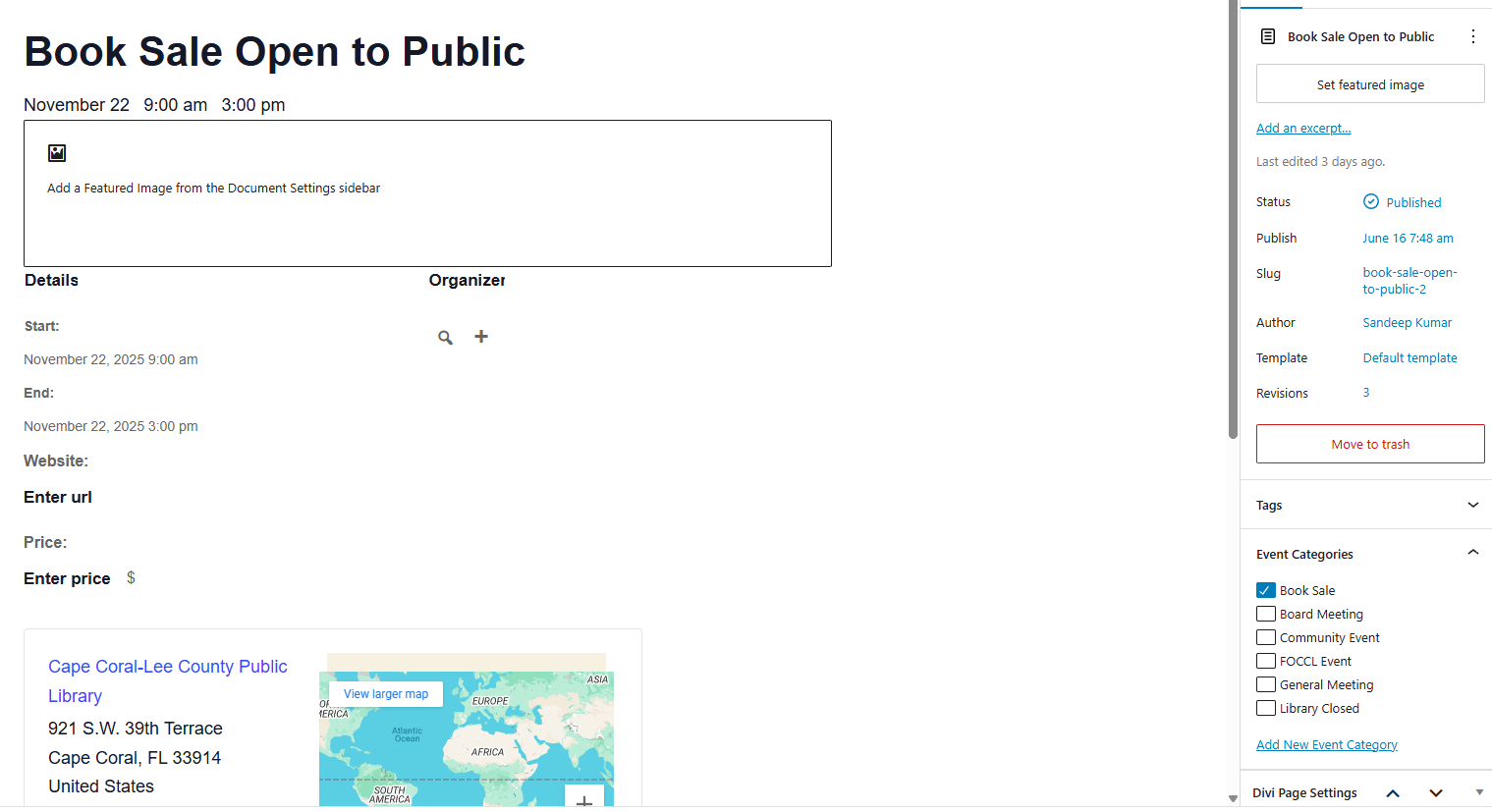
So I am now thinking this is not an event creation issue, but a display filtering/ordering issue.That is the correct entry. (https://capefriends.org/event/book-sale-open-to-public-2/) . It was duplicated, but not through TEC Pro. It was duplicated using “Admin and Site Enhancements (ASE)” plugin.
The one made from scratch (https://capefriends.org/event/book-sale-open-to-public-3/) has been in draft. To assist, I have published both at https://capefriends.org/events/.
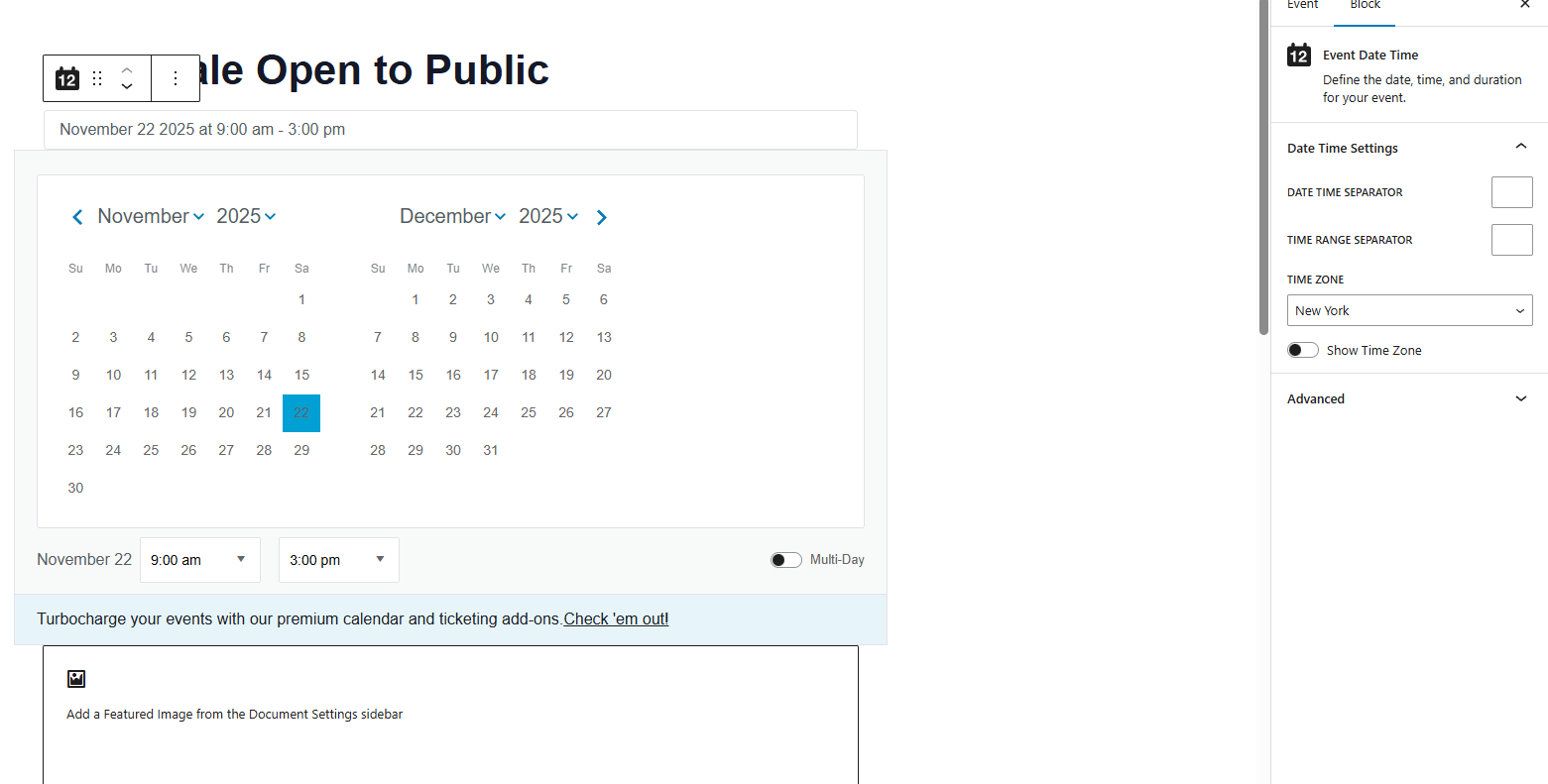
Below are the date/time settings for the “from scratch” entry.
Thank you for your time.

Thank you for your time. I have used this plugin for years and this is the first time I’ve encountered this.
The event was initially duplicated from another event (which posts to the correct location). The default time zone for the entire site was changed AFTER it was created, however, I also created another event from scratch AFTER the time zone was changed, and it behaved the same way.
I am currently using a Beta version of Divi 5, however, the behavior remains in the default 2025 theme, and I am not using the theme builder for this event.
 Forum: Plugins
In reply to: [Connections Business Directory] ERROR pluginAdding the fix in this thread fixed it for me:
Forum: Plugins
In reply to: [SpeakOut! Email Petitions] Petition Won’t SaveI did try deactivating and reactivating because I saw you recommend that on another thread. Same result afterwards.
i also tried multiple browsers in case there was a caching issue.
Forum: Plugins
In reply to: [WP-Members Membership Plugin] Redirection of blocked members and forumsThank you for following up.
I have changed my email address in the account to another address, which I hope will work better.
I don’t suppose you could resend your latest response to the current address on file?
Forum: Plugins
In reply to: [WP-Members Membership Plugin] Redirection of blocked members and forumsI have tried using that form several times and received no answer, but I will try again.
Yes, it is working with the update. Thank you so much.
Thank you for your help. I think it might be a caching issue now. I deleted and remade the blocks. They are working on emulators, but my phone seems to not reload even when I delete the cache. This page: https://waterefining.com/indoor-sulfur-aerator/ is the only page that I am still having trouble with on my phone. I will check tomorrow to see if the cache has cleared by then.
Yes, I reset all to default settings, and then I enabled the advanced size settings.
It was a key that was incorrect. After I fixed that, it worked beautifully. I really appreciate your assistance in identifying the issue.
I appreciate your work. It is apparently working differently on my site.
The exact form that I exported is on this page: https://temp.ololsvdp.org/donate-online/ . It is not removing the Other field from the calculations and the Other field does not disappear when unselected. I can’t tell from your screenshots if the other amount field disappeared when you selected a pre-set value.
It does the same thing in the preview. I deactivated all plugins and tried the default 2021 theme and the issue remained. When I remove the stripe field, the visibility issues work correctly.
Thank you for your quick reply. The exported form is available at:
https://drive.google.com/file/d/1Zn9VI9ItVWSaY9eRaBazDUuOcOqyz0Hh/view?usp=sharingI greatly appreciate the help.