Pschitt

Forum Replies Created
-
Hi @voltronik,
Thanks for the reply.
I’m surprised that as both post in French and English have the same permalink (exemple of my blog : /blog?p=13602, that generates two notification. The only difference in permalink is “&lang=en” at the end of the English version.
But anyway, thank you for answering. With bnfw, do you maybe know another WP plugin that lets generate several language versions of a post without generating multiple notifications ?
Many thanks
Claude-Alain
Forum: Plugins
In reply to: [WP Photo Album Plus] Slideshow doesn't display on iPhone/iPadWell, the theme is supposed to be responsive.
Table I-A1 is set to auto…Another way to solve the issue?
Thanks Jacob.
When clicking on Ajax button in Firefox, I get the error :
[11:10:26,777] ReferenceError: wppaVfyAlbum is not defined @ http://www.instants-choisis.ch/blog/wp-admin/admin.php?page=wppa_import_photos:1Does it help?
Import button works but I can only upload between 3 to 8 pictures before timeout…
Tryed but nothing happens when clicking on Ajax button. Have tryed with all pictures checked or with only several pictures manually checked, same issue.
It really looks like pressing on Ajax button doesn’t run anything. Should a popup window appear? Or should the import page refresh?
thanks for your reply and sorry for stitching several questions in the thread…
Files are not in depot directory. Directory http://yoursite.com/wp-content/wppa-depot/yourloginname/ don’t allow me to copy anything in it by ftp : permission denied. Here is what I get when trying to move a file to the depot/myloginname by ftp.
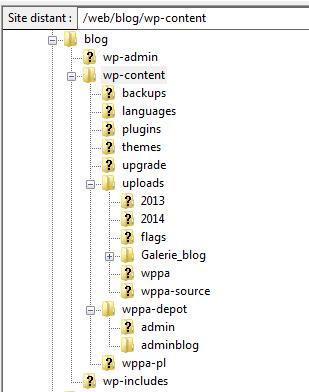
So files are in another directory : http://yoursite.com/wp-content/uploads/Galerie_blog/ Here is a screenshot of the path.
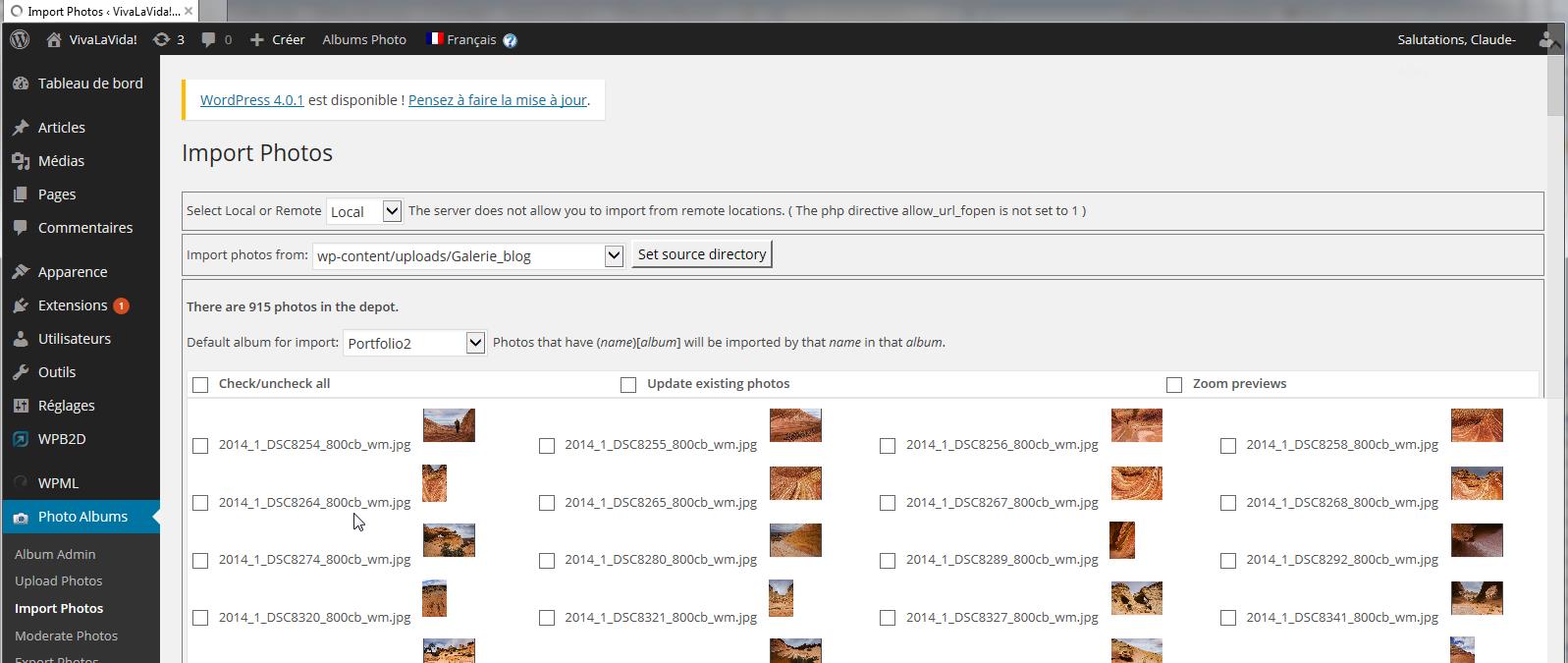
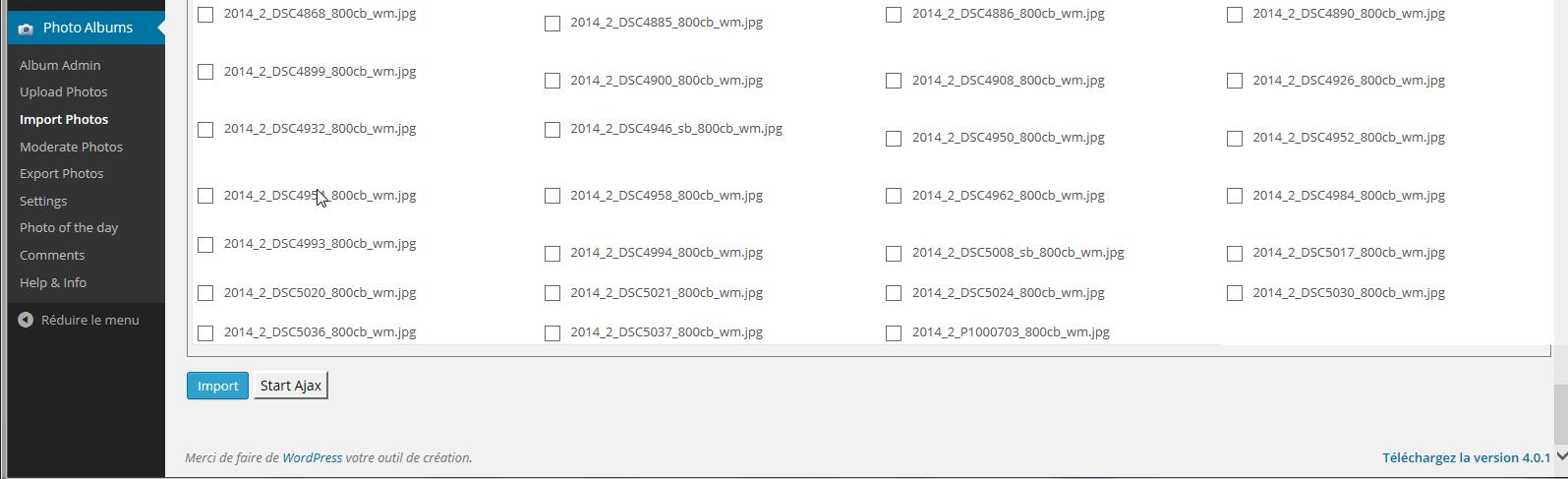
Here are two links to screenshot of import page. First is top of page, second bottom.
About Exif Date sort order, looks like it’s working this morning, even if I didn’t change any setting. Lets forget this question for now.
Many thanks
Claude-Alain
I managed to figure out how to solve question 2, so you can consider it as closed. Anyway, I still have the sort order by Exif date issue.
I’m gonna add another question. I’ve 1600+ pictures uploaded on the server. Try to bulk them with Import function but nothing happens when clicking on Ajax button. Any advice to solve that too?
Already thanks.
Claude-Alain
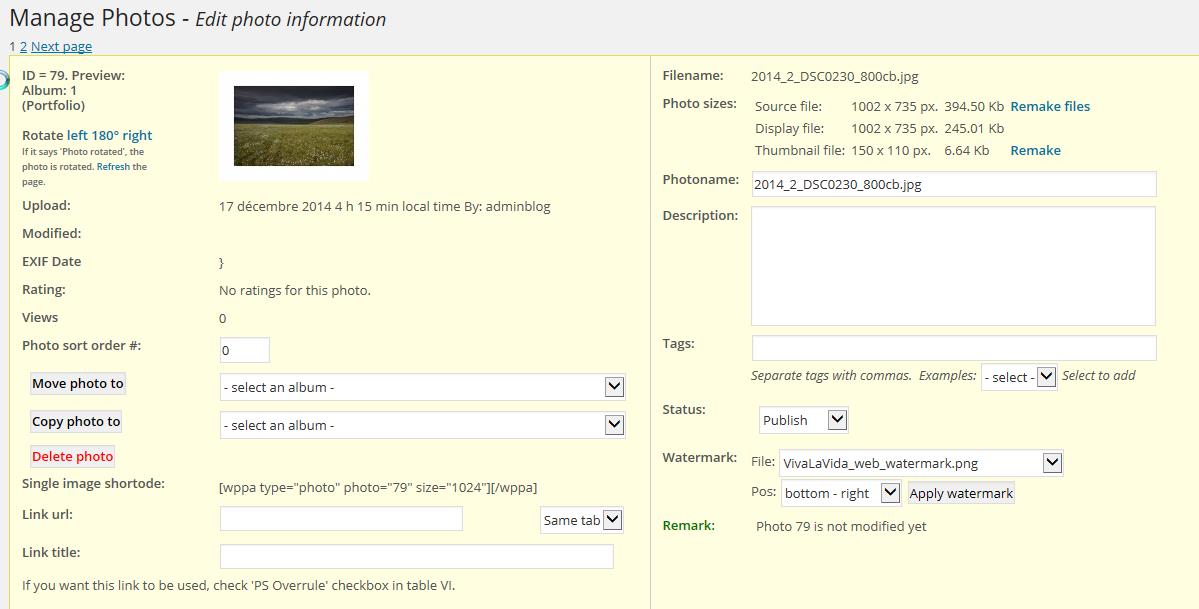
Continuing to try to figure out what’s failing to sort order properly, I noticed that in the Manage Photos boxes, “EXIF date” displays bad value:
Here an example: href=”http://www.instants-choisis.ch/publiweb/Manage_photo.jpgThat happens even if when uploading pictures, setting II-B18 and XI-21 (Tag-ID #9003) are anabled. In my picture EXIFs, “Original Date” also have Tag-ID #9003.
Hope it’ll help…Thanks
Claude-Alain
To make my second question more understandable:
Code in my WP mage is
[wppa %%album=$Portfolio%%][/wppa]I would like to arrive directly to the “Thumbnail view” :
http://www.instants-choisis.ch/blog/?page_id=5126&wppa-album=1&wppa-cover=0&wppa-occur=1
not as actually tohttp://www.instants-choisis.ch/blog/?page_id=5126Thanks
Claude-Alain