Rima Prajapati

Forum Replies Created
-
Forum: Fixing WordPress
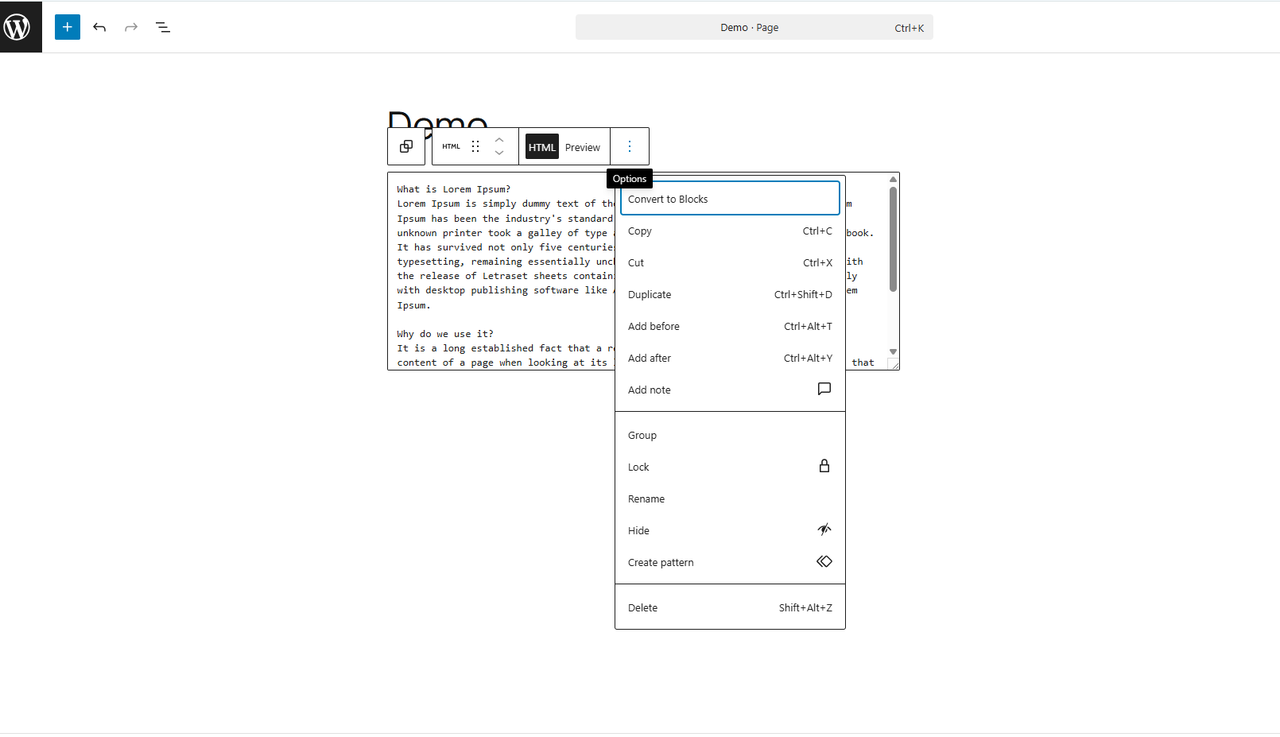
In reply to: Any idea to how I can tidy up/make the contact form here look good?The background color is applied at the block level. Please click on the block and use “Convert to Blocks” as shown in the screenshot below:
https://i.postimg.cc/3wWh23K2/Screenshot-2026-01-20-184534.png
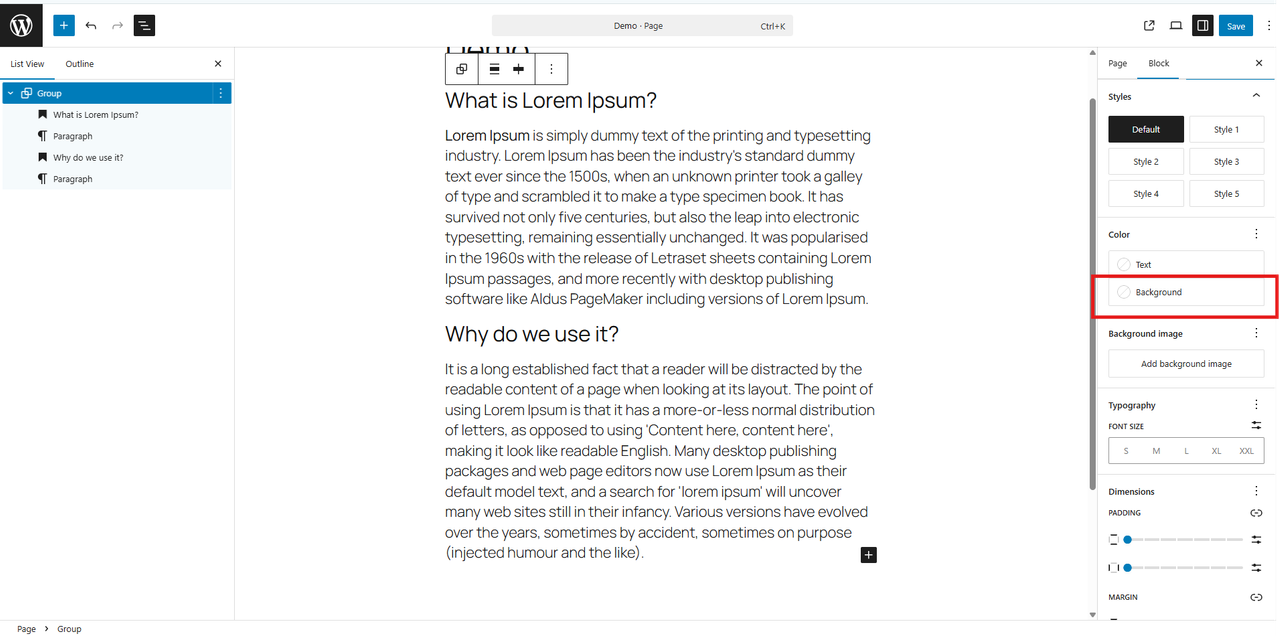
Once converted, select the parent Group block and check the right-hand block settings panel. You will then be able to see and update the Background color option, as shown here:
https://i.postimg.cc/Nf4vVKFb/Screenshot-2026-01-20-184746.png
Updating or removing the background color from the Group block will resolve the issue.Forum: Fixing WordPress
In reply to: Any idea to how I can tidy up/make the contact form here look good?Thank you for the update.
The issue occurs because the background color is still applied to the form block:
.wp-block-kadence-advanced-form307-cpt-id { background: #f6f6f6; max-width: 2000px; }
This causes the form to sit on top of the parent block, which is why the dark/black borders appear on the right and bottom.
To fix this, the background color should be applied to the parent Group block that wraps the form, not the form itself. You can do this either by using the Background color setting in the Group block or by adding a custom CSS class with your desired color. Then, remove the background color from the form block itself. This will ensure the background displays correctly.
For more details, you can refer to the WordPress documentation on styles and block backgrounds here: Styles Overview- This reply was modified 4 months, 3 weeks ago by Rima Prajapati.
Forum: Fixing WordPress
In reply to: Any idea to how I can tidy up/make the contact form here look good?Hello @kfngd
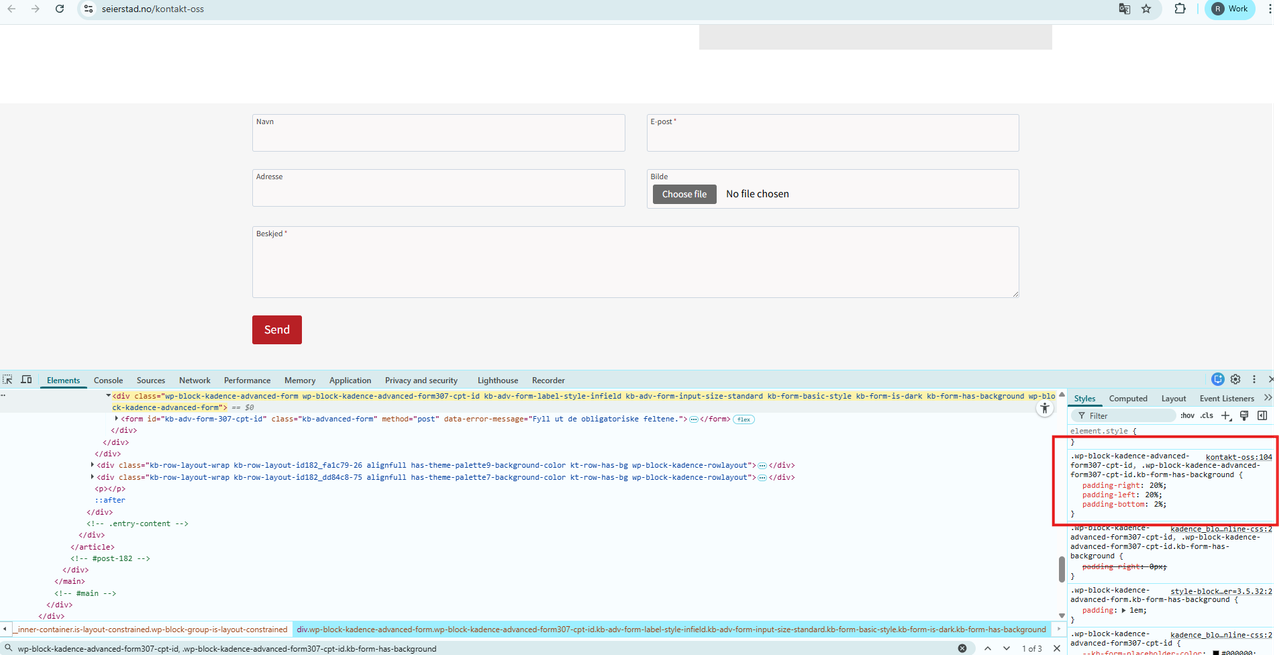
Kadence is already applying padding to the form, which is why your original values aren’t taking effect.
https://i.postimg.cc/1XB1M6h1/Screenshot-2026-01-20-143107.png
Currently applied CSS:.wp-block-kadence-advanced-form307-cpt-id, .wp-block-kadence-advanced-form307-cpt-id.kb-form-has-background { padding-left: 20%; padding-right: 20%; padding-bottom: 2%; }
To override it, update your CSS to:.wp-block-kadence-advanced-form307-cpt-id, .wp-block-kadence-advanced-form307-cpt-id.kb-form-has-background { padding-left: 10% !important; padding-right: 10% !important; }
This will override the existing padding.Forum: Fixing WordPress
In reply to: Custom Responsive Styling Across BreakpointsHi @mliving ,
Gutenberg doesn’t currently offer native support for applying custom CSS or styles per breakpoint.
If you need simple responsive styling (desktop / tablet / mobile) while staying in the block editor, you can use this plugin:
https://ww.wp.xz.cn/plugins/block-responsive/
It integrates directly with Gutenberg and lets you apply device-specific styles to blocks without having to switch to a full page builder.
Hope that’s useful.Hi,
Sorry, It is not working for me.
I’m not getting value of user acf field on any page using dynamic tag of ACF Field.
Please give me suggestion.
Thanks