roxor

Forum Replies Created
-
Forum: Networking WordPress
In reply to: cross domain Login, need help with little plugin editing.Thanks for the update Ipstenu
I understand when you told me that it could be a serious security threat without SSL logins. But my setup is temporary.
Although there are very few lines of code, but i can’t figure it out myself. It would be great if you could suggest some edits in central login plugin’s code.
I have requested both the plugin authors to help me out with this.
And it would be great if you could give us some points too. I have started the new topic here-
http://ww.wp.xz.cn/support/topic/nework-for-wordpress-and-cross-domain-cookie-sharing?replies=1#post-4107072Forum: Networking WordPress
In reply to: cross domain Login, need help with little plugin editing.Forum: Networking WordPress
In reply to: cross domain Login, need help with little plugin editing.1- yes adspage.in is a subsite (ie. added network) on softpage.in network. It was made by using network for wordpress plugin.
The plugin had following options checked in advanced settings while adding the other networks.
SCREENSHOT
http://www.flickr.com/photos/76068561@N08/sets/72157633264487447/detail/
2- No adspage.in is not a separate wp install, it is an addon domain added via control panel which is pointing to the directory of main domain (softpage.in).Forum: Networking WordPress
In reply to: cross domain Login, need help with little plugin editing.hi Ipstenu,
As you pointed there might be something wrong with the blog.
So i did an entirely new setup.. and noted every step which could cause the redirect problem.
I am using WP3.5.1 with Network for wordpress, Multidomains, SSL subdomain and SSO cross cookie plugins.
Lets forget about old setup for a while, the new Setup looks like this-
main network http://softpage.in
secondary network http://adspage.in
an example blog http://test.adspage.in
This time the secondary network is NOT pointing to the main network, that means all the networks are independent.
THE PROBLEM
1-
When i try to login at blog http://test.ADSpage.in/
it redirects me to
https://test.SOFTpage.in/wp-login.php
and then asks if i want to create a blog, because no such blog named “test” exists on this network.
http://softpage.in/wp-signup.php?new=test
Instead of all this it should send me to https://test.ADSpage.in/wp-login.php
Before installing SSL subdomain and SSO cookie plugins the logins were working fine via http. There must be something that we can do with these plugins.
2-
Does it really synchronize the cookie between subdomain blogs of two different networks? To find this out i need to solve the above problem first.
Thanks, RohitForum: Networking WordPress
In reply to: cross domain Login, need help with little plugin editing.https://test.autopage.in/wp-login.php redirects to http://autopage.in/register/
this is fine.. it does so because there is no such blog as test on network autopage.in.
But what about the blogs on other networks..PROBLEM 1
test is a blog that exists on other network ospage.in
When a blogger tries to login directaly to his blog (which is on some other network and not on main network), then he gets redirected to the main network with the following URLwhich instead should be
PROBLEM 2
OK i agree.. one can also login from main site (autopage.in) or by typing https://autopage.in/wp-login.php
But even after sucessful login on the main site,
There is NO synchronization of Login cookie between both the networks.
autopage.in and test.ospage.inThus either way the blog owner still remains logged out from his own blog.
And when blog owner tries to Login directly to his own blog(which is on other network) he faces problem 1.
Forum: Networking WordPress
In reply to: cross domain Login, need help with little plugin editing.Hey Ipstenu,
just like all other times, thanks for the assistance.
So i went ahead and installed SSL certificates, SSO cross cookie and SSL subdomain plugins.
Since there are two different networks autopage.in (main) and ospage.in (secondary) The login link breaks/changes while logging into any blog via https.
an example here-
everytime i try to login at a random blog test.ospage.in
it redirects me towhich doesn’t exsist, because “test” is a blog on network “ospage.in“
Any ideas ?I am NOT using the actual domain what I have planned and saved to use for my project. Its just a cheap test domain.
And i have chosen it wisely as i knew this would effect the quality of the domain in long term, So i picked up a name (wrongly spelled) which probably no-one would ever use.
Well i didn’t realize that i am compromising everyone’s security on the Internet this way. Thanks for the information Daniel. I will refresh my wordpress installation right away.Nope, I haven’t altered anything.
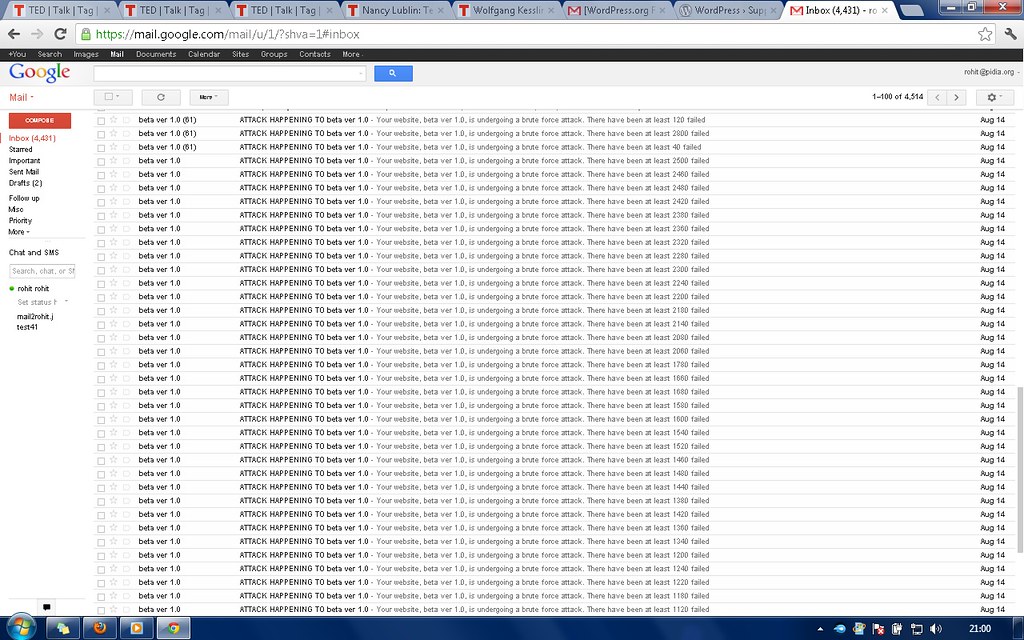
today’s mail
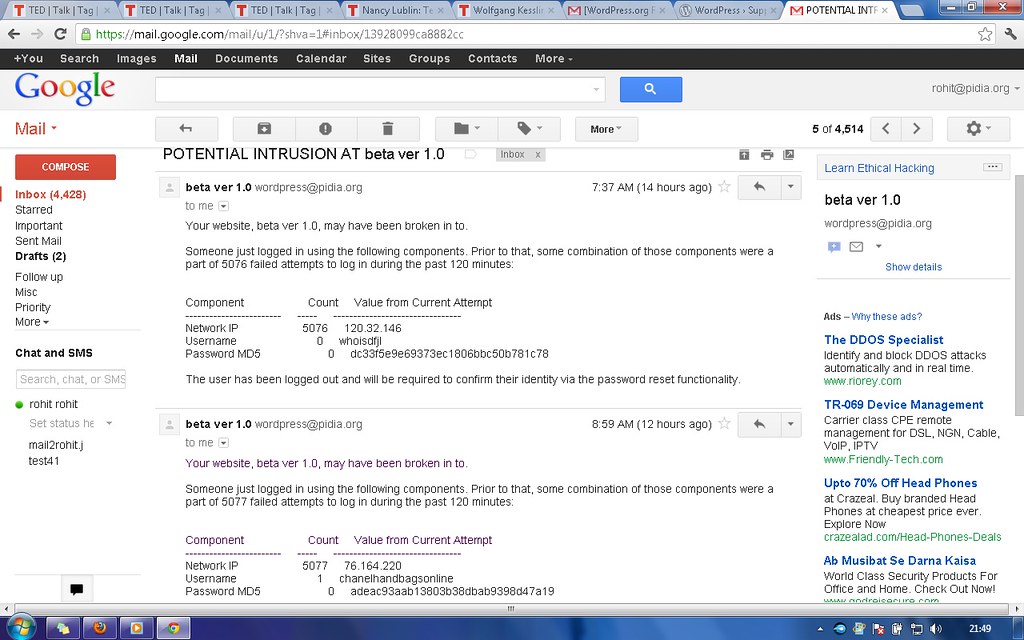
inside those emails
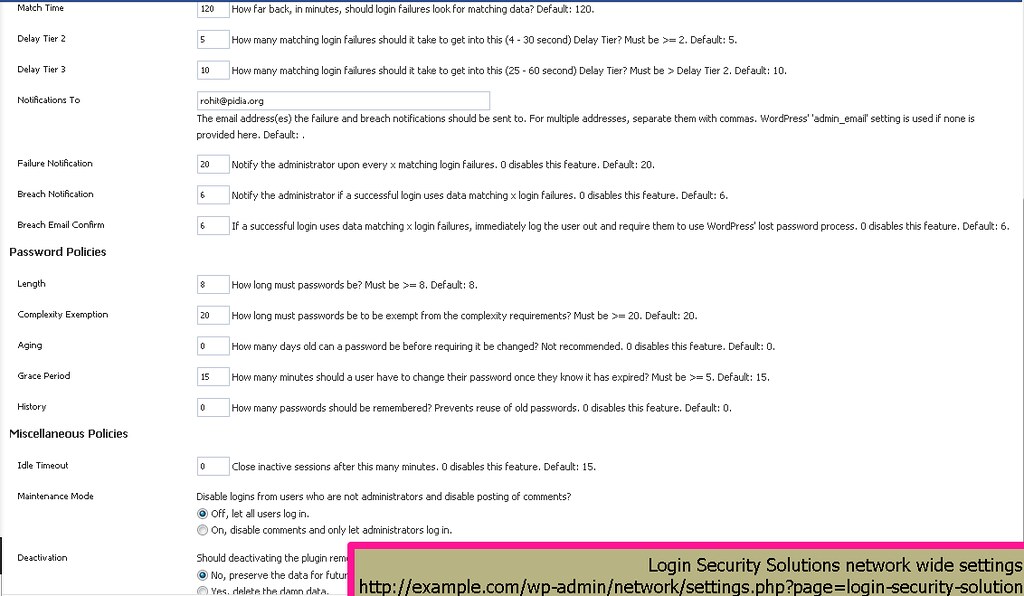
my settingsAre you behind a proxy, load balancer, etc that presents WP with a given (set) of IP addresse(s) in REMOTE_ADDR instead of WP receiving each user’s actual IP address?
I don’t understand fully the terms but F.Y.I. i have rented a shared server for testing plugins and themes for the site before it finally rolls out.
And the registration & members are mostly spams, I allowed that because I wanted to know how much resources n management would it need and also learn about scalibilty issues ..etc
Do you think this is because of shared host & IP. And security would eventually get better when I start with dedicated servers and IPs ?Yes i understand now.
there is lot of heck with google analytics. So I switched to piwik self host analytics. Its awesome.
Thank-youHi braekling,
No the URL’s are same before and after saving the settings. I would like to help more here, I did two trials. check the screenshots linked.case A- on setting option Piwik URL (REST API) with Auth token.
1- Error message got “You do not have sufficient permissions to access this page.” (settings get saved thou.)
BEFORE- http://www.mediafire.com/view/?hltxov61u8ldzc5
AFTER- http://www.mediafire.com/view/?zkxhra0d7h39upv
2- Apart from this everything works fine.case B- on setting option Piwik path (PHP API, beta) with Auth token.
1- NO SUCH ERROR message got “You do not have sufficient permissions to access this page.” (settings get saved thou.)
2- Menu tabs disappear on super-admin’s settings page HOME, TRACKING, STATISTICS http://www.mediafire.com/view/?g7jjr5tk49lbamj
3- Also wp-piwik options and stats menu disappear from the multisite sites and gives few errors in site’s dashboard. http://www.mediafire.com/view/?ekbm3sk7q1v98xbbtw- If you want to create the exact multisite subdomain installation setup for testing then you are welcome to use mine. I can mail you the Login credentials. This would save your valuable time.
and Thanks a lot for rest of the updates.Hi plugins_lexblog,
This code doesn’t solve the problem for me fully.
When site admins click “Google Analytic Solution” under Settings then they get “Insufficient Permission”.
1- But still in order to see stats on their dashboard they must enter their own analytics key.
2- Is it possible that analytics code once entered by “Super Admin” could track the whole subdomain multisite installation blogs.
thank-youForum: Plugins
In reply to: [Snapshot Backup] Alternatives to Snapshot BackupIt was a great attempt Jay.
Your other plugin is also cool.
I have tried other backup plugins too.
1- wp google drive (works well for google drive, min backup period is 1 day)
2- wordpress to dropbox (works well for dropbox, min backup period is 1 day)
3- backwpup (provides all the features in one package and you can do hourly backups too)thank you
Forum: Plugins
In reply to: Removing Default Widgets in Sidebar-1hey guys plugin works just fine. it doesn’t need any shortcode or documentation. All you need is.
1- learn how to make a gallery. here http://en.support.wordpress.com/images/gallery/
2- follow the step 1 correctly, say thank you & give some respect to developer.