shapp

Forum Replies Created
Viewing 5 replies - 1 through 5 (of 5 total)
-
I found two solutions.
First solution.
In the menu: Appearance – Customize – Additional CSS, I enter:
.zoomWindowContainer {display:none}
.zoomLens {display:none !important}Second solution.
In the menu: Products – Settings – Catalog styles – Product page design, uncheck “Enable magnifying glass:”Forum: Plugins
In reply to: [Simple Lightbox] plugin stopped workingSimple Lightbox does not work:
– WordPress 5.8.1
– no plugins installed
– Twenty Seventeen theme.- This reply was modified 4 years, 7 months ago by shapp.
Forum: Themes and Templates
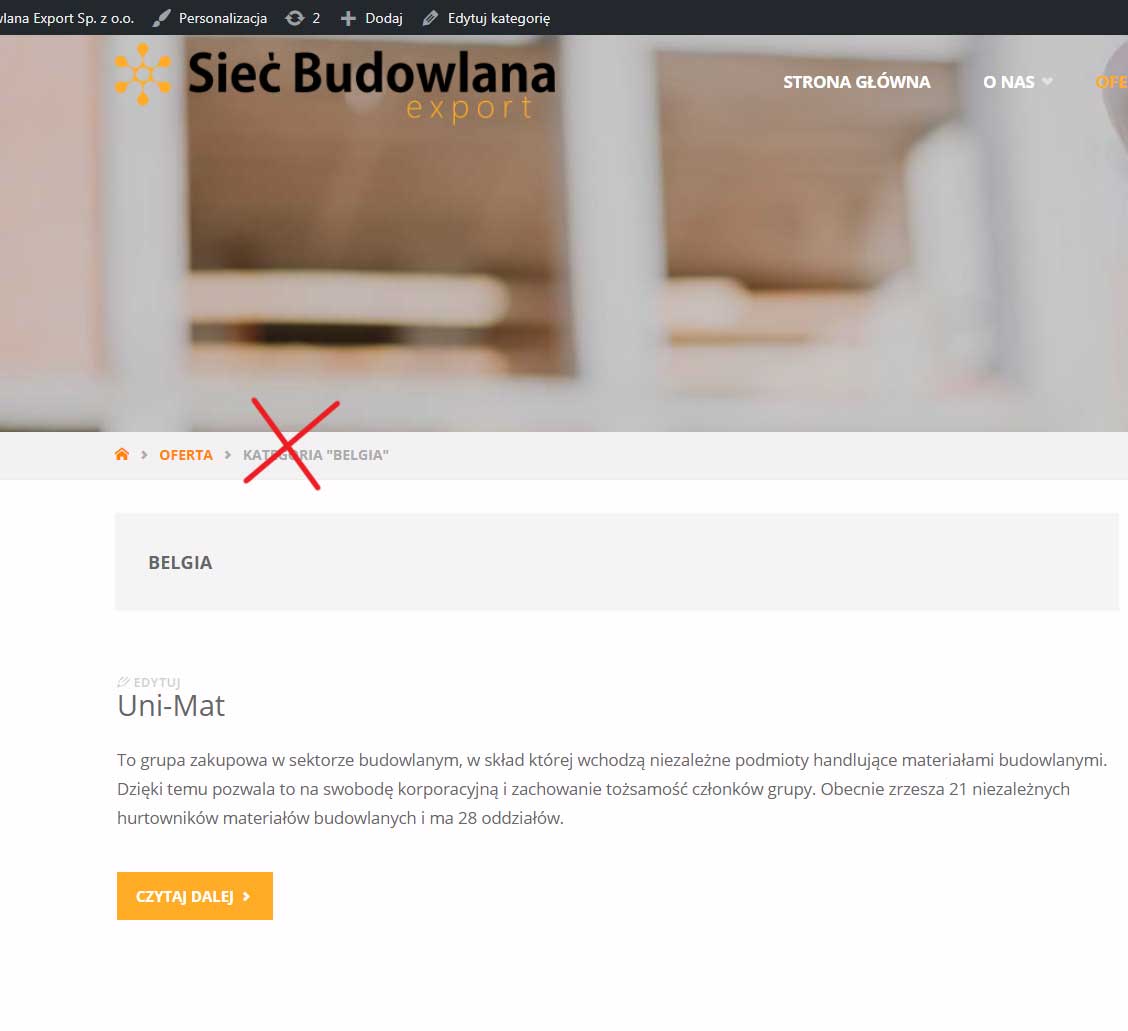
In reply to: [Septera] How to remove “Archive” in breadcrumb?I was editing the file /wp-content/themes/nazwa-tematu/cryout/prototypes.php.
I changed the line 772:befor editing:
echo $before . $text_archive .’ “‘ . single_cat_title(”, false) . ‘”‘ . $after;after editing:
echo $before . single_cat_title(”, false) . $after;It can be done with a functions.php (add function)?
Forum: Themes and Templates
In reply to: [Septera] How to remove “Archive” in breadcrumb?Forum: Themes and Templates
In reply to: [Septera] How to remove “Archive” in breadcrumb?
Viewing 5 replies - 1 through 5 (of 5 total)