srpnutratea

Forum Replies Created
-
Forum: Plugins
In reply to: [WooCommerce PayPal Payments] OrderEndpoint.php:239 Order status Failed.Hi Krystian,
The issue is not resolved even got out of hand.
The patch that was shared blocked other payment providers.
Kind regards,
SP
Forum: Plugins
In reply to: [WooCommerce PayPal Payments] OrderEndpoint.php:239 Order status Failed.Hi Krystian,
The weekend was quite difficult — we experienced over 40 failed payments. It appears that the WooCommerce PayPal payment plugin may have been compromised. I’ve also noticed several users reporting the same issue in the support forum.
Our website has had Cloudflare CAPTCHA enabled for a long time, so that doesn’t seem to preventing the issue. Your assistance will likely be needed to resolve this issue.
Kind regards,
SPHi Christian,
Thank you for letting me know. I will test it on the server.
Kind regards,
Satya
Region: United Kingdom
I have share the video to your support email id?
Could you kindly look into such and let us know what we are doing wrong.
Kind regards
Satya
Hi Zubair,
Thank you for response. Not sure why Apple Pay or Google Pay can not be added WooCommerce mini cart. If express payments can be added to the shopping cart and product pages, that code snippet can be printed on the mini cart.
The code snippet I am trying:
add_action( ‘woocommerce_widget_shopping_cart_buttons’, ‘mini_cart_stripe_button’, 20 );
function mini_cart_stripe_button() {
if( wp_is_mobile() ){
//I’d like to add Apple Pay & Google Pay button here
}
}Stripe: wc-stripe-payment-request-button
Could you look at the above code and assist with such?
Kind regards
SP
Forum: Plugins
In reply to: [WooCommerce PayPal Payments] Issues with Disconnecting PayPalBy clicking the disconnect button from the website seems broken.
Snapshot: https://prnt.sc/2VQc1MJeJY4o
It does not disconnect from the WooCommerce store & PayPal account.
Is there a way to restart the setup wizard from the beginning?
Kind regards,
SP
Forum: Plugins
In reply to: [Amazon Pay for WooCommerce] Have an Amazon account?Hi Christian,
Thank you, It is working. Please mark this as resolved. I appreciate your help.
Kind regards,
SP
Forum: Plugins
In reply to: [Amazon Pay for WooCommerce] Have an Amazon account?Would you mind to share the code snippet for function.php file or CSS class to make it display:none?
Forum: Plugins
In reply to: [Amazon Pay for WooCommerce] Have an Amazon account?Hi Christian,
I have sent you an email with the link.
Kind regards
SP
Mobile view: https://prnt.sc/U70L_XLNjDNv
Maybe this:
add_filter(‘woocommerce_billing_fields’,’nutra_custom_billing_fields’, 20);
function nutra_custom_billing_fields( $fields = array() ) {
$chosen_payment_method = WC()->session->get(‘chosen_payment_method’);
if($chosen_payment_method == “paypal”){
unset( $fields[ ‘billing’ ][ ‘billing_first_name’ ] );
unset( $fields[ ‘billing’ ][ ‘billing_last_name’ ] );
unset( $fields[ ‘billing’ ][ ‘billing_phone’ ] );
unset( $fields[ ‘billing’ ][ ‘billing_email’ ] );
unset( $fields[ ‘billing’ ][ ‘billing_address_1’ ] );
unset( $fields[ ‘billing’ ][ ‘billing_address_2’ ] );
unset( $fields[ ‘billing’ ][ ‘billing_state’ ] );
unset( $fields[ ‘billing’ ][ ‘billing_city’ ] );
unset( $fields[ ‘billing’ ][ ‘billing_postcode’ ] );
unset( $fields[ ‘billing’ ][ ‘billing_country’ ] );Hi Niklas, If I add the followings in my function page, do you think it will work? add_filter('woocommerce_paypal_payments_checkout_button_renderer_hook', function() { return 'woocommerce_checkout_before_customer_details'; }); /* if you want the title of the payment method */ add_action( 'woocommerce_review_order_before_payment', 'nutra_refresh_payment_method' ); function nutra_refresh_payment_method(){ $chosen_payment_method = WC()->session->get('chosen_payment_method'); //Get the selected payment method // jQuery ?> <script type="text/javascript"> (function($){ var cpm = '<?php echo $chosen_payment_method; ?>'; if(cpm == "paypal"){ $(".woocommerce-billing-fields").hide(); }else{ $(".woocommerce-billing-fields").show(); } $( 'form.checkout' ).on( 'change', 'input[name^="payment_method"]', function() { //alert(this.value); if(this.value == "paypal"){ $(".woocommerce-billing-fields").hide(); }else{ $(".woocommerce-billing-fields").show(); } $('body').trigger('update_checkout'); }); alert($('body').trigger('update_checkout')); })(jQuery); </script> <?php } /* */ add_filter('woocommerce_billing_fields','wpb_custom_billing_fields'); function wpb_custom_billing_fields( $fields = array() ) { $chosen_payment_method = WC()->session->get('chosen_payment_method'); if($chosen_payment_method == "paypal"){ $fields['billing_first_name']['required']= false; $fields['billing_last_name']['required']= false; $fields['billing_company']['required'] = false; $fields['billing_email']['required'] = false; $fields['billing_address_1']['required']= false; $fields['billing_address_2']['required']= false; $fields['billing_state']['required'] = false; $fields['billing_city']['required'] = false; $fields['billing_phone']['required'] = false; $fields['billing_postcode']['required'] = false; $fields['billing_country']['required'] = false; } return $fields; } If no please could you amend the code and let me know. Danke.I am using WP bakery and WooCommerce Blocks in the new design. Is there any code or hook or script I can I can implement for Express PayPal Checkout. I look forward to hearing from you.
Hi Niklas,
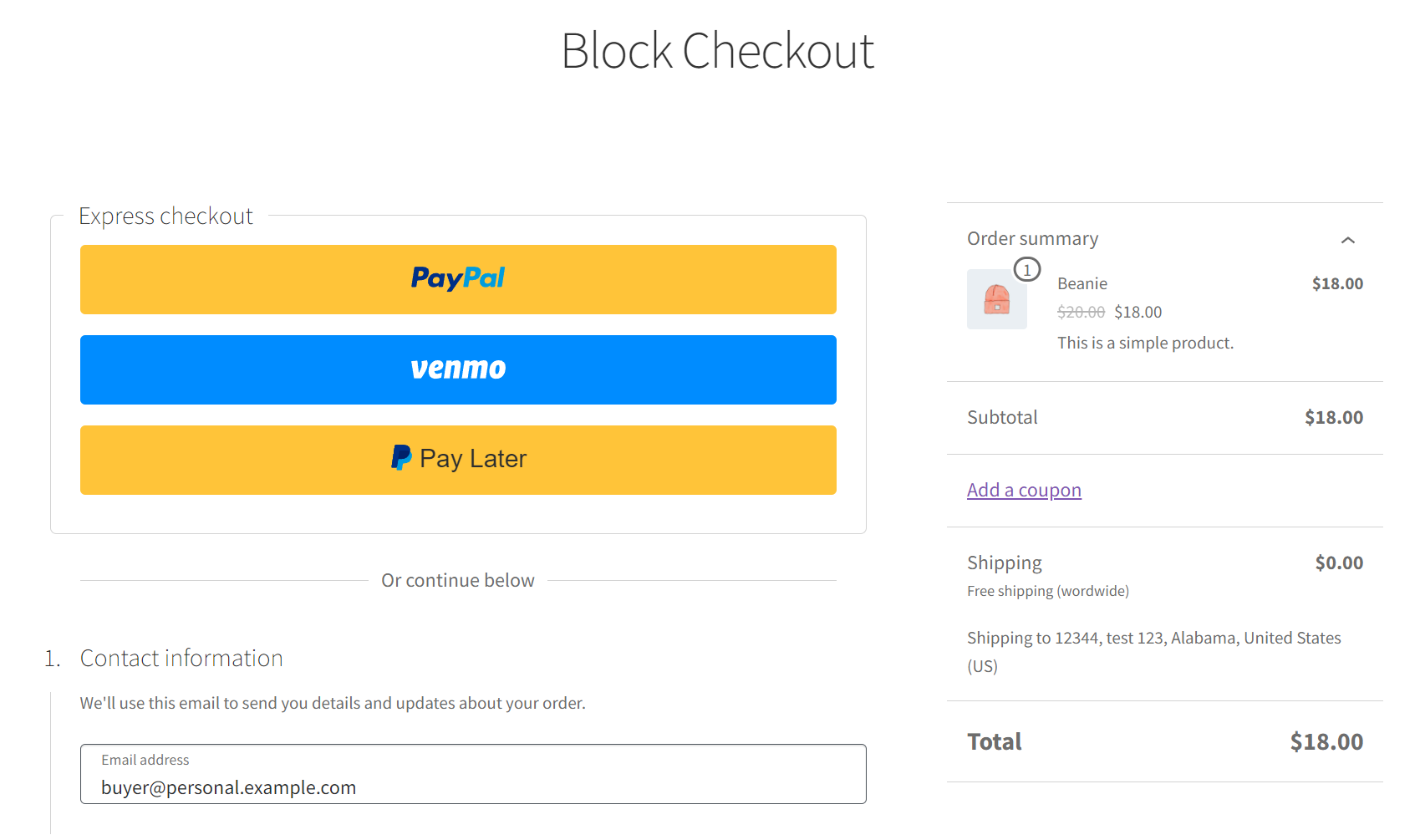
I am using Block express checkout and wants to know how can I enable Block Express checkout button in the checkout page.
Same like this: https://woocommerce.com/wp-content/uploads/2023/07/image-15.png
I look forward to hearing from you.
- This reply was modified 2 years, 9 months ago by srpnutratea.