Steve McNally

Forum Replies Created
-
Thank you for the details, David. This topic is resolved. I’ll create a more-specific topic once I review
class-mla-edit-media.php, “MLA Custom Field and IPTC/EXIF/WP Mapping Actions and Filters (Hooks)” and plugin samples.“Keep/Replace” setting in the mapping rules refers to the database values associated with the items.
100% Understood.
MLA has no features that alter the image files in any way, an early design decision I still follow.
Understood here, too. I’m going to review the details you’ve shared, ask more specific questions, and — with hope — share progress I’ve made with available hooks, functions, plugins. Much obliged –
Forum: Plugins
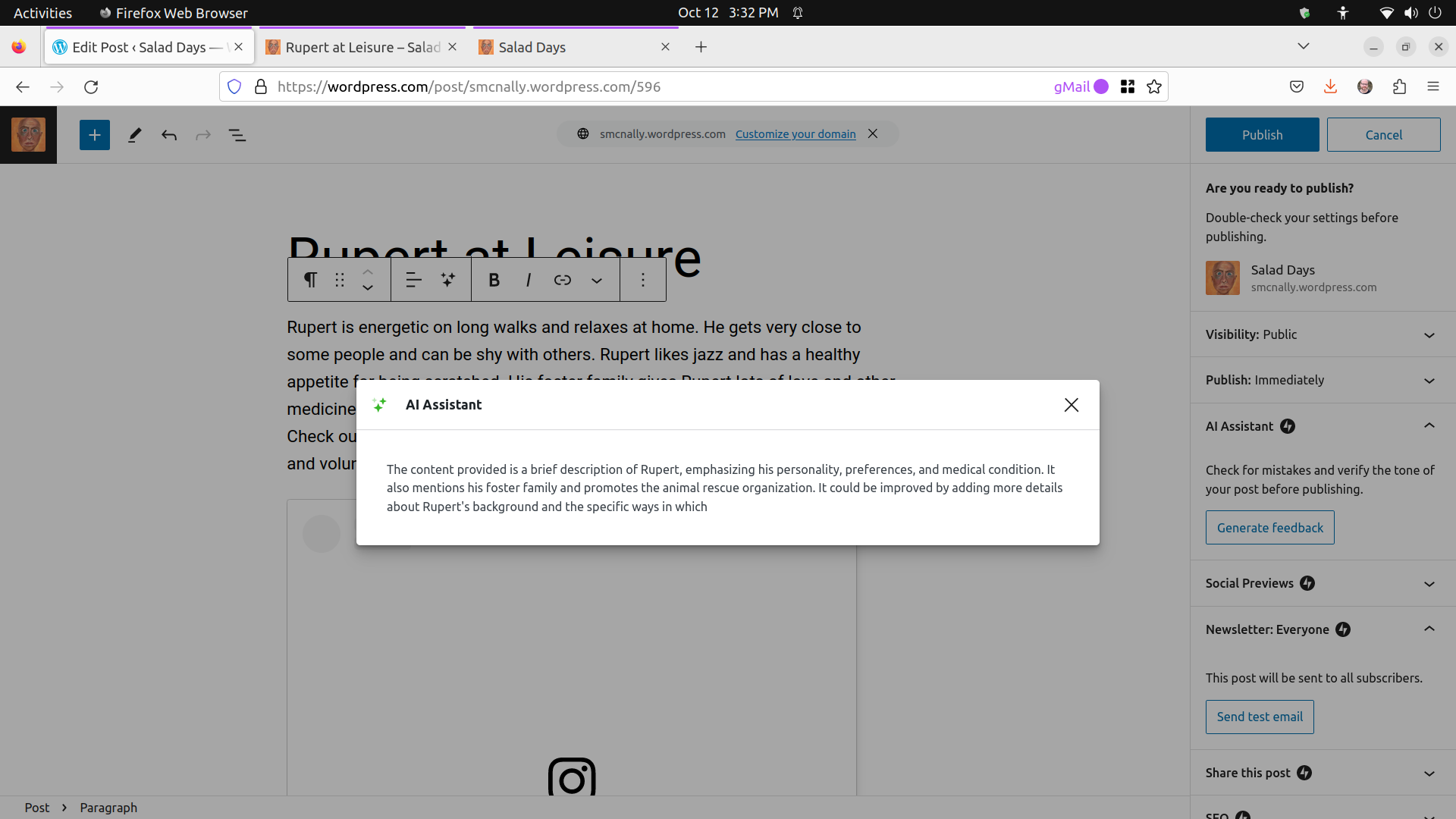
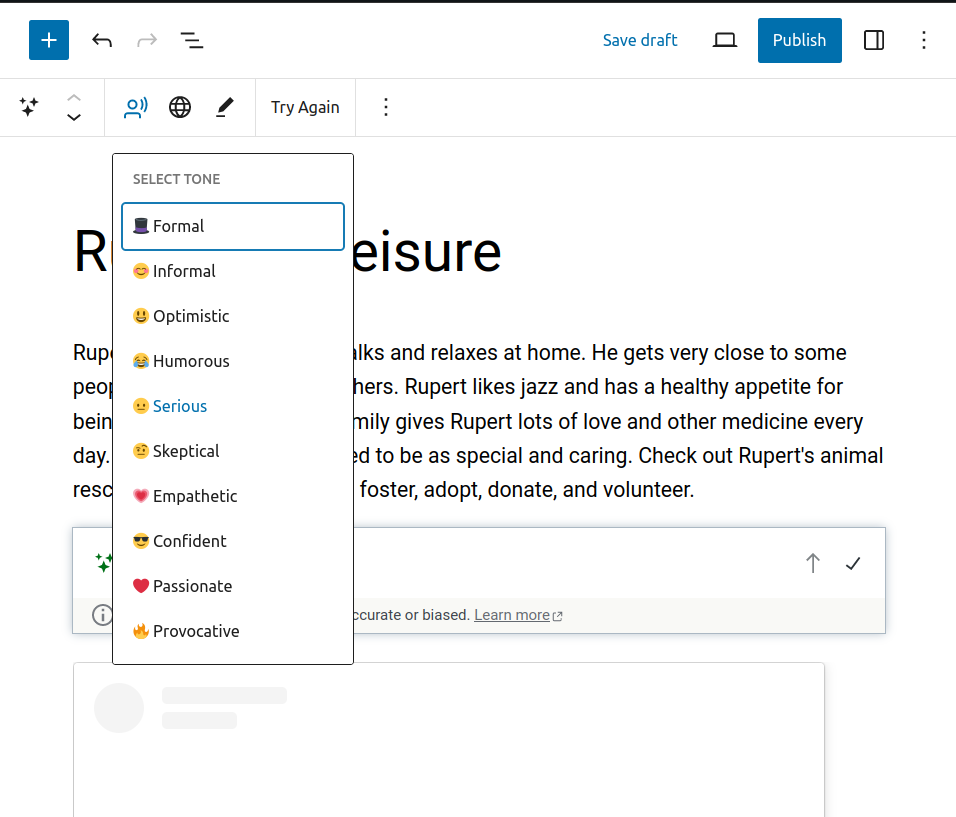
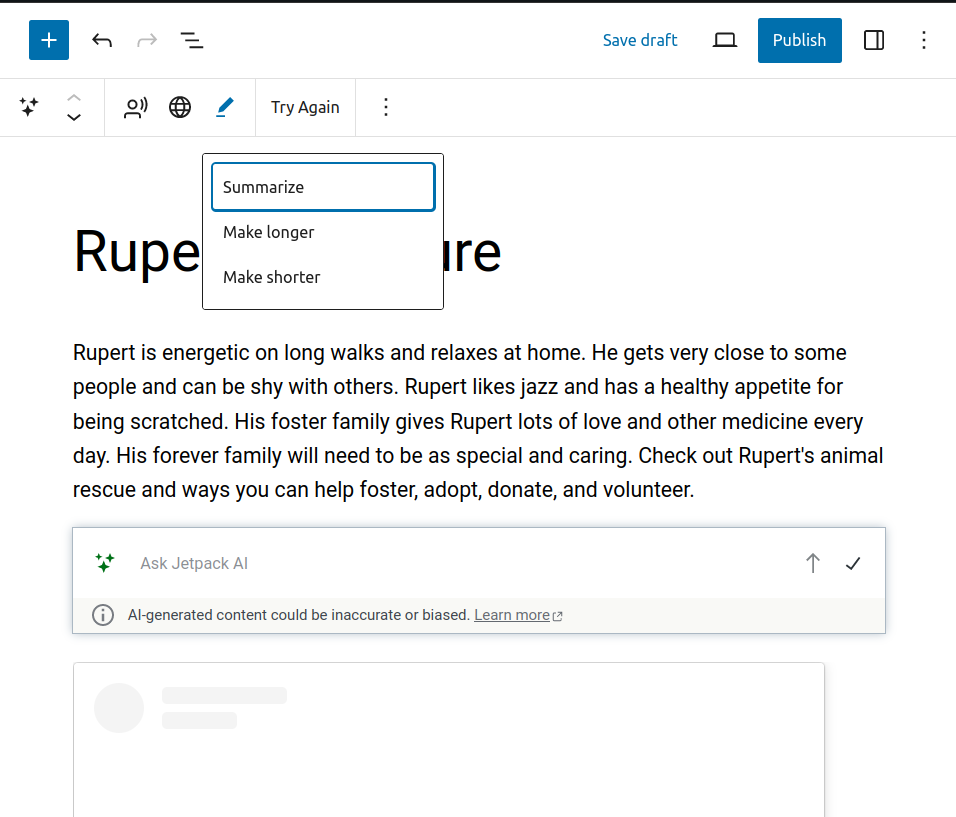
In reply to: [Media Library Assistant] Mapping xmp:AltTextAccessibility-en-US to ALT TextThese are screenshots of the above — “funny” enough, the Image block Insert By URL for these wp.org topic replies are throwing “This image has an empty alt attribute” errors.
Forum: Plugins
In reply to: [Media Library Assistant] Mapping xmp:AltTextAccessibility-en-US to ALT TextThe dev update is also working with uploading new items and running rules in bulk.
With the dev version and rule mapping updated, running ALT Text rule only where needed is super-helpful. From Media … Assistant, I selected the items, Bulk actions … Edit … Apply, then Map IPTC/EXIF/WP metadata and the existing items now have ALT Text.
The flexibility to run MLA rules against one, many or all attachments is excellent. How these are woven into and exposed via post, Media Library and options pages reminds me to take more advantage of it.
Forum: Plugins
In reply to: [Media Library Assistant] Mapping xmp:AltTextAccessibility-en-US to ALT TextThank you, David. The dev version you posted is working as designed. This topic is resolved. Many thanks for the quick turnaround and your excellent support as always.
Immediately upon updating the plugin, the accessibility fields were visible in existing media Attachment File Metadata — Here’s one example:
xmp:Iptc4xmpCore.AltTextAccessibility.en-US => JetPack AI helped us find people who love their Maltese and positioned to help Rupert.Executing the ALT Text mapping rule is also working as designed.
Forum: Plugins
In reply to: [Media Library Assistant] Mapping xmp:AltTextAccessibility-en-US to ALT TextThank you, David. Yes – That is the original file. That file and these others have values for
xmp:AltTextAccessibility-en-US- https://wpla.meanbusiness.com/wp-content/uploads/WP_com-AI-Assistant-Block-Editor-Rupert-at-Leisure.png
- https://wpla.meanbusiness.com/wp-content/uploads/WP_com-AI-Assistant-Block-Editor-Select-Tone.png
- https://wpla.meanbusiness.com/wp-content/uploads/WP_com-AI-Assistant-Block-Editor-Summarize-Make-Longer-or-Shorter-Ask-Jetpack-AI.png
- https://wpla.meanbusiness.com/wp-content/uploads/AI-ML-WP-Workflows-II-on-WPLA-Bard-from-Google-Powered-by-PaLM-2.png
From the server, running exiftool against these same files shows values for
Alt Text Accessibility (en-US). xmp:description has the same value as that successfully maps to ALT Text in MLA.exiftool AI-WP-II-QA-Session-Notes-–-WordPress-Los-Angeles-Meetup.png
ExifTool Version Number : 10.80
File Name : AI-WP-II-QA-Session-Notes-–-WordPress-Los-Angeles-Meetup.png
Directory : .
File Size : 284 kB
File Modification Date/Time : 2023:10:06 18:12:59-04:00
File Access Date/Time : 2023:10:06 18:12:59-04:00
File Inode Change Date/Time : 2023:10:06 18:12:59-04:00
File Permissions : rw-rw-r--
File Type : PNG
File Type Extension : png
MIME Type : image/png
Image Width : 625
Image Height : 530
Bit Depth : 8
Color Type : RGB with Alpha
Compression : Deflate/Inflate
Filter : Adaptive
Interlace : Noninterlaced
XMP Toolkit : Image::ExifTool 12.40
Alt Text Accessibility (en-US) : Rupert needs daily meds. Dobby is an older fellow. Nuri is being rescued internationally. Each of these three dogs need foster care, donations and adoption. These are the actions we walked through together live + Q&A and updates since.
Description : Rupert needs daily meds. Dobby is an older fellow. Nuri is being rescued internationally. Each of these three dogs need foster care, donations and adoption. These are the actions we walked through together live + Q&A and updates since.
Title : AI + ML + WP Workflows II on WPLA
Image Size : 625x530
Megapixels : 0.331From No metadata is extracted from WebP images, this addresses my issue re
exiftoolseeing the field but not MLA:The (PHP) IPTC and EXIF parsing functions are still available, but they have not been updated to incorporate changes in those standards over time. I developed my own code for the XMP parsing, and since the new data is usually available in the XMP values you can still use MLA to get at it.
I’ll look into
class-mla-edit-media.php, see if I can call systems’exiftooland pass that to / from MLA which would work for me in a bunch of cases.Fingers Crossed! Recommendations welcomed! Many thanks –
/tangent to the closed topic: I pre-process WebP files with ImageMagick’s
convertas different platforms and applications create and handle the format differently.convert infile.webp outfile.gifThanks again, David. MLA “just working” with
--skip-copyopens tons of options.The powerful search surfaces media regardless of where the terms live within the imported item. Referencing the source asset — rather than a new copy in WordPress — means updates to the source’s metadata is reflected immediately and available to Standard field mapping Rules.
exiftool is one way to update source metadata. Adobe, Apple and others offer tons more ways. So long as WordPress can read the source asset as “local,” it’s usable anywhere media can be used + all the enrichment MLA adds. Very cool –
Everything works as designed with **MLA** and
Standard field mapping **Rules**usingwp media import "/path/to/file.png" --skip-copyWe can close this topic. Absolutely brilliant on WordPress’, wp-cli’s and MLA’s part –
I needed a mount point[0] in
wp-content/uploads/that WP can read. Everything else Just Works from there. This is Good.[0] absolute local fs paths, symlinks, virtual filesystems, and tunnels haven’t worked yet, but I’m sure they would with more cajoling.
Many thanks, David. Checking this out and will report back on MLA Bulk Edit Remap Example, MLA Postie Post After Example, and any other details of interest.
Forum: Plugins
In reply to: [Media Library Assistant] The IPTC data isn’t coming throughOnce you Export ALL Settings, you’ll see the Import ALL Settings option in the same place you exported — the
Settings…Media Library Assistant…GeneralpageCopy the
mla__options_XXXXXXXX_YYY.txtexport to your other local test sites and Import ALL Settings from thereThis works, thank you. We can close this Topic, too. I’ll open others as-needed. Most questions I’ve had are addressed here in Support or in the docs.
Your added info is helpful to get into thinking about it from MLA’s PoV in addition to my own. Much obliged –
Forum: Plugins
In reply to: [Media Library Assistant] ALT Text with EXIF xpcomments,xptitle,xpkeywordsMany thanks, David. I’m running media-library-assistant v3.04, but have been referencing screenshots from your plugin main page on .org: https://ww.wp.xz.cn/plugins/media-library-assistant/
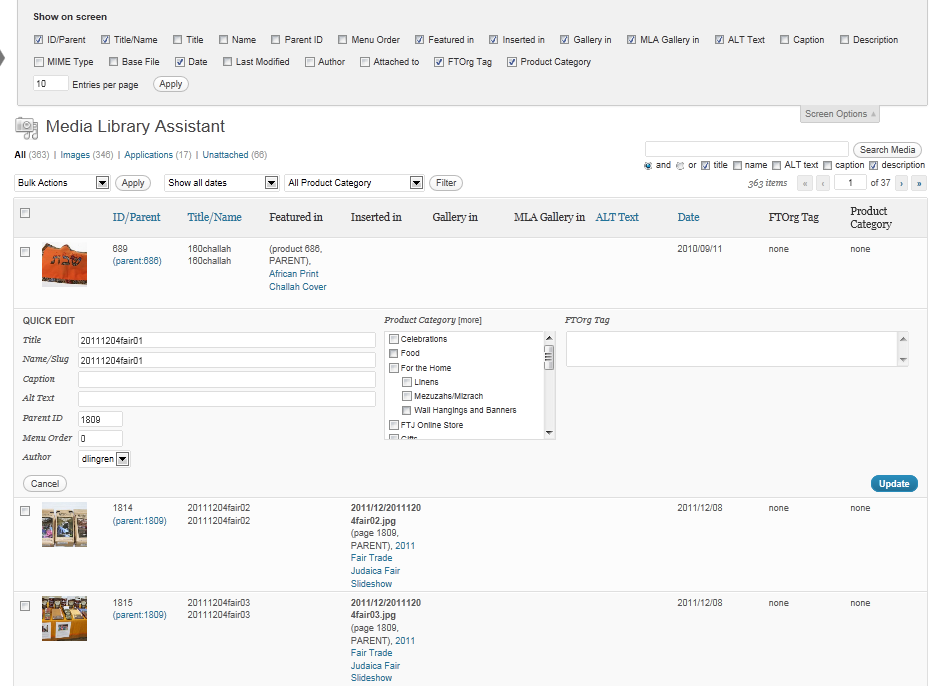
Screenshots from mla v3.04 on WP 6.1 are in this gallery.
https://meanbusiness.com/2022/11/14/media-library-assistant-v3-04-support-assets/The more recent Settings pages are much cleaner, but the feature/function continuity from earlier versions is impressive.
Many thanks, David. Please do share the process. I’m running media-library-assistant v3.04, but have been referencing your screenshots from the plugin main page on .org: https://ww.wp.xz.cn/plugins/media-library-assistant/
Screenshots from mla v3.04 on WP 6.1 are in this gallery. I’ll add to that gallery as my work on this continues.
I can use the available Bulk Edit screen to update
ALT Text,Description,Titlefield mappings. This works to answer my question and close this Topic.https://ps.w.org/media-library-assistant/assets/screenshot-1.png?rev=626818
I approached this starting from the Standard field mapping Rules already defined and will explore enabling or adding this as an option to what works already. Many thanks.
Forum: Plugins
In reply to: [Media Library Assistant] ALT Text with EXIF xpcomments,xptitle,xpkeywordsThank you, David. Settings/Media Library Assistant is a gold mine. The IPTC & EXIF Processing Options make powerful combinations with **Standard field mapping Rules**. The documentation and your responsiveness in these forums is outstanding. Thank you for all of it –