teddyhashee

Forum Replies Created
-
Forum: Plugins
In reply to: [WebberZone Top 10 — Popular Posts] How to make top 10 Holizontally?Ajay, thank you for your reply.
Okay, it will take a time, but I will keep working and learn step by step how to register image, and edit sidebar/theme by myself.Thanks again for your help.
I am currently satisfied with small thumbnails in the sidebar.For anyone who are looking for how to put top 10 holizontally, I hope this posts will help you too.
Thanks again.
Forum: Plugins
In reply to: [WebberZone Top 10 — Popular Posts] How to make top 10 Holizontally?Hi, Ajay.
Thank you for contacting me again.And yes, what I was talking about was different sizes of the thumbnails for the top and sidebar.
For instance,
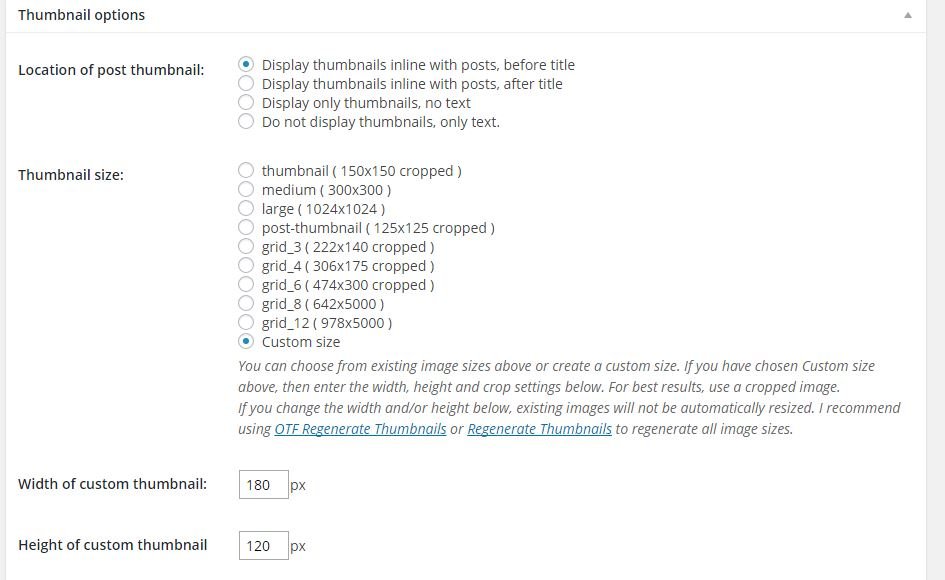
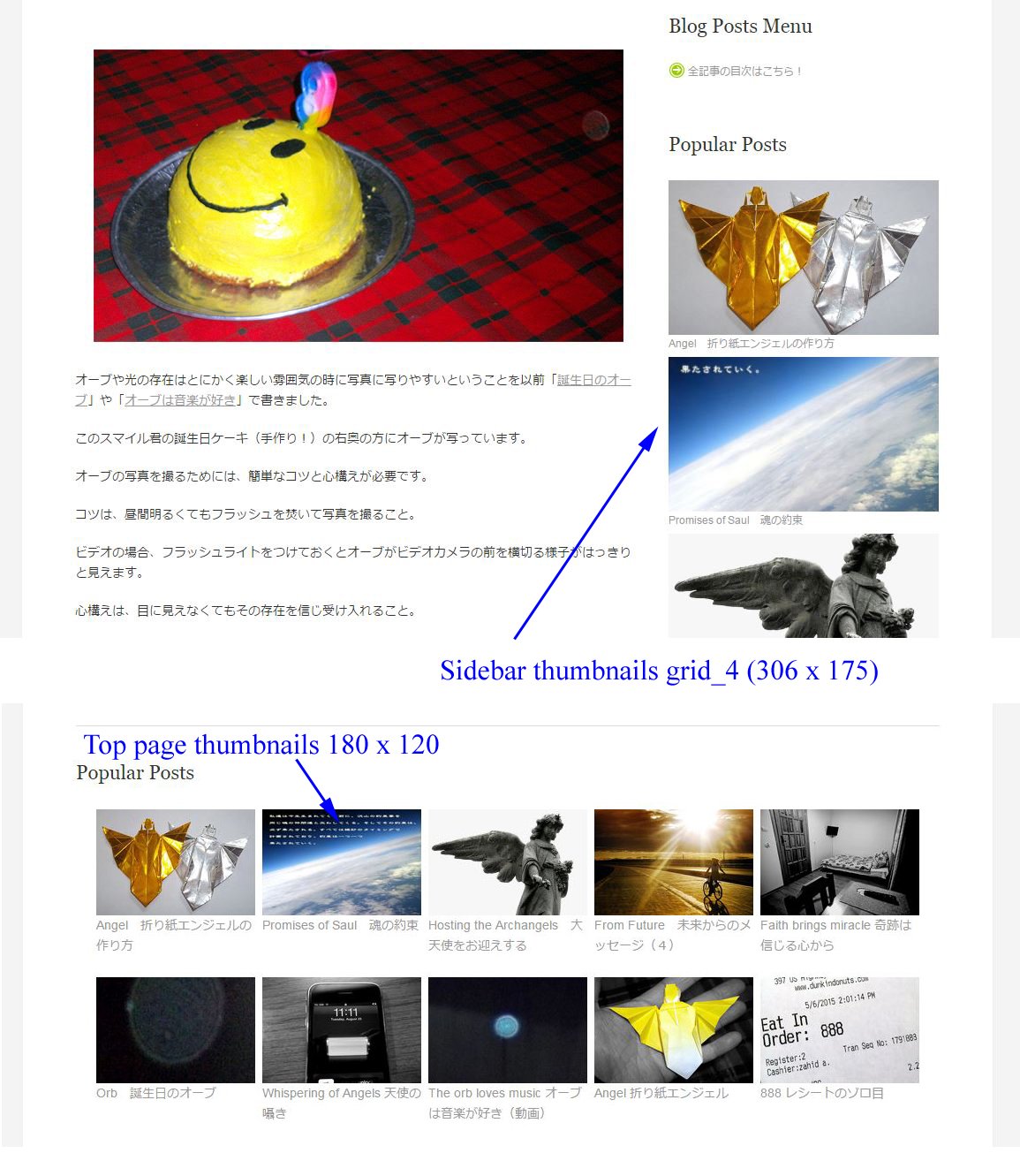
right now my setting is using custom size 180 x 120
http://11114u.com/wp-content/uploads/2015/05/top10-thumbnails-01.jpgand top page top 10 is in perfect looking with this size.
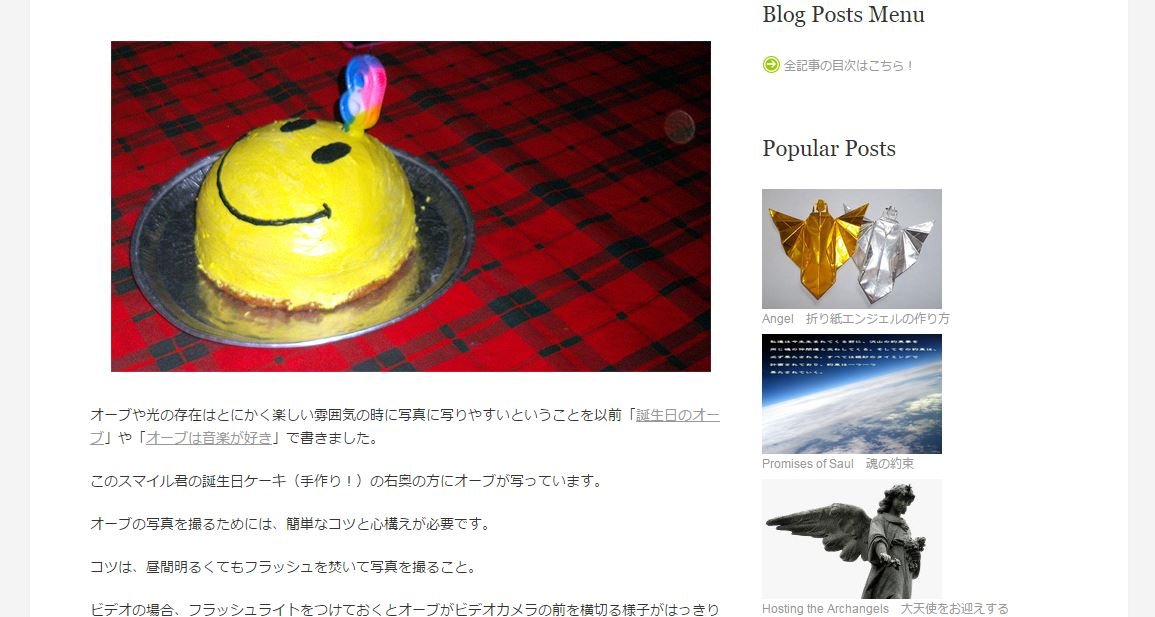
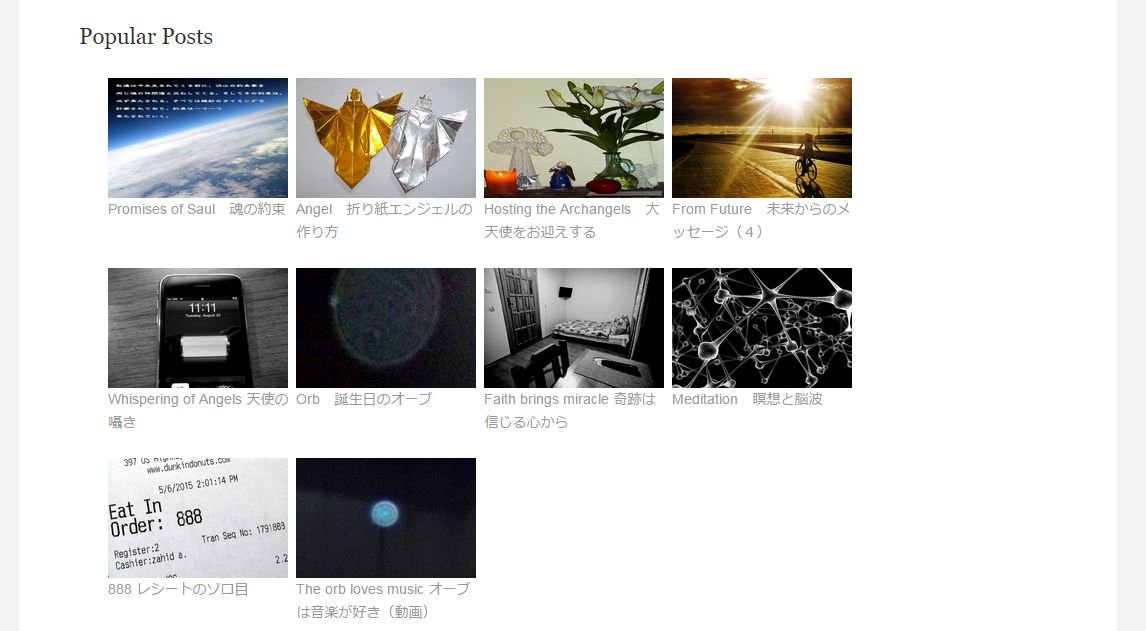
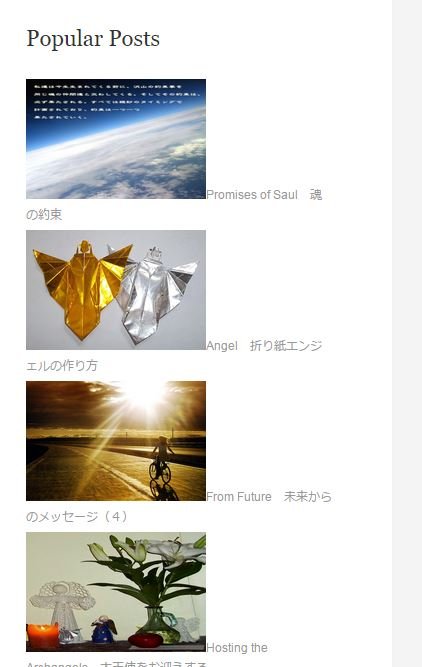
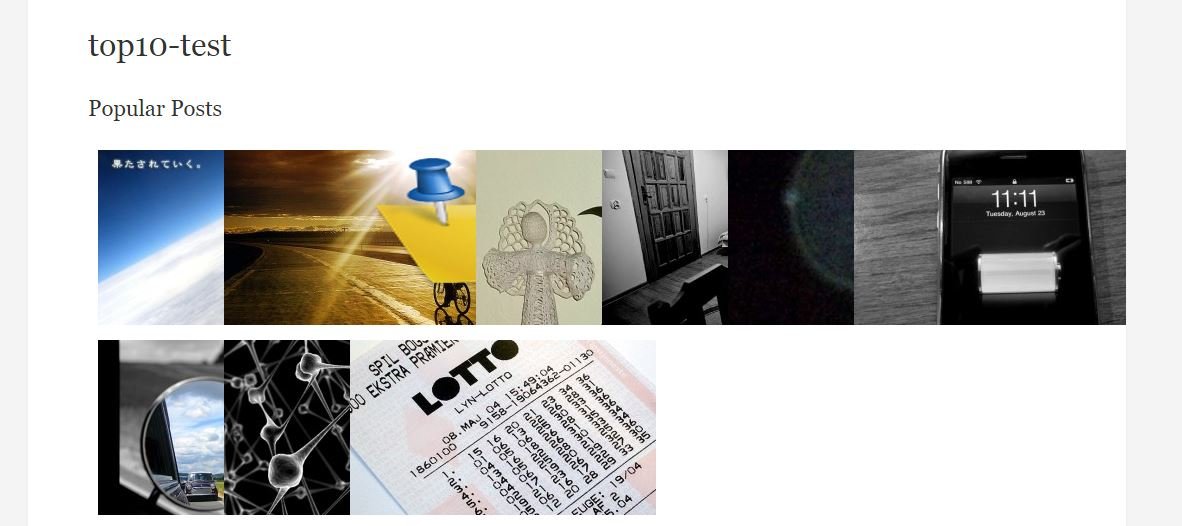
http://11114u.com/wp-content/uploads/2015/05/top10-thumbnails-05.jpghowever, this setting will change sidebar’s thumbnails’ size like this
http://11114u.com/wp-content/uploads/2015/05/top10-thumbnails-06.jpgIf I want to set sidebar’s thumbnails to grid_4(306×175),
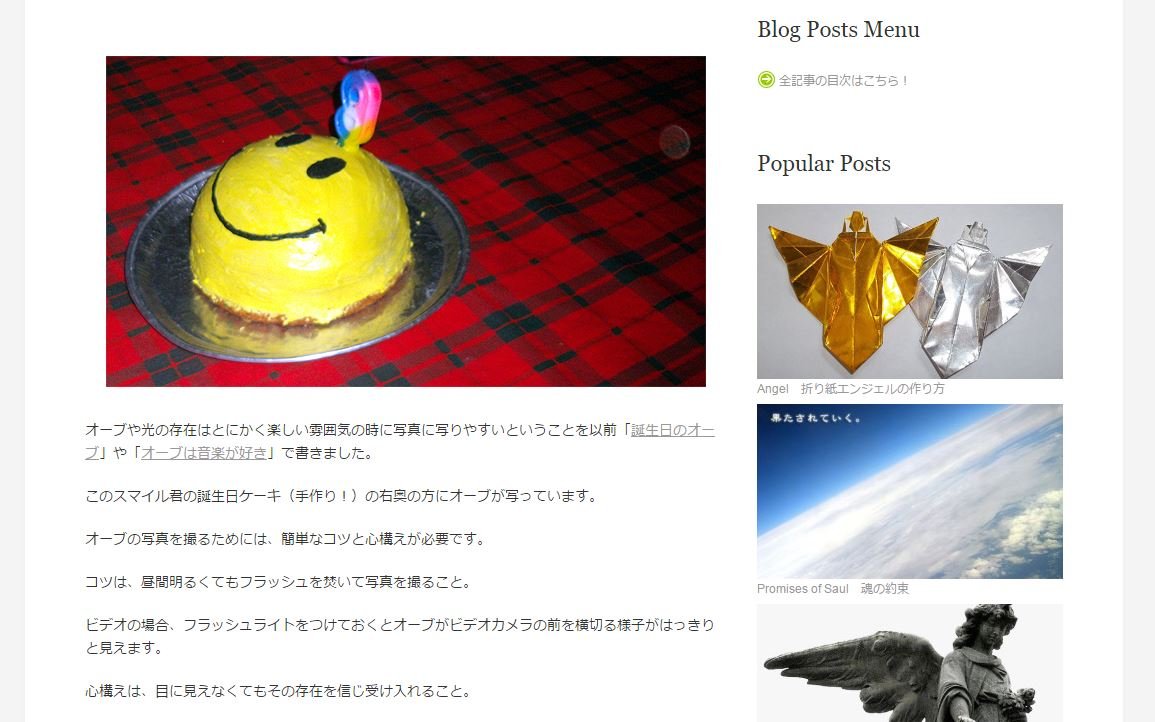
then sidebar’s thumbnails are like this
http://11114u.com/wp-content/uploads/2015/05/top10-thumbnails-03.jpghowever, it will change top page thumbnails too, and it looks like this
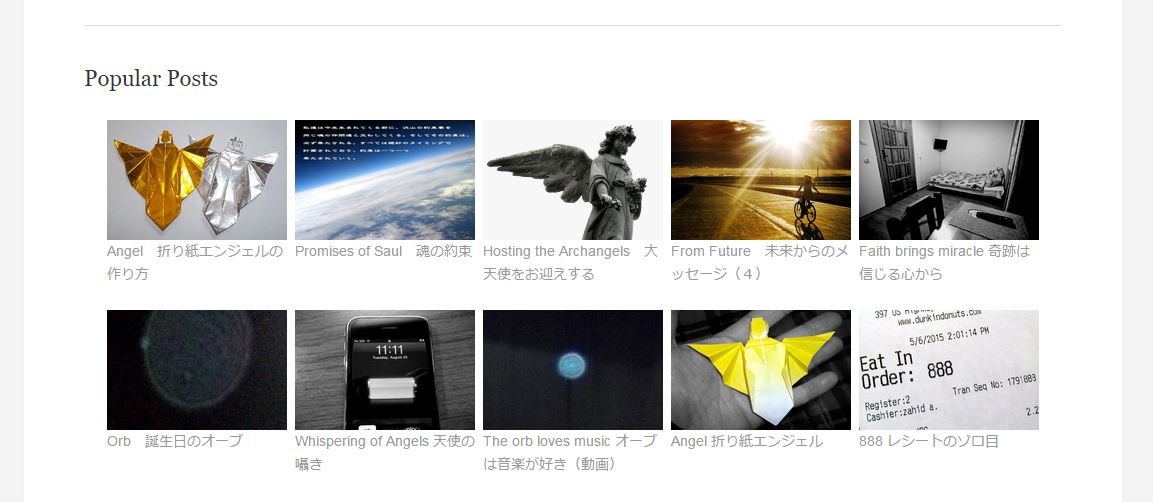
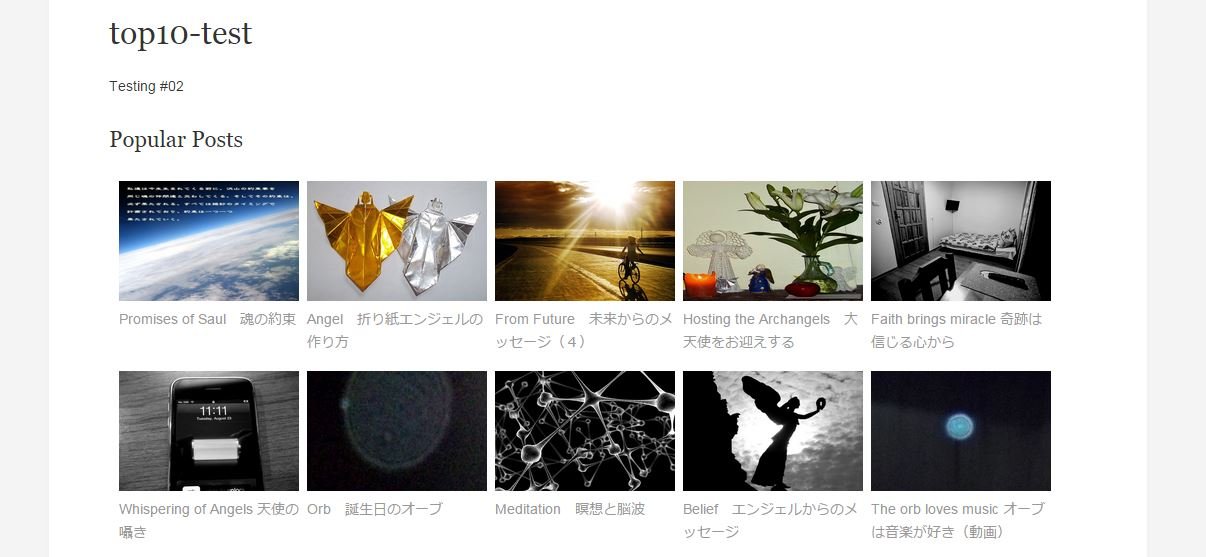
http://11114u.com/wp-content/uploads/2015/05/top10-thumbnails-04.jpgSo if I can, I want to have different size of the thumbnails for top page and sidebar like this.
http://11114u.com/wp-content/uploads/2015/05/top10-thumbnails-07.jpgThumbnail size for top page is 180 x 120, at the same time side bar thumbnail size is grid_4(306×175).
Do you think is it possible?
Thanks again.
Teddy
Forum: Plugins
In reply to: [WebberZone Top 10 — Popular Posts] How to make top 10 Holizontally?Hi, I think you nailed it.
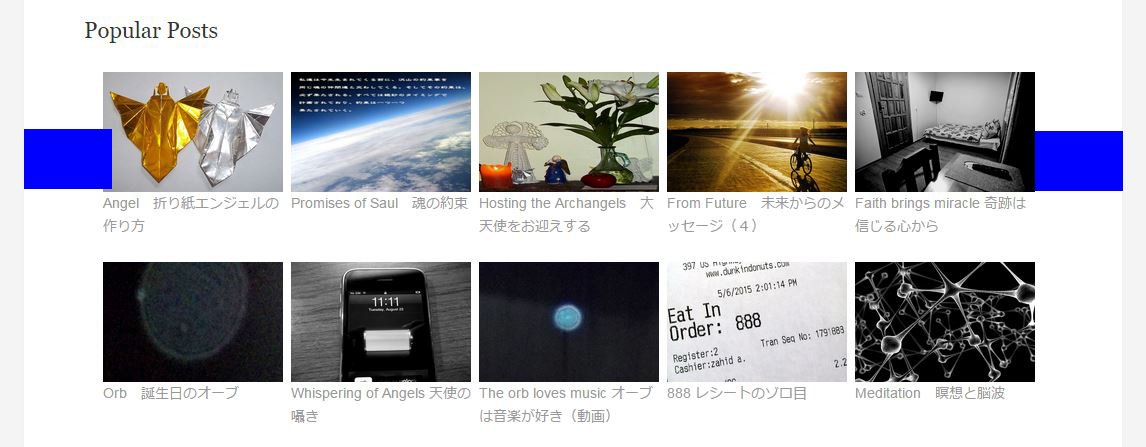
All the top 10 pictures are now in the exact center position.1)I applied first code, and here was the outcome.
http://11114u.com/wp-content/uploads/2015/05/top10-940.jpg
Still it had wider space on its right side.
2)I applied second code which was changing the margins on the li to be 4px on left and right, and here was the outcome.
http://11114u.com/wp-content/uploads/2015/05/top10-940-4.jpg
All pictures were shrinked and made right side space big,
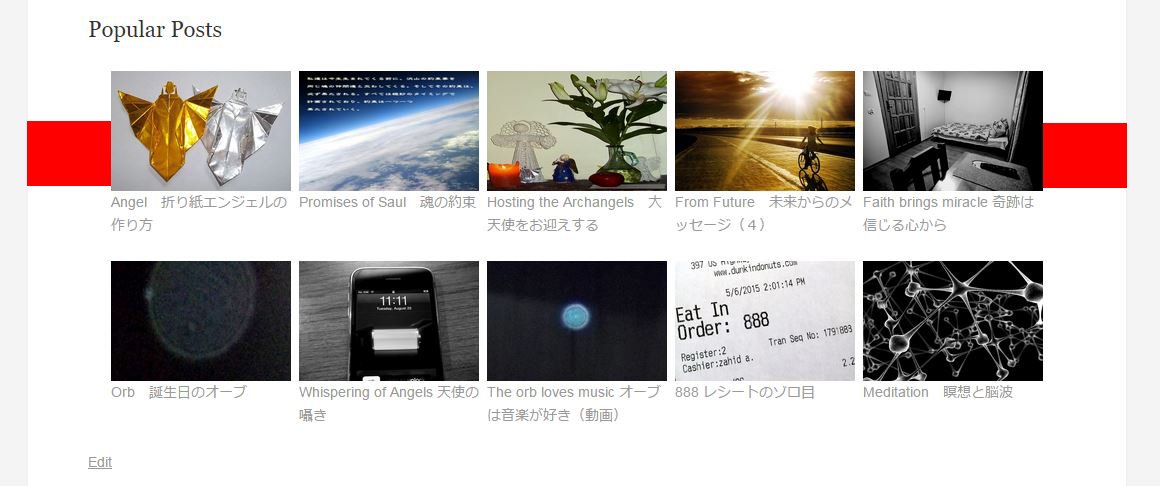
3)I changed 150px on the second code to 180px, and here was the outcome.
http://11114u.com/wp-content/uploads/2015/05/top10-940-4-180.jpg
Red box on the both side is exactly same size, and I can see the all pictures are in the center.
Thanks a lot, you are great !!!!
I think there will be a many people who appreciate your efforts for having horizontal top 10 list in their WP webpage.
I think I can close this question with “Resolved”.
==========================
This is another “what if” and you do not have to answer this.
Because I think it is too much to ask.When I used top 10 in side bar, I chose grid_4 thumbnail size , which was 306 x 175. However, for putting top 10 horizontally in the top page, I chose to resize it to 180×120.
What if I can put grid_4 on the side bar, and small thumbnails on the top page, in another word, chose different size of the thumbnails to side bar and top page, that will be looking really good.Right now, I believe If I want to have grid_4 size on the the side bar, probably I can reduce top 10 list to 6, and put 6 ( 3 in first low and rest to 2nd low) on top page. This should be the solution for now, that what I thought.
==========================
Anyway, I will close this case and again, thank you very much for your help. I should let the world know about your great skill, kindness, endurance/patience.
Teddy!
Forum: Plugins
In reply to: [WebberZone Top 10 — Popular Posts] How to make top 10 Holizontally?Hi, thank you for your continuous support.
Both code did not work.
Same outcome.
http://11114u.com/wp-content/uploads/2015/05/topten-95.jpgI changed some numbers,
95% to 110%, and thumbnail size from 180px to 187px
here is outcome
http://11114u.com/wp-content/uploads/2015/05/topten-110-187.jpgSeems like always right side space stay same size.
Forum: Plugins
In reply to: [WebberZone Top 10 — Popular Posts] How to make top 10 Holizontally?Hi,
1) worked well ! Great !!
here is screenshot
http://11114u.com/wp-content/uploads/2015/05/topten-03-01.jpg2) it seems like not working. Still the result was same.
Thank you.
Forum: Plugins
In reply to: [WebberZone Top 10 — Popular Posts] How to make top 10 Holizontally?Hi, thank you for your advise.
1) I moved css code to custom styles.
2) I replaced width and margin code line.Here is the first look.
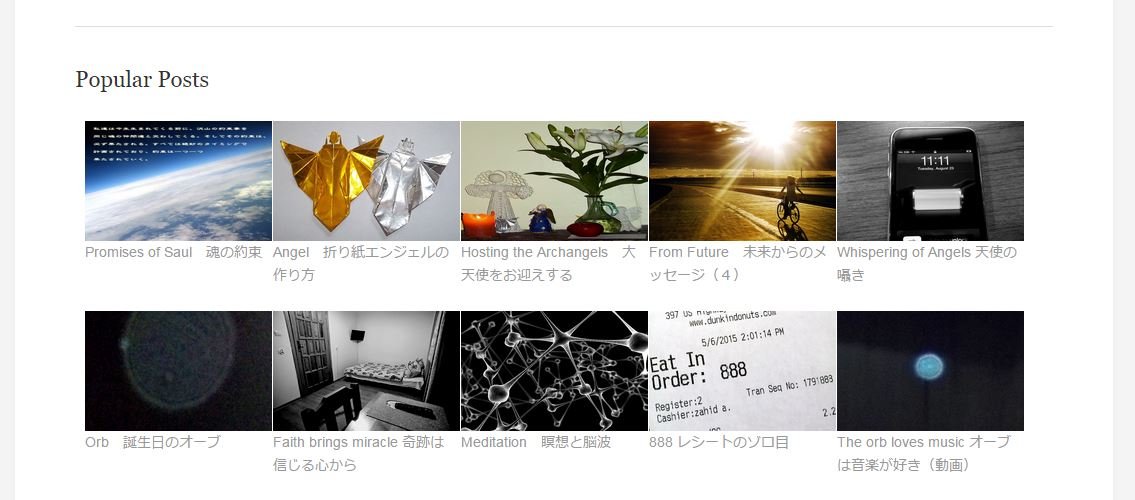
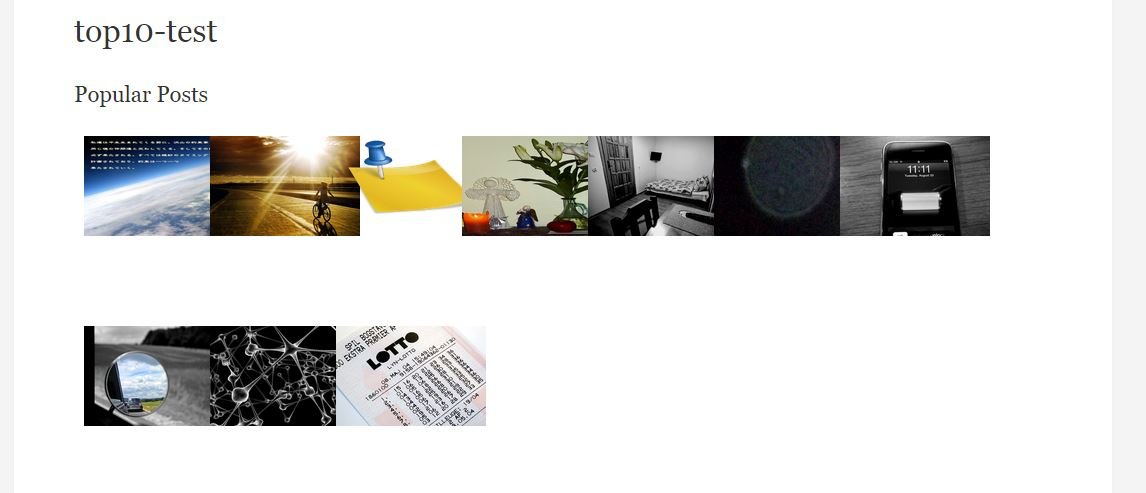
http://11114u.com/wp-content/uploads/2015/05/top10-test-02-02.jpg7 thumbnails changed to 6 on first low.
So I changed width from 150px to 180px, and changed margin from 6px to 8px.
I also changed thumbnails setting to custom size 180px x 120px
Also chose “Diplay thumbnails inline with posts, before title”Then result is here.
http://11114u.com/wp-content/uploads/2015/05/top10-test-02-03.jpg
It is now 5 thumbnails on first low and the rest are 2nd low.
Thank you !!Question:
1) Now hollizontally works good for me.
But since I changed thumbnail size to custom setting,
instead of grid_4 (306 x 175 cropped)in the blog page, top 10 is looks like this.
http://11114u.com/wp-content/uploads/2015/05/top10-test-02-04.jpg
Could you please tell me
how can I move text to under the thumbnails?2)On the top page, horizontal thumbnails,
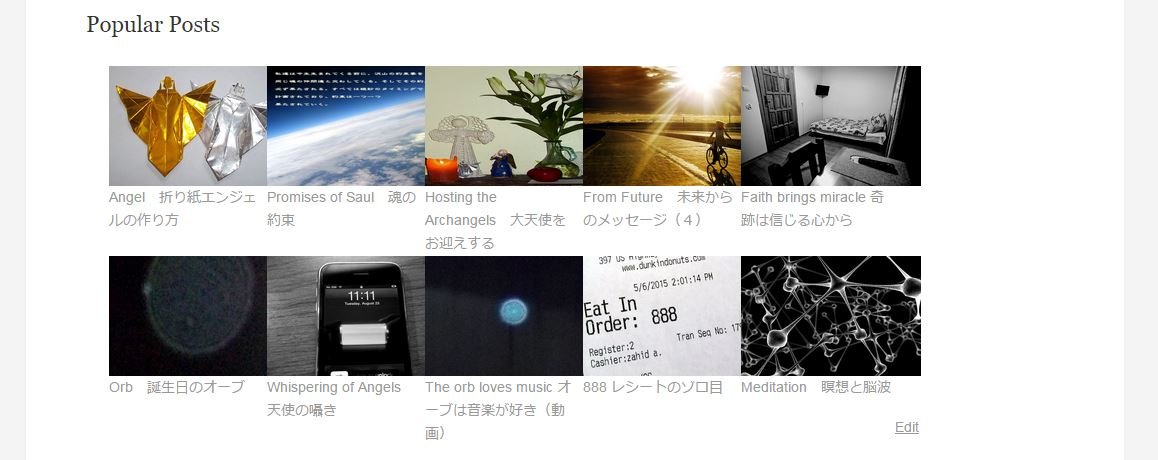
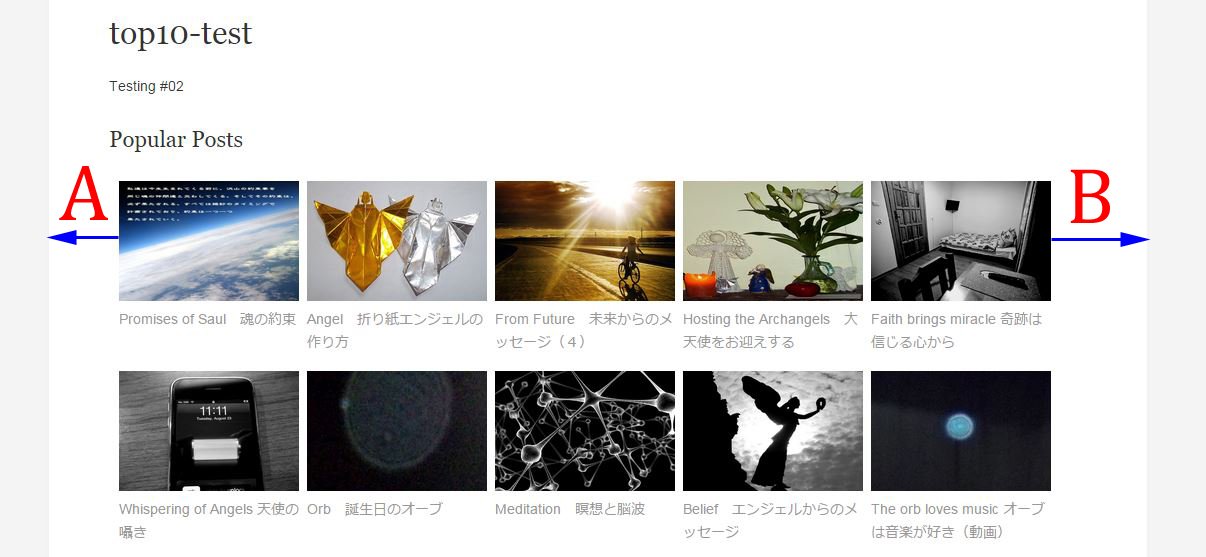
http://11114u.com/wp-content/uploads/2015/05/top10-test-02-05.jpg
I closely looked them and the size of the space A and B is little different.
Could you please tell me how I can put all thumbnails in the center position?
I tried to use <center> to wrap the <div class=”tptn_horizontal”></div>, it did not work for me. (Actually only “Popular Posts” word was moved to center, but not thumbnails set.I believe I almost coming to my ideal result soon.
Thanks you for your kind help.Forum: Plugins
In reply to: [WebberZone Top 10 — Popular Posts] How to make top 10 Holizontally?Hi, thank you for your tips.
What I did so far was
<style type="text/css">
.tptn_horizontal .tptn_title{float:left; clear:left!important;}
.tptn_horizontal .tptn_thumb{align:center!important;}
.tptn_horizontal .tptn_posts { margin-bottom:20px; margin-bottom:20px;padding:10px 0; width:100%;}
.tptn_horizontal .tptn_posts ul  { margin-bottom:0px; margin-left:0px; height:320px;list-style:none;padding-left:10px; }
.tptn_horizontal .tptn_posts ul li { float:left; width:120px; padding:0px 6px 0px 0px; list-style:none;list-style-position: inside; height:180px;text-align: left;word-wrap:break-word; }
.tptn_horizontal .tptn_posts ul li a {margin-bottom:10px;list-style-position: outside;word-wrap:break-word;list-style:none!important;}}
</style>
<div class="tptn_horizontal">[tptn_list]</div>
Thumbnail custom size 100 x 100
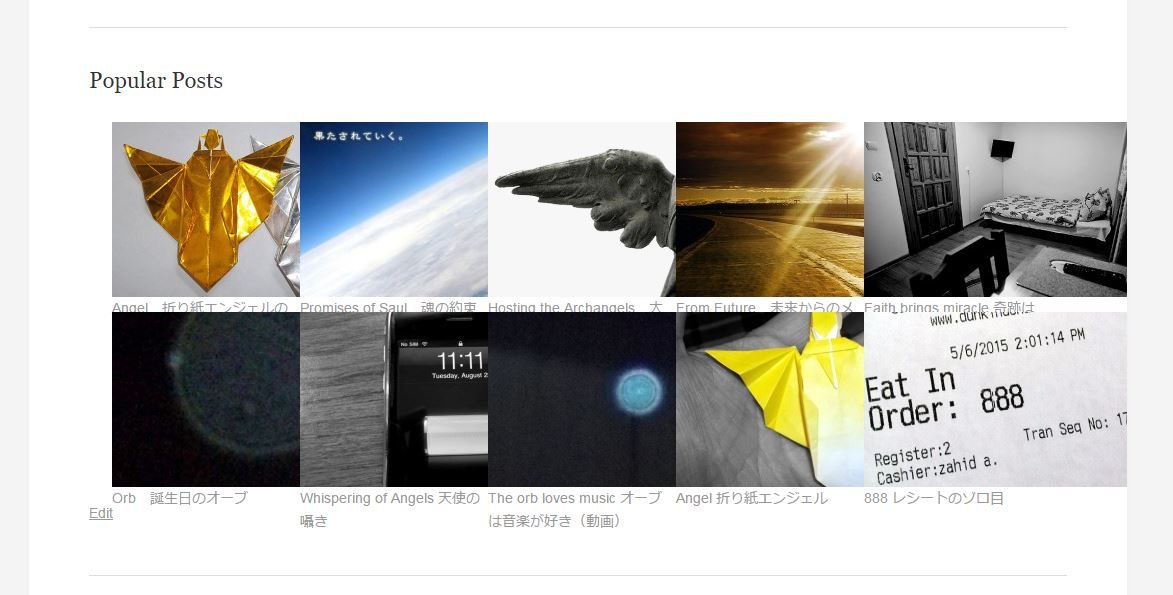
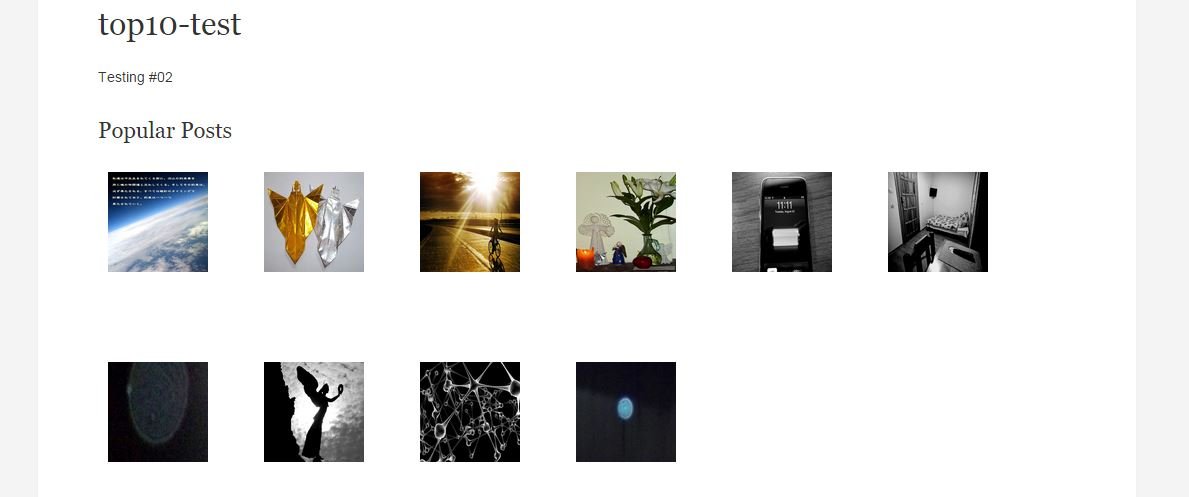
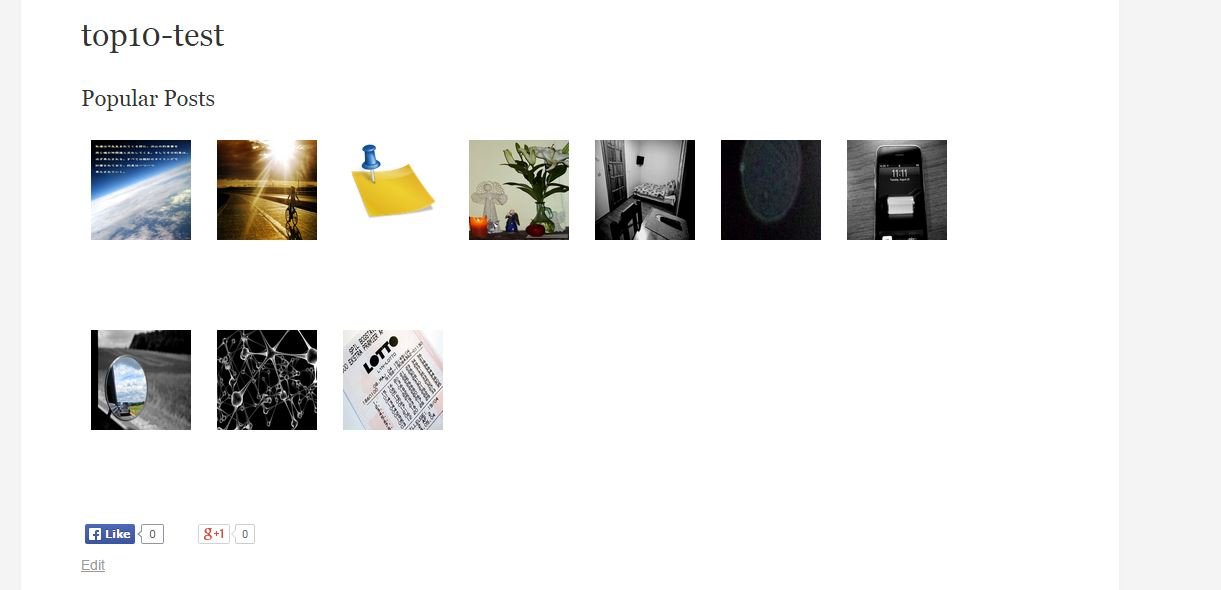
and here is outcome, 7 thumbnails were on first low and the rest of them were second low.http://11114u.com/wp-content/uploads/2015/05/top10-test-02.jpg
So I thought if I changed thumbnails’ width more bigger, then it would change the number of the first low.
I changed width to 150, but still first low had 7 thumbnails.
Edges of thumbnails were overlapped each other.http://11114u.com/wp-content/uploads/2015/05/top10-test-03.jpg
I changed more bigger width, still no change.
http://11114u.com/wp-content/uploads/2015/05/top10-test-01.jpg
————–
My choice will be
1) change thumbnails number from 10 to less than 7, such as 5 or 6.
2) find how to put only half of the thumbnails on the first low.
Hope you can give me some insight again.
And hope this thread will help another people in the future.
Thanks!!Teddy
Forum: Plugins
In reply to: [WebberZone Top 10 — Popular Posts] How to make top 10 Holizontally?Hi, thank you for the super quick reply.
Here is my site.
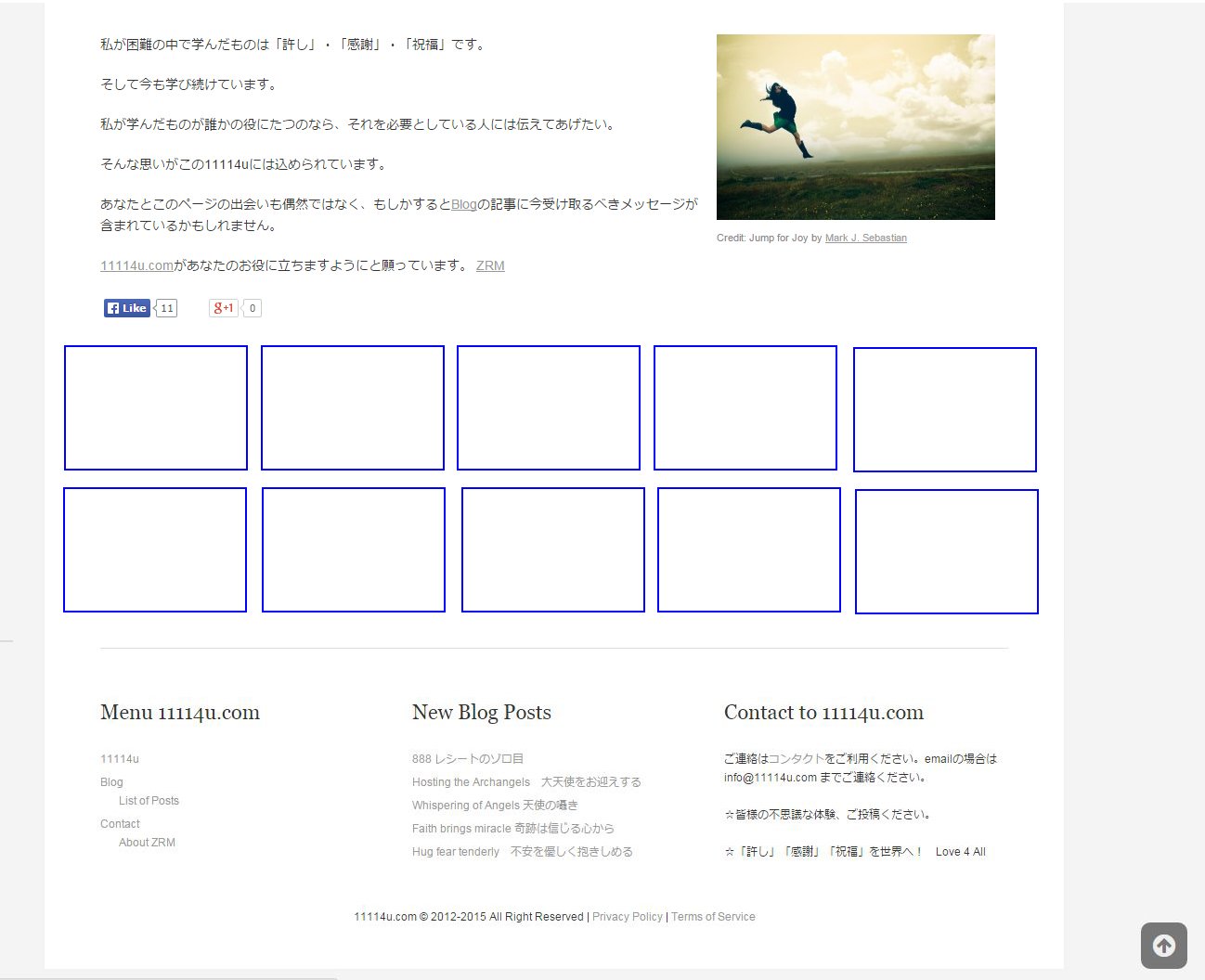
By the way, I am Japanese and writing blog by Japanese, so you may not understand the contents, but you can see the thumbnails of top 10 on its side bar under the title of “Popular Posts”.And here is what I want to achieve.
I made a jpg file.http://11114u.com/wp-content/uploads/2015/05/toppage-top10-holizontally.jpg
The blue squares are top 10 popular posts list with thumbnails.
I will check your other plugin CRP and try to find the solution.
Thanks.
TeddyForum: Plugins
In reply to: [WooCommerce] SOLD OUT tag when inventory goes 0(zero)I found info about sold out budge.
http://codecanyon.net/item/woocommerce-sold-out-badge/8843732
https://ww.wp.xz.cn/support/plugin/woocommerce-sold-out-products
thaks.