thetechtribune

Forum Replies Created
-
Bump.
You aren’t understanding my question. Please look at what I circled in the code. The “current source” property is different depending on which computer I use. This causes the image to look blurry on some machines.
Forum: Themes and Templates
In reply to: [ColorMag] Additional CSS Erased!I recovered my CSS by querying my WP database for post_type = ‘custom_css’. However, you should still look into why your theme update is erasing the additional CSS section.
Forum: Themes and Templates
In reply to: [ColorMag] Additional CSS Erased!The CSS code inside the additional CSS box was removed. I do not change CSS in the direct theme file. What do I do?
Forum: Plugins
In reply to: [Internal Link Juicer: SEO Auto Linker for WordPress] Linkindex stuck at 0%Looks good after manual rebuild.
Forum: Plugins
In reply to: [Internal Link Juicer: SEO Auto Linker for WordPress] Linkindex stuck at 0%Yes, that is the case. Rebuilding manually now. Will let you know the outcome.
Forum: Plugins
In reply to: [Internal Link Juicer: SEO Auto Linker for WordPress] Linkindex stuck at 0%I had that setting set to zero before, but now it appears uneditable:
 Forum: Plugins
In reply to: [Internal Link Juicer: SEO Auto Linker for WordPress] Linkindex stuck at 0%Correct, the two keywords are set in different posts:


Additionally, I do not see it in the dashboard:
 Forum: Plugins
In reply to: [Internal Link Juicer: SEO Auto Linker for WordPress] Linkindex stuck at 0%Yes:

Not sure how to provide logs. If you let me know, I can do so.
Forum: Plugins
In reply to: [Internal Link Juicer: SEO Auto Linker for WordPress] Linkindex stuck at 0%I am still having this issue. Are we able to please get some support?
Forum: Plugins
In reply to: [Internal Link Juicer: SEO Auto Linker for WordPress] Linkindex stuck at 0%Actually, I had not been experiencing any more issues until this update. Now with this update, even though LinkIndex says 100%, URLs do not appear:
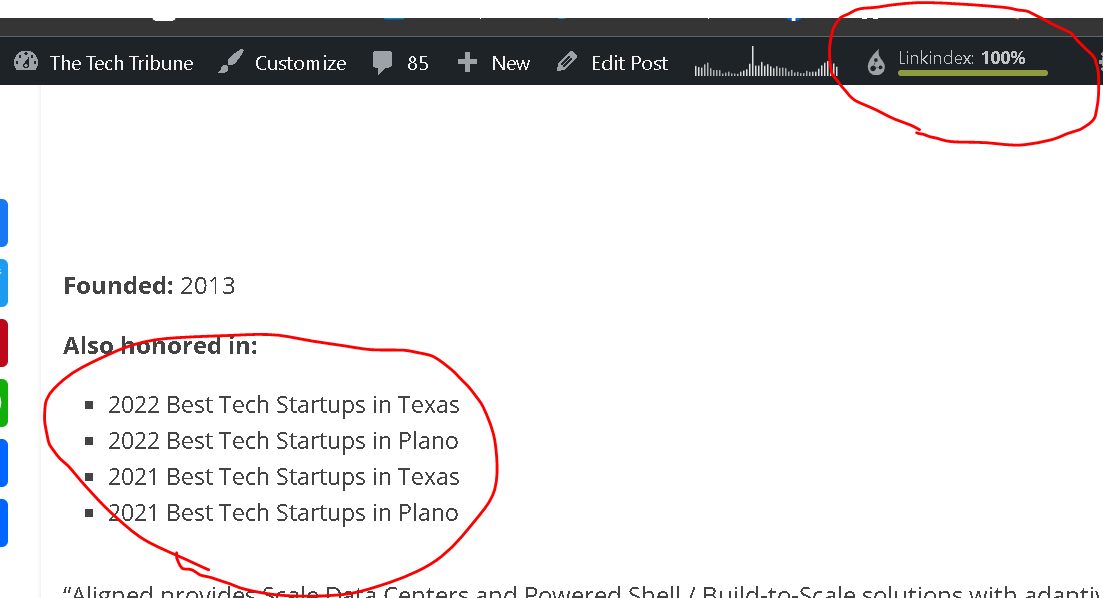
I believe they do appear eventually, but much later.
Looks good now. Thanks for the quick actions.
How should I send you the screenshot?
Wanted to bump this as it’s a fairly pressing issue for us.