tom80550

Forum Replies Created
-
my hoster give me this : https://www.godaddy.com/community/Using-WordPress/Leverage-Browser-Caching/td-p/29929
message from my hoster :
1.I am in your account right now and could see you have Ultimate Managed WordPress Websites plan.
2.Sorry as it is managed WordPress hosting cache plugins are not supported here and mod_expires module is not enabled.
https://www.godaddy.com/community/Using-WordPress/Leverage-Browser-Caching/td-p/29929
Please open this link.
You could ask your developer to follow the suggestions given in this article to make Browser Caching work.Forum: Plugins
In reply to: [MANGOPAY for WooCommerce] Pays inconnu pour la nationalitéForum: Plugins
In reply to: [MANGOPAY for WooCommerce] Pays inconnu pour la nationalitécontacter moi par mail je peux vous donner accès au site pour vérifier, c’est très important on souhaite lancer pour le déconfinement …
Forum: Plugins
In reply to: [MANGOPAY for WooCommerce] Pays inconnu pour la nationalitéuniquement avec woo+ mango et aussi si j’active wc vendors
theme listeo
Forum: Plugins
In reply to: [Loco Translate] error AJAXLoco Error: Ajax failure for fsConnect
c.debug @ admin.js?ver=2.3.1:104
q @ admin.js?ver=2.3.1:106
i @ load-scripts.php?c=0&load[chunk_0]=jquery-core,jquery-migrate,utils&ver=5.3.2:2
fireWith @ load-scripts.php?c=0&load[chunk_0]=jquery-core,jquery-migrate,utils&ver=5.3.2:2
x @ load-scripts.php?c=0&load[chunk_0]=jquery-core,jquery-migrate,utils&ver=5.3.2:4
c @ load-scripts.php?c=0&load[chunk_0]=jquery-core,jquery-migrate,utils&ver=5.3.2:4
admin.js?ver=2.3.1:104 Provide the following text when reporting a problem:
—-
Status 0 “Unknown error” (text/html 0 bytes)
Blank response from server
====how to add a child number box? I would dissociate adults from children?
j’ai réussie, mais je ne trouve pas comment traduire : Thanks for booking appointment
Forum: Plugins
In reply to: [WooCommerce] how to remove failed orders autoit automatically deletes the command with the cancel status.
Now it should be possible to automatically change the status of orders: failed -> cancel -> your code -> delete
Forum: Plugins
In reply to: [WooCommerce] how to remove failed orders autofinalized = paid = order validated / completed
Forum: Plugins
In reply to: [WooCommerce] how to remove failed orders autoyour code works but not correctly:
Currently if the customer does not finalize the order it goes into status: failed. if I modify myself the status of the order status: canceled the order and directly remove.
Here’s what to do for orders: failed
1 – detected failed commands
2 – remove them completely from the siteForum: Plugins
In reply to: [WooCommerce] how to remove failed orders autoI may be a simpler solution.
you have to change the status from failed to cancel
Forum: Plugins
In reply to: [WooCommerce] how to remove failed orders autoit still does not work, can we use a cron spot or something else?
Forum: Plugins
In reply to: [WooCommerce] how to remove failed orders autono cache plugins on the site
and I do not understand the second sentence my cache and empty
Forum: Plugins
In reply to: [WooCommerce] how to remove failed orders autothx for your help
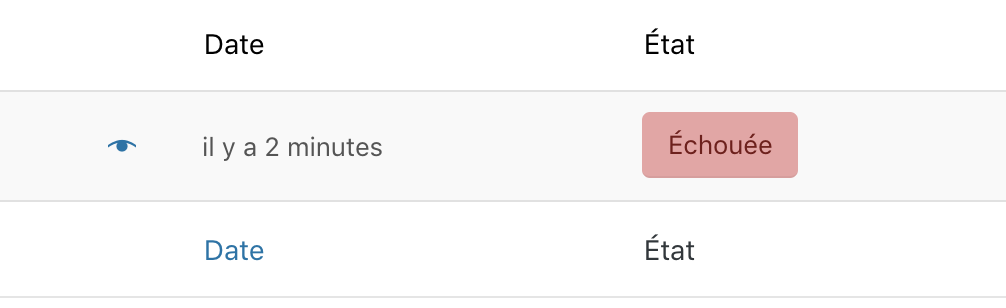
but the orders remain in the list
ttps://i.gyazo.com/5f6969ee857a9bee17996541017f4fe9.pngForum: Plugins
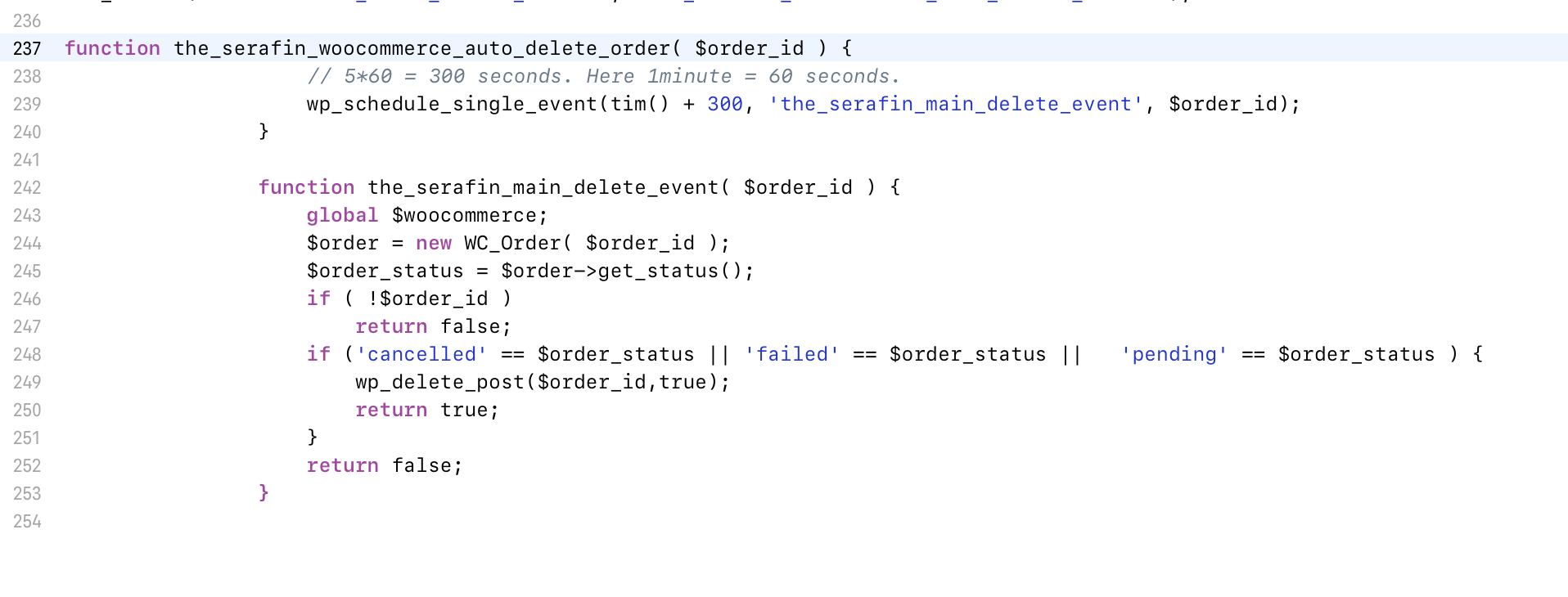
In reply to: [WooCommerce] how to remove failed orders autoI just added the code in my function.php but the oders remains Failed
https://i.gyazo.com/8a63d9843451040c85b573114b03dc4d.png
code :
https://i.gyazo.com/b2e18808033d76e91c7498b86ceccb98.png
- This reply was modified 7 years, 1 month ago by tom80550.