Rob Ghazaryan

Forum Replies Created
-
Set numeric pagination display type
Full (1,2,3,4,5,6)
Short (Prev 1,2…5,6 Next)
Short (Prev 4 Next)
Short ( < 4 > )
Only text or icon (Prev – Next)Customer satisfaction is our priority and we do our best to make your experience even better.
Enjoy the plugin, but in the meantime, feel free to open a new thread if you have more questions.
Thank You very much.
Hello, dear lockedman.
Thank you for contacting us. Our team is always ready to help you.
There are 7 types of pagination in the plugin. You can use whichever you want. on all gallery theme all tipi pagination are available.
You can change the text “Prev and Next” and write in whatever language you want. It is possible to put icons in the place of the text. You can change the sizes, colors, size and so on. There are many functions for pagination.
Here you can see 7 types of pagination.Pagination Theme 1, Pagination Theme 2, Pagination Theme 3, Pagination Theme 4, Pagination Theme 5, Pagination Theme 6, Pagination Theme 7.
Hello, dear freeforus.
Thank you for contacting us. Our team is always ready to help you.
These fonts are available in the Pro version.
Please contact us via this form for premium support. Our customer service specialists will always be happy to help you. For pro or commercial product support please contact us directly on our site.
Customer satisfaction is our priority and we do our best to make your experience even better.
Thank you very much.
- This reply was modified 7 months, 3 weeks ago by Rob Ghazaryan.
Hello, dear sashkadnb1.
Thank you for reaching out to us! Our team is always happy to assist you.
Yes, you can create a portfolio. There are several types available. Please take a look at the demo versions.
Yes, of course — you can add both a video and an image in the same portfolio.
Video supports the following formats: YouTube, Vimeo, and MP4.
Both images and videos are compatible with these four themes:
Video Portfolio Theme, Image Portfolio Theme, Image Gallery Theme, and Mix Portfolio Theme.There’s no limit to the number of menu items — you can add as many tabs as you like.
Customer satisfaction is our top priority, and we always strive to make your experience even better.
Thank you very much!
Best regards.
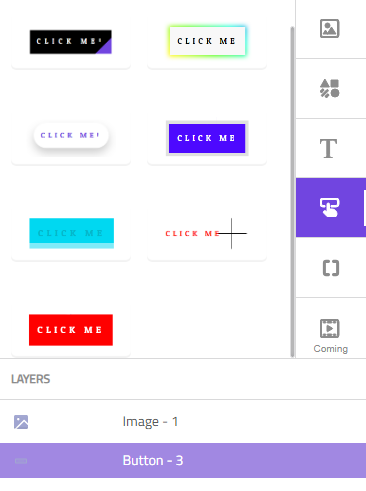
An example of settings and a link to the button. You can change colors, font family, size, and more.
We are always happy to hear from you and solve all problems. We will develop the plugin with you. For us, the most important thing is that the plugin should be used by the developers themselves.
Thanks for the good suggestion.
Have a good day!
- This reply was modified 8 months ago by Rob Ghazaryan.
Dear Roger.
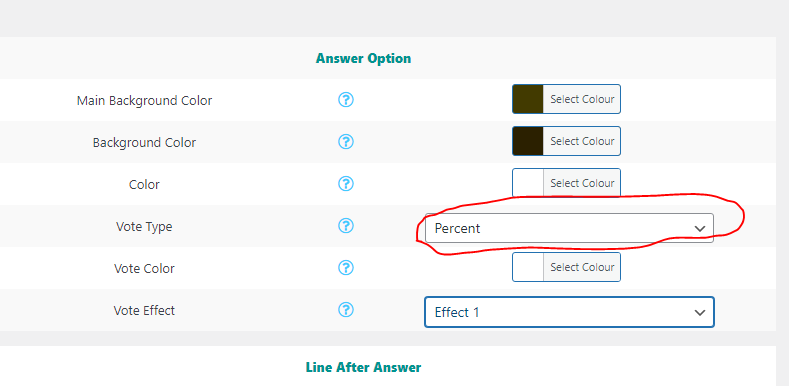
Yes, if you want to display the results in percentages, you need to adjust the settings. Please take a look at the Screenshot.
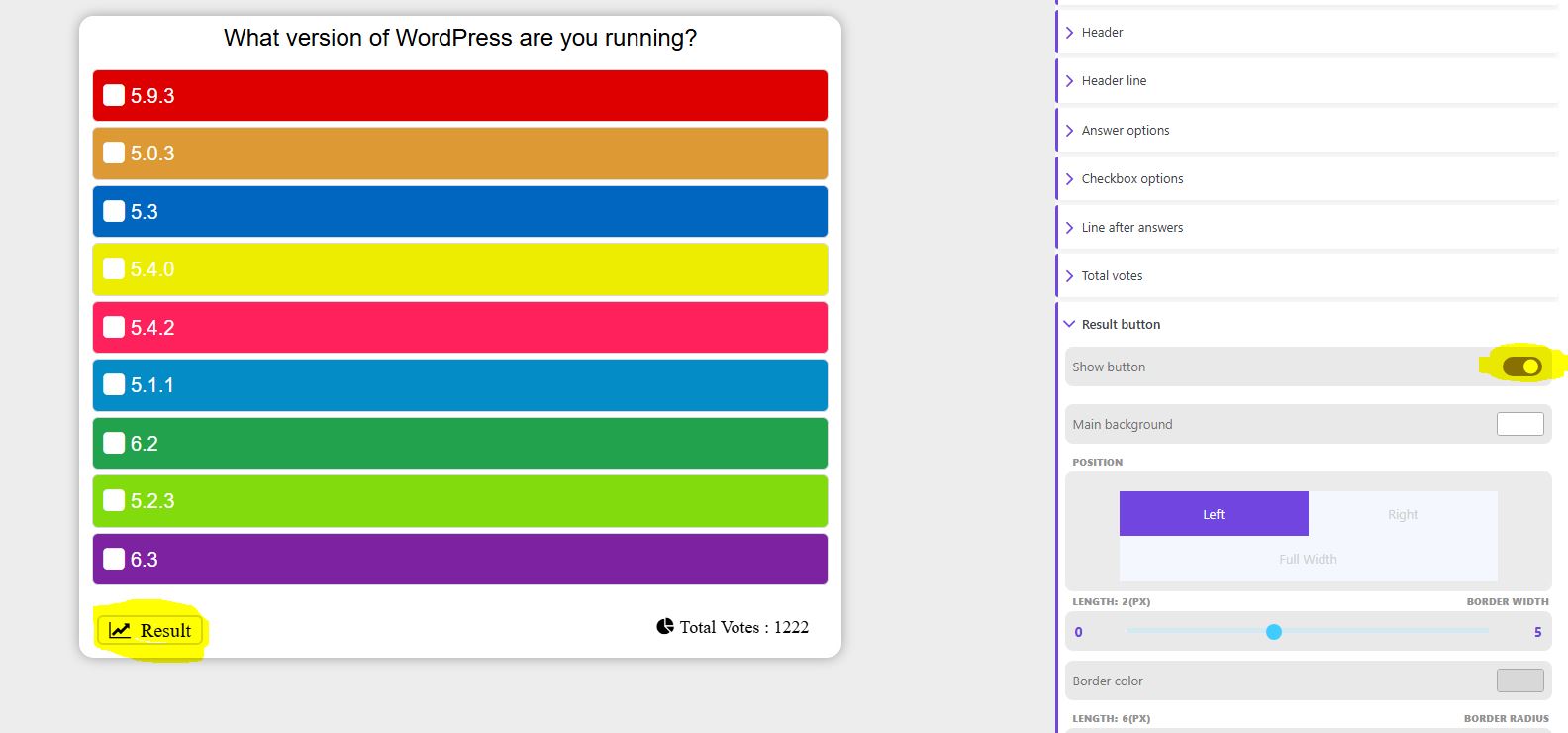
This feature is available in the plugin. You just need to activate it, and a “Results” button will appear in the poll. Click on the button, and you will see the results.
Please check the screenshot to see how to activate this feature.
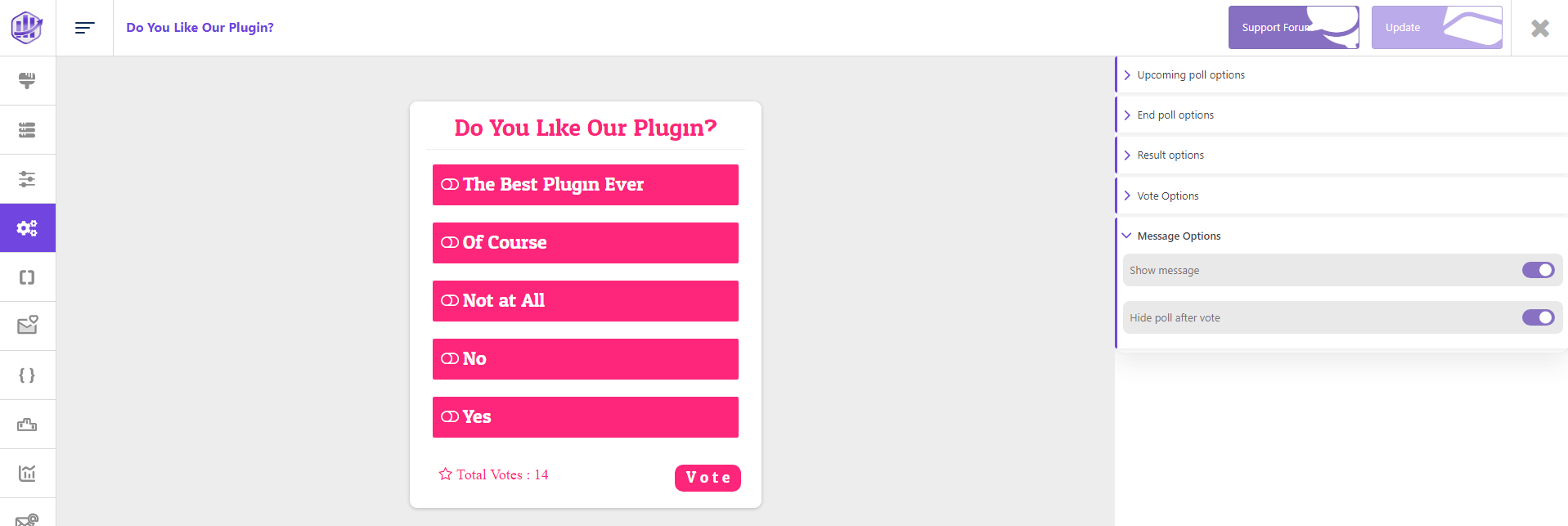
After voting, you can add a button. This button gives you the opportunity to put a link to which site you want.
- This reply was modified 8 months ago by threadi.
- This reply was modified 8 months ago by Rob Ghazaryan.
- This reply was modified 8 months ago by Rob Ghazaryan.
- This reply was modified 8 months ago by Rob Ghazaryan.
Hello, dear maks16082013.
Thank you for contacting us. Our team is always ready to help you.
Yes, of course — the plugin allows you to add a link. This feature is already available in the plugin.
The link can be displayed after voting. The plugin includes 5 types of buttons, and you can also customize their appearance. We also offer an option to configure the mobile version.
You just need to activate the function to display the button after voting.
- This reply was modified 8 months ago by Rob Ghazaryan.
Hello dear Roger.
Thank you for contacting us. Our team is always ready to help you.
Plugin has a lot of functions and you can make settings as you see fit. We will be happy to assist you.
Yes. You can do this using a shortcode. Can be shown through graphics. There are 5 types of voting charts. All poll chart types have a separate shortcode. To show only results.
1. Bar 2. Patty 3. Donut 4. Radial 5. Polar.
You can see an example.
AND
Can you just show the answers and how many votes there are. Which option do you need?We are always happy to hear from you and solve all problems. We will develop the plugin with you. For us, the most important thing is that the plugin should be used by the developers themselves.
Have a good day.
Hello, Dear kodexnew.
Thank you for your question!
The plugin does support multiple galleries on the same page without any limits.
You simply need to create several galleries in the admin, then insert each one with its own shortcode, for example:[TS_Video_Gallery id=”1″]
[TS_Video_Gallery id=”2″]
[TS_Video_Gallery id=”3″]Each gallery will display separately, and you can even mix different gallery themes (e.g. Elastic, Lightbox, Content Popup) on the same page.
So yes — you can add as many galleries as you want, and they will work together without problem.Customer satisfaction is our priority and we do our best to make your experience even better.
Thank You very much.
Hi SciFiKriss.
The reason your videos are not appearing in the same order is that the gallery is set to use a default sort option.
✅ To fix this:
Open your gallery in the plugin settings.
Set the Order option to Manual (Custom).
Save changes and clear your website cache.
If you are using a shortcode, you can also add:
orderby="menu_order" order="ASC"This will force the videos to display in the same order as you arranged them.
After that your gallery will keep the order you set. 👍
Hello, dear Bob Morgan.
Thank you for your suggestion!
Poll Theme
Currently, the plugin does not support the option for users to add their own custom answers that automatically appear as new selectable options in the poll.At the moment, participants can only choose from the predefined answers set by the poll creator. If you need this functionality, it would require a custom development or using a third-party solution that supports user-generated options.
Survey Theme
However, it is available in the Survey version — there you can allow users to add their own answers.Best regards,
TS SupportHello, dear lilspike5g
Thank you for contacting us. Our team is always ready to help you.
Please, check your inbox and spam folders. We have sent you your purchase.
Please contact us via this form for premium support. Our customer service specialists will always be happy to help you. For pro or commercial product support please contact us directly on our site.
Customer satisfaction is our priority and we do our best to make your experience even better.
Thank you very much.
Hello, Dear kodexnew.
Thank you for your question!
Yes, the plugin does support copying (duplicating) a gallery. To do this, please follow these steps:
Go to the Video Gallery section in your WordPress dashboard.
Find the gallery you want to copy.
Hover over the gallery title — you’ll see a “Duplicate” (or “Copy”) option appear below.
Click on it — a duplicate of the gallery will be created with the same settings and videos.
You can then edit the copied gallery as needed.
Let us know if you don’t see the option or need any further assistance!
Best regards,
Rob GhazaryanHello, dear prasanna1712.
Thank you for your message and for using our plugin!
You can add videos without limitation. But you need to add videos one by one in the plugin.
This information will help us provide the most relevant support.
Customer satisfaction is our top priority, and we’re doing everything we can to make your experience even better.
Thank you so much!