webmasterhboe

Forum Replies Created
-
Forum: Plugins
In reply to: [Next Active Directory Integration] Intermitant Log in issues for usersLet’s try this
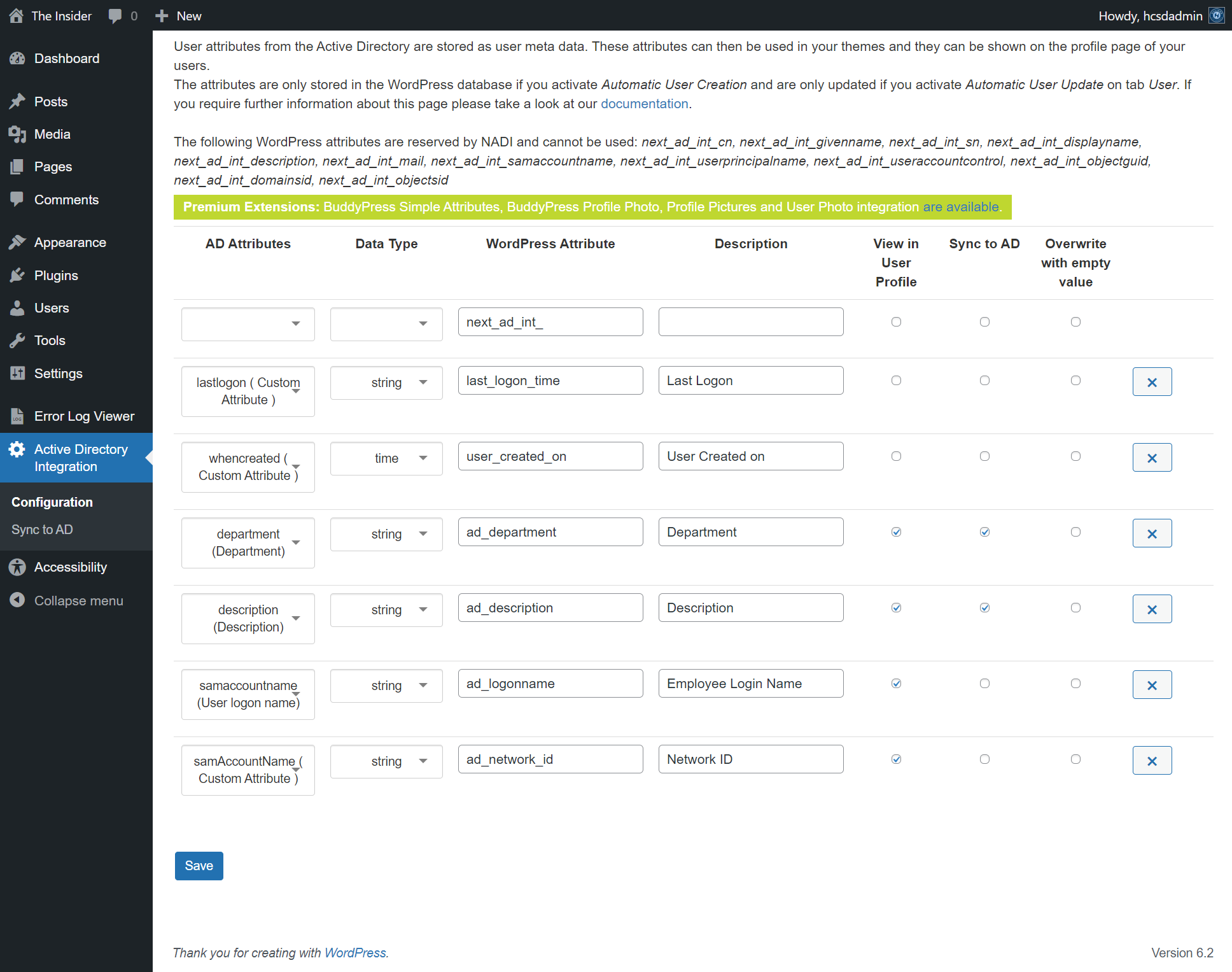
https://pasteboard.co/E9o1RmqA9aHk.png
I “think” I tried the fix. Unfortunately, the Developer that created the website is no longer here and I do not have experience setting things up. They worked until Our recent update to PHP 8 a few weeks ago.
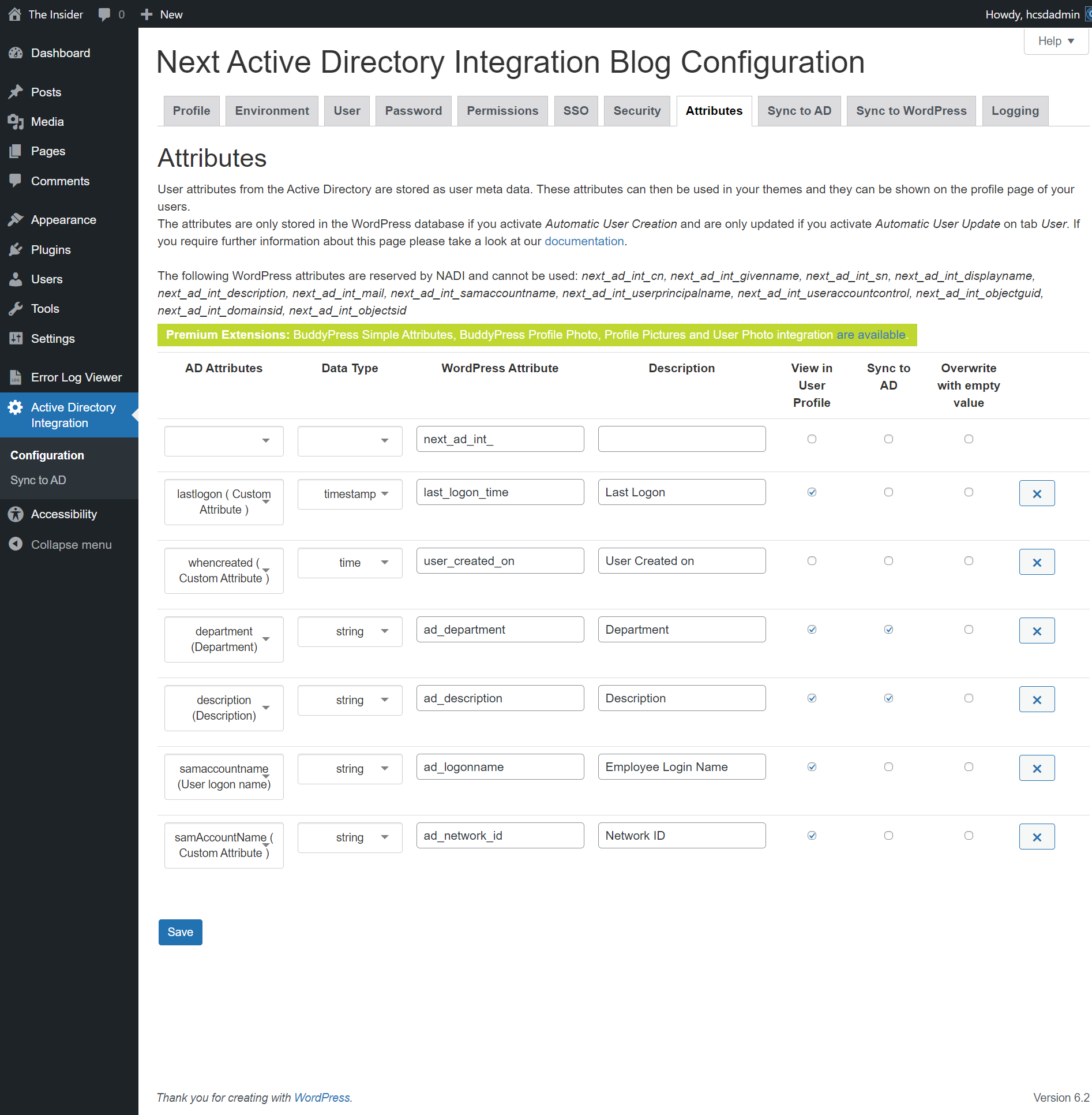
I do have successful logins but there are a few that can’t and WordPress crashes for them. https://pasteboard.co/hPCSMqB65X0k.png
I haven’t heard any login issues this morning so maybe We are but I would like to make sure there weren’t any known issues.Forum: Plugins
In reply to: [Next Active Directory Integration] Intermitant Log in issues for usersHello,
I made the adjustment to attributes.
Image Link
Not sure if this would solve our problem. We are still getting reports of some users not being able to log in but others can.
Or did I misunderstand? Do I need to add a new attribute?Forum: Plugins
In reply to: [Next Active Directory Integration] Intermitant Log in issues for usersAn error of type E_ERROR was caused in line 92 of the file \wp-content\plugins\next-active-directory-integration\src\shared\Ldap\Attribute\Converter.php. Error message: Uncaught TypeError: Unsupported operand types: string / int in \wp-content\plugins\next-active-directory-integration\src\shared\Ldap\Attribute\Converter.php:92 Stack trace: #0 \wp-content\plugins\next-active-directory-integration\src\shared\Ldap\Attribute\Converter.php(42): Dreitier\Ldap\Attribute\Converter::formatTimestamp() #1 \wp-content\plugins\next-active-directory-integration\src\plug-in\User\Manager.php(544): Dreitier\Ldap\Attribute\Converter::formatAttributeValue() #2 \wp-content\plugins\next-active-directory-integration\src\shared\Util\ArrayUtil.php(105): Dreitier\Nadi\User\Manager->Dreitier\Nadi\User\{closure}() #3 \wp-content\plugins\next-active-directory-integration\src\plug-in\User\Manager.php(555): Dreitier\Util\ArrayUtil::filter() #4 \wp-content\plugins\next-active-directory-integration\src\plug-in\User\Manager.php(466): Dreitier\Nadi\User\Manager->filterEmptyAttributes() #5 \wp-content\plugins\next-active-directory-integration\src\plug-in\User\Manager.php(308): Dreitier\Nadi\User\Manager->updateUserMetaDataFromActiveDirectory() #6 \wp-content\plugins\next-active-directory-integration\src\plug-in\User\LoginSucceededService.php(220): Dreitier\Nadi\User\Manager->update() #7 \wp-content\plugins\next-active-directory-integration\src\plug-in\User\LoginSucceededService.php(150): Dreitier\Nadi\User\LoginSucceededService->updateUser() #8 \wp-includes\class-wp-hook.php(308): Dreitier\Nadi\User\LoginSucceededService->updateOrCreateUser() #9 \wp-includes\plugin.php(205): WP_Hook->apply_filters() #10 \wp-content\plugins\next-active-directory-integration\src\plug-in\User\LoginSucceededService.php(85): apply_filters() #11 \wp-includes\class-wp-hook.php(308): Dreitier\Nadi\User\LoginSucceededService->updateOrCreateAfterSuccessfulLogin()- This reply was modified 3 years, 2 months ago by webmasterhboe.
Here is a screenshot of our LDAP username attribute
We are not sure what Sign In settings you need in the plugin. Do you have a reference? File name or Code line?