wpdevart

Forum Replies Created
-
Hi @lilalou.
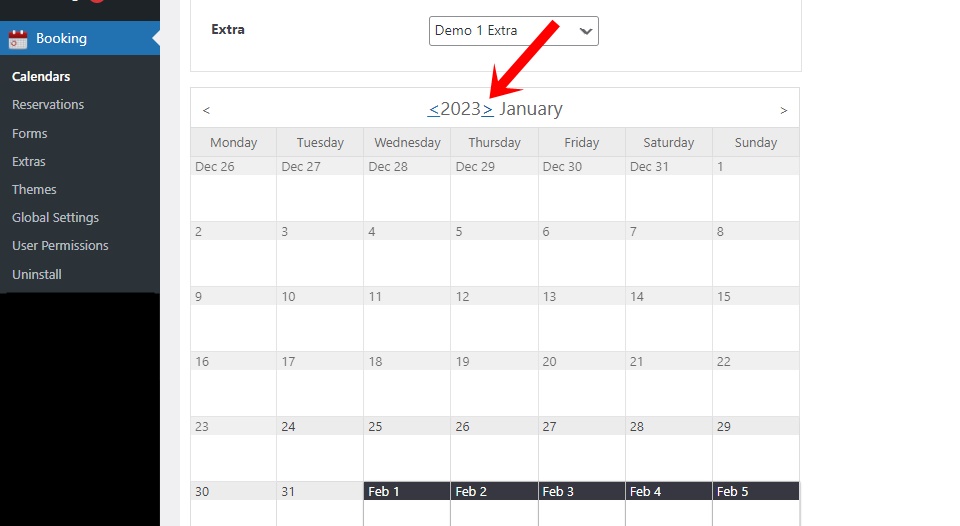
You can use the button to move to the next year. You can check this screenshot – https://wpdevart.com/wp-content/uploads/2023/01/screenshot-booking-calendar.jpg
Unfortunately, there is no feature that makes all dates available by default.
Thanks.
Hi @vancv786.
You have also emailed us and we have already responded. As we provide email support, we will close this topic.
Thanks.
Forum: Plugins
In reply to: [Organization chart] Can’t save theme changesHi.
It seems you have configured it, so we’ll close the topic. If you have other questions, please let us know.
Thanks.
Forum: Plugins
In reply to: [Organization chart] How to define a GROUP TITLEHi @ccrwebmaster.
You need to leave all fields empty except for the “Title” field. By the way, also don’t upload or add images for these elements.
Thanks.
Forum: Plugins
In reply to: [Social comments by WpDevArt] Its not showing onHi @hrwebsolution.
We checked your website and it works fine from our side, we see the comments box.
Thanks.
Forum: Plugins
In reply to: [Booking calendar, Appointment Booking System] List of Bookings (Frontend)Hi @freiweb.
Unfortunately, there is no such functionality. But we will try to add this feature in the future. We are working on a large project, so we cannot say for sure if we will add it and when.
Thanks.
Forum: Plugins
In reply to: [Organization chart] Can’t save theme changesHi @egiannopo.
Are you the site administrator and do you have full rights? We can deduce from the error message that this is a permissions issue.
Also, can you check the “User Permissions” page of our plugin and see if everything is ok with the options?
Thanks.
Forum: Plugins
In reply to: [Responsive Vertical Icon Menu] Add widget gives errormessageHi @heinenmja.
Since you are using the premium version, we should provide future support via email. Contact us at [email protected] and we will provide future support.
Thanks.
Forum: Plugins
In reply to: [Responsive Vertical Icon Menu] Add widget gives errormessageHi @heinenmja.
What version of our plugin are you using?
We have checked your site and it looks like you have added our plugin to the widget.
Thanks.
Forum: Plugins
In reply to: [Organization chart] Can’t save theme changesHi @egiannopo.
Can you tell us what version of our plugin are you using?
Does this issue occur when you make other changes and save the theme or chart? This is not a global problem, so we need as many details as possible.
Thanks.
Forum: Plugins
In reply to: [Social comments by WpDevArt] Comments Not ShowingHi @rreyesjr.
We tested it several times but found no issues with our plugin. FB API is working with some problems, so this problem might be related to their API. In this case, we, unfortunately, cannot help.
Thanks.
Forum: Plugins
In reply to: [Social comments by WpDevArt] Comments not showing on mobileHi.
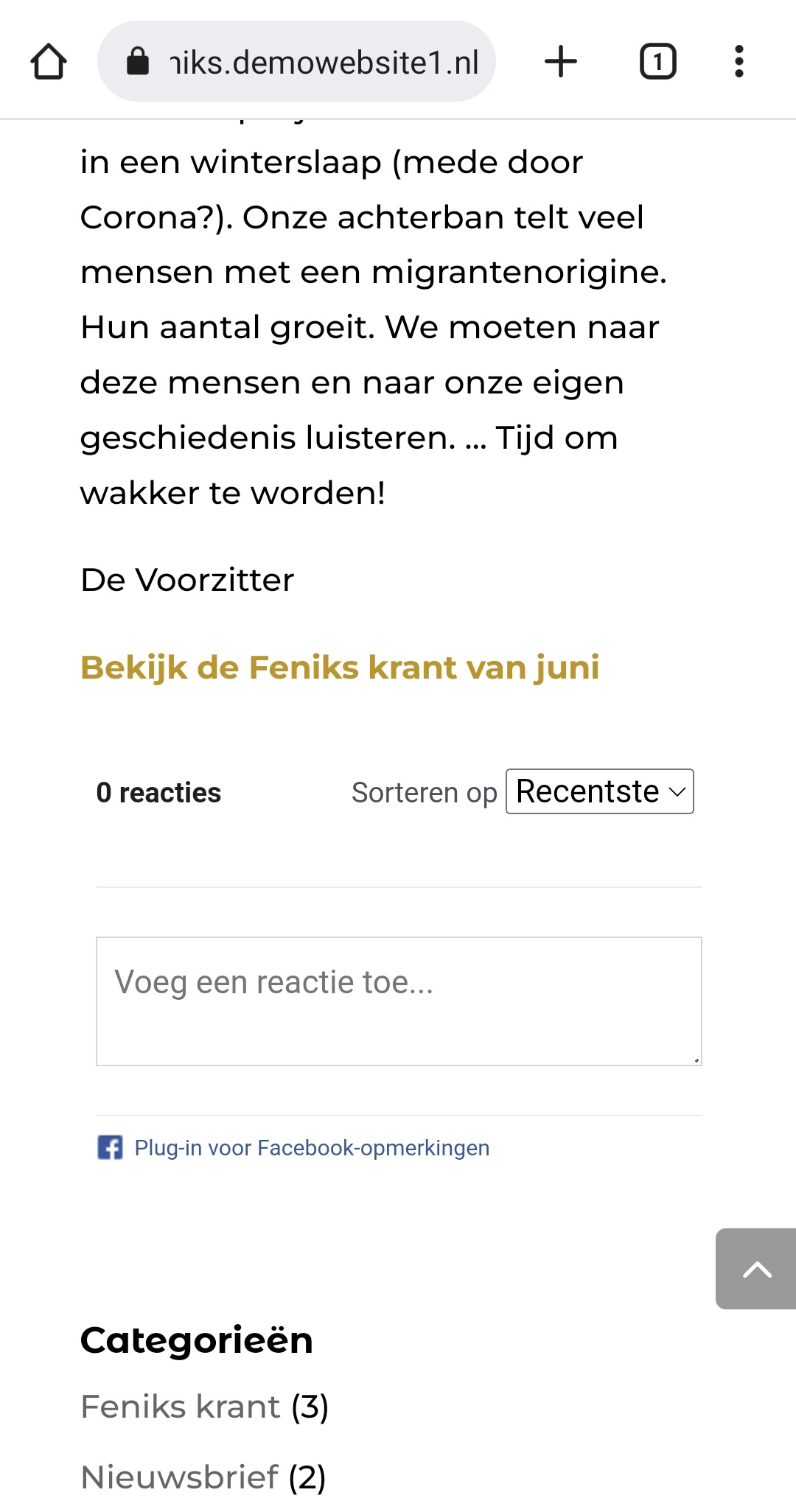
Of course, here you can check the screenshot – https://wpdevart.com/wp-content/uploads/2023/01/Screenshot-comments-box.jpg
As for the subdomain, we can’t say if it’s the cause. In any case, if the subdomain was the cause, it wouldn’t work on our end either.
Thanks.
- This reply was modified 3 years, 4 months ago by wpdevart. Reason: added a text
Forum: Plugins
In reply to: [Booking calendar, Appointment Booking System] Not Showing New YearHi @ciccuser2.
We checked your site again and it works fine from our end. Since you did not answer, we believe that the topic is no longer relevant, so we will close the topic.
Thanks.
Forum: Plugins
In reply to: [Social comments by WpDevArt] Comments Not ShowingHi.
Did you create an App ID and then add it to our plugin settings?
Thanks.
Forum: Plugins
In reply to: [Booking calendar, Appointment Booking System] Not Showing New YearHi @ciccuser2.
As we can see, you are not using the booking form, and there are no available items for dates. Can you try adding a booking calendar with a form to the test page? Perhaps the problem occurs because you did not select a form for the calendar?
Also, when checking for errors using the Chrome Console, we did not notice any problems.
Thanks.