wpdevart

Forum Replies Created
-
Hi dear user.
Sorry for the late response.
Unfortunately, at this moment, you can’t type there those symbols (the symbols you mentioned). There isn’t any solution at this point.
Thanks.
Forum: Plugins
In reply to: [Organization chart] org chart too bigHi @racsomq.
Sorry for the late response.
As you are using the premium version contact us at [email protected] and we will provide future support.
Thanks.
Dear @empacy.
It seems now we understand you. If you mean the first element’s line, then it’s not an error, you can see the page from our demo looks the same way – https://demo.wpdevart.com/organization-chart/.
Thanks.
Forum: Plugins
In reply to: [Booking calendar, Appointment Booking System] Booking Calendar NOT WorkingDear @videodronen.
As we already mentioned, you are using an event calendar, and it’s not our plugin, so we will close this topic.
Thanks.
Hi @videodronen.
We checked your website and as we see you are using an event calendar, and it’s not our plugin, so we will close this topic.
Thanks.
Forum: Plugins
In reply to: [Booking calendar, Appointment Booking System] form and paymentDear @caliroads.
As you are using the premium version, we should provide future support via email. Contact us at [email protected] and we will provide future support.
Thanks.
Forum: Plugins
In reply to: [Booking calendar, Appointment Booking System] Calendars Appear SmushedHi @ntimler.
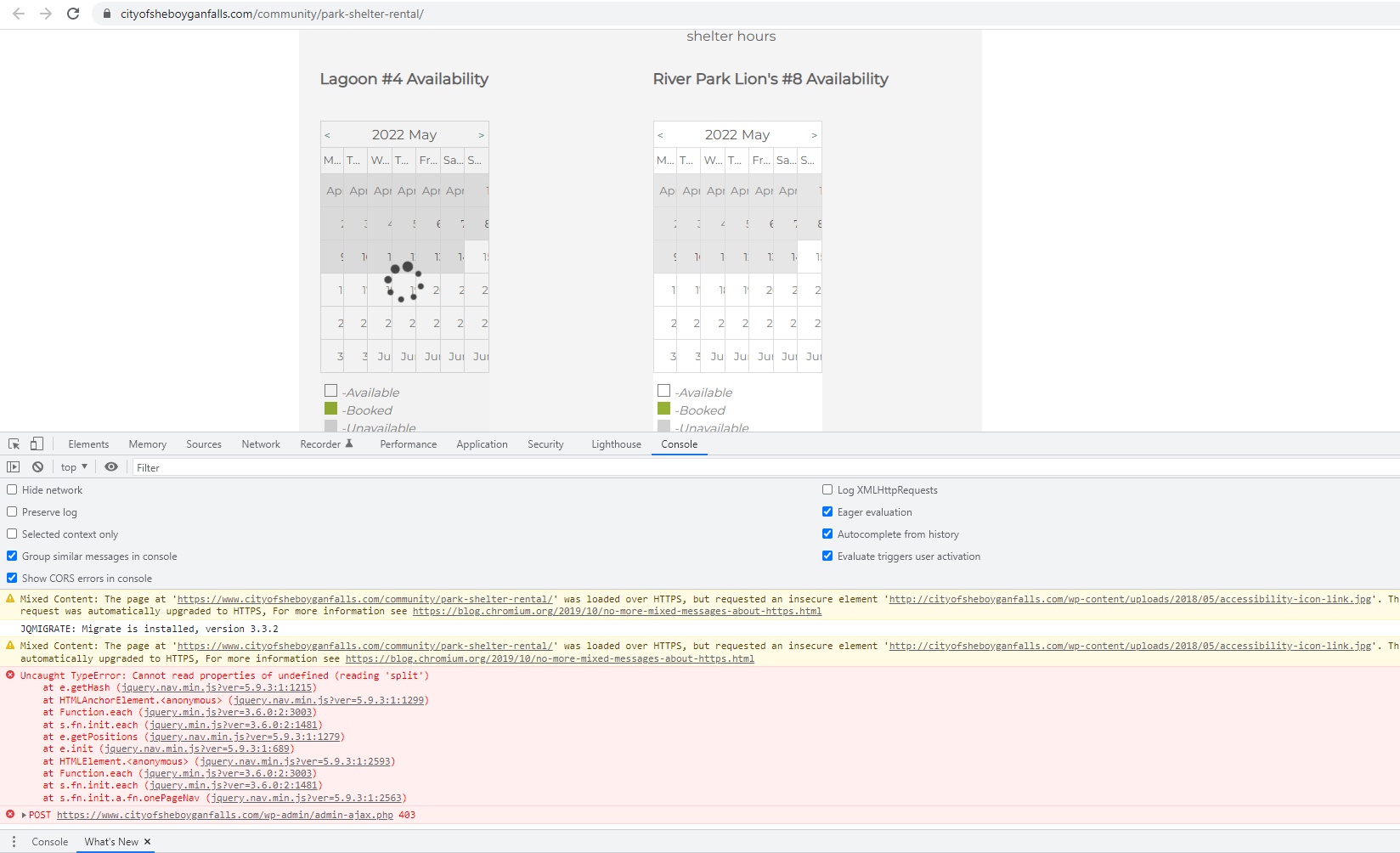
There are a lot of JS errors that come from your theme. You can check this screenshot – https://wpdevart.com/wp-content/uploads/2022/05/screenshot-JS-errors.jpg.
About the CSS, navigate to the Booking calendar Themes page, General Settings tab, and enable the “Enable Custom CSS” option. After that add these styles to that field
.booking_calendar_main_container {
    display: inherit!important;
}
.booking_calendar_container {
    width: 100%!important;
}
.wpdevart-booking-form-container {
    width: 100%!important;
}
this should help.
Thanks.
Hi @angelfacedgaf.
It wasn’t the free version, it was the premium one. Also, we contacted you by email.
Let us know what you think and we will provide future support.
Also, as you are using the premium version, we should provide future support by email. Contact us at [email protected].
Thanks.
Forum: Plugins
In reply to: [Booking calendar, Appointment Booking System] Not sending e-mails (free)Hi @teet3.
Can you test another admin email for the notifications?
Also, disable/enable the “Use PHPMailer” option, this may help as well.
Thanks.
Forum: Plugins
In reply to: [Organization chart] org chart too bigHi @racsomq.
Can you tell us what version of our plugin you are using?
Also, did you activate the zoom option from the settings?
Thanks.
Forum: Plugins
In reply to: [Booking calendar, Appointment Booking System] Booking Calendar NOT WorkingHi @melmore62sales.
Unfortunately, we do not have phone support so we cannot reach you by phone. What we can do is provide future support through this forum.
Also, for your own safety, do not provide any personal information on this forum (or anywhere else).
The best way to resolve this issue is to interpret your(website) problem/situation. Can you tell us which themes and plugins you use?
We will try to create a test site and test it.
Thanks.
Forum: Plugins
In reply to: [Booking calendar, Appointment Booking System] Calendars Appear SmushedDear @ntimler.
Did you try to change the theme?
Maybe there is a conflict with the theme?
We need to know more details to solve the problem.
Thanks.
Forum: Plugins
In reply to: [Booking calendar, Appointment Booking System] form and paymentHi, @caliroads.
Can you tell us more details?
Also, can you tell us what version of our plugin you are using?
Thanks.
Forum: Plugins
In reply to: [Booking calendar, Appointment Booking System] Won’t let me create bookingsDear user.
Did you resolve the issue?
Please, let us know, otherwise, we will close this topic.
Thanks.