andreag007

Forum Replies Created
-
Forum: Plugins
In reply to: [LiteSpeed Cache] Object cacheYes it is object Cache that is causing the problem. Once I turn it off the programme dates and times display correctly. I found a solution. I turned off Object cache and turned on ESI and now the programme dates and times work fine and the site is still quick to load. No issues so far.
Thank you for your time.
Thank you. Perfect. I disable Object cache and it is working exactly as I wanted. Thank you so much for your time on sorting this issue.
I hope this video makes sense – https://www.awesomescreenshot.com/video/20634083?key=ed5bcfbdeaa7779192b5c1380cdd5a44
Thanks
Andrea
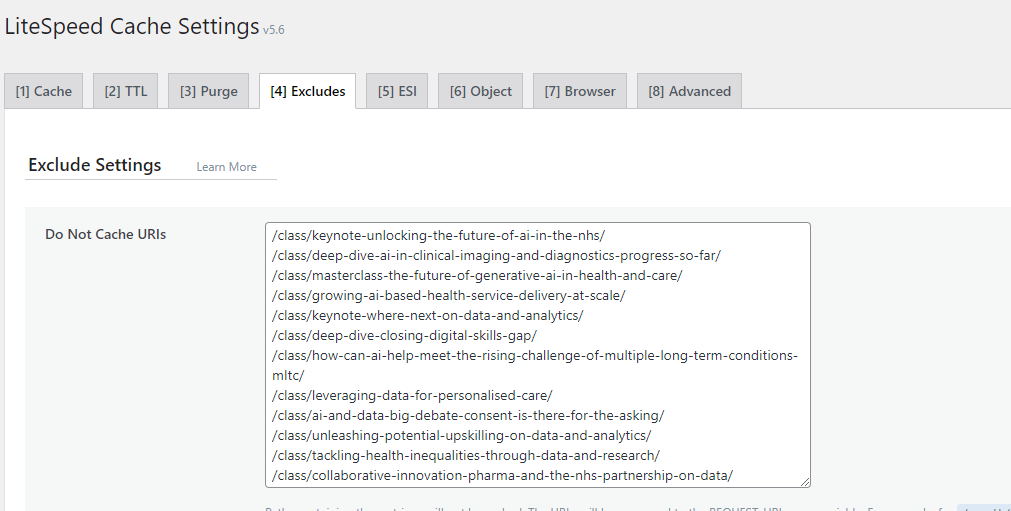
https://digitalhealthaidata.com/wp-content/uploads/2023/09/cache.png
This is what my cache currently looks like. I didn’t add the programme-2023 page as I don’t want this page to load slowly.
One thing I did notice was this. If I go to one heading and then a different heading, then purge, the correct time appears but I have to purge after every page visit which is not posbbile for our client.
Here is an example
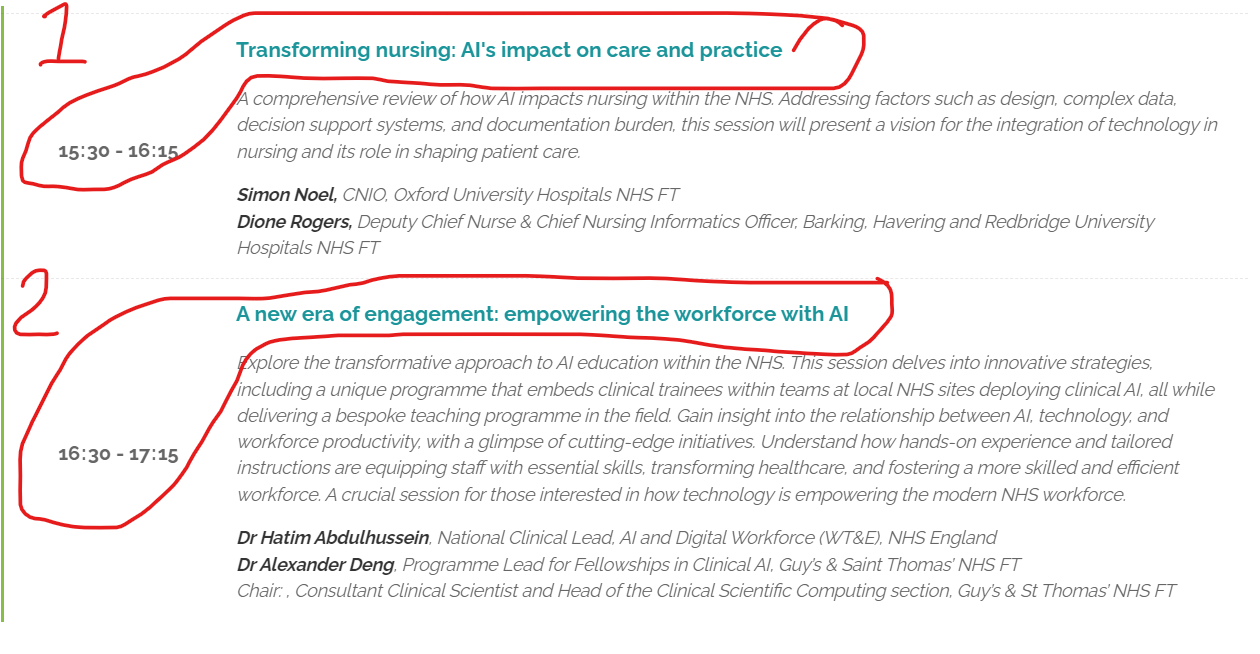
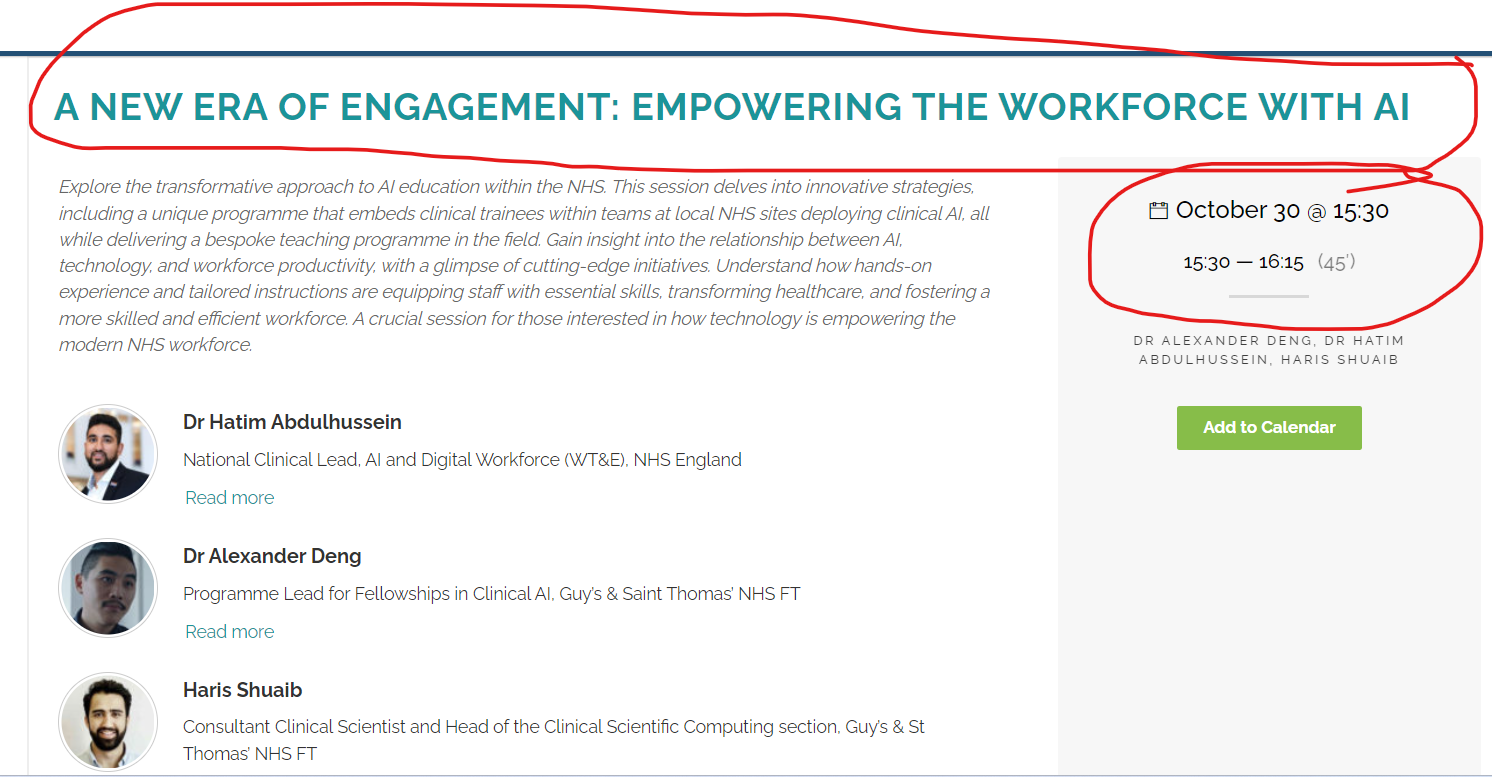
In this example – I click the first heading – TRANSFORMING NURSING: AI’S IMPACT ON CARE AND PRACTICE, then I went back https://digitalhealthaidata.com/wp-content/uploads/2023/09/cache-time-1.png
Next I click the second heading, now look at the time https://digitalhealthaidata.com/wp-content/uploads/2023/09/cache-time2.png
As you can see all the heading pages are in the exclude box so should not be cached.
Thanks Andrea
If you go to this page – https://digitalhealthaidata.com/programme-2023/
Now click the first heading and it takes you to another page. the time on this page is the same on the previous page. – Correct
Now go back to the first page and click a different heading. Now, the time is incorrect. It is showing the time of the first heading you click. – Problem
I excluded the heading pages (single page) within the Exclude secion but these pages are caching the time, even if I remove the time from the URL.
If I click this link – https://digitalhealthaidata.com/class/transforming-nursing-ais-impact-on-care-and-practice/?wcs_timestamp=1698679800 and scroll to the bottom and click the back or forward items in the pogramme, the time doesn’t appear in the url but time doesn’t change. I am not sure why the time is caching.
If there something I should be doing in the plugin?
Thanks in advance
Andrea
Forum: Plugins
In reply to: [LiteSpeed Cache] Duplicate comment blocks created with LitespeedI’ve worked out the problem. If I turn off ESI caching, then the double comments disappear. I am working with WP Discourse and turning ESI caching on means the comments appear instantly. It there a way of turning on ESI and stopping the comment form box appearing twice?
Thanks
Andrea
Forum: Plugins
In reply to: [Relevanssi - A Better Search] Search not working properlyThis is the only instance where this is necessary. I can’t do it in the synonyms so where would I do this?
ThanksForum: Plugins
In reply to: [Relevanssi - A Better Search] Search not working properlyThank you for that. This is exactly what I thought