Cindy Cullen

Forum Replies Created
-
It was a custom plugin. The other plugin author made a work around for the issue.
I am using gmail for the mailing service.
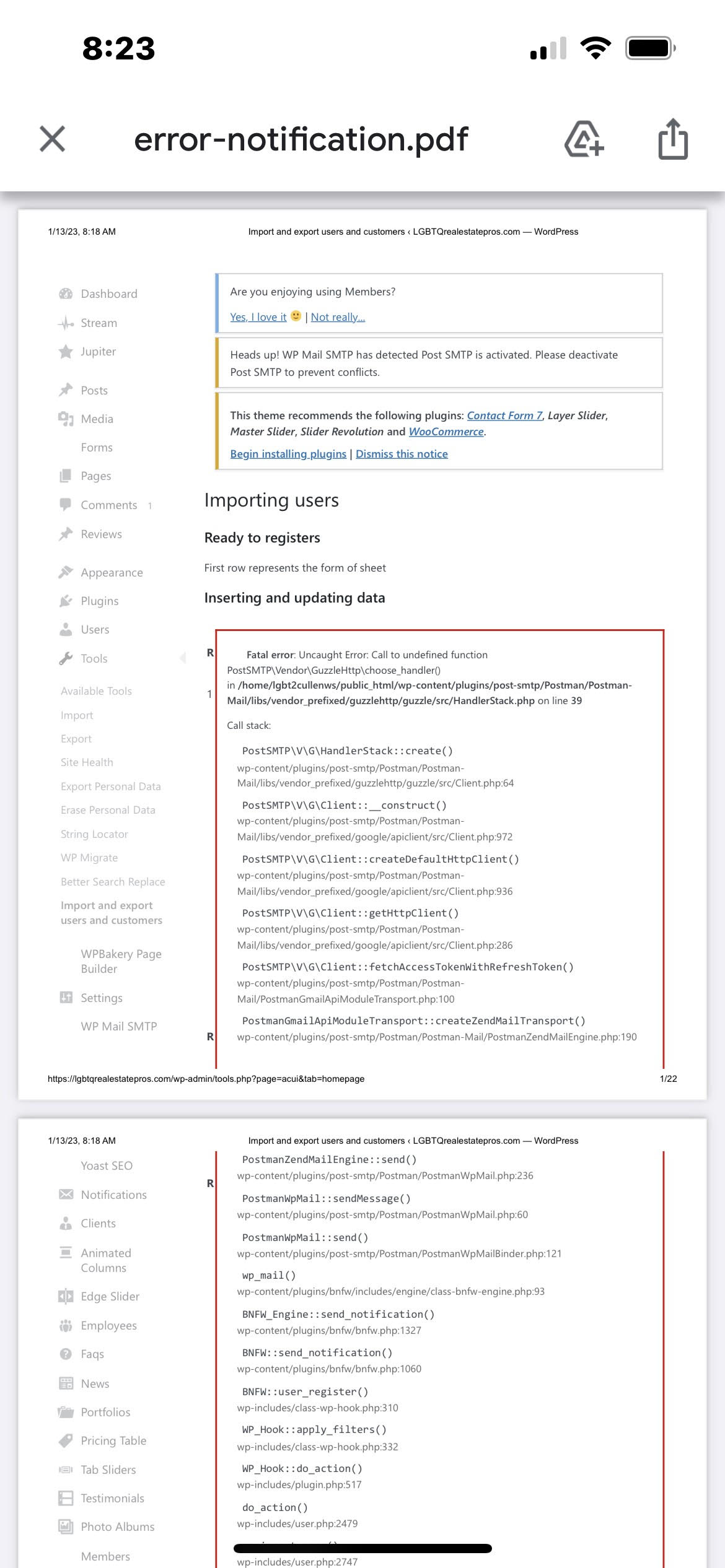
Sending a test email works. Most emails work. It’s only when I use one plugin that sends a notification that I get the error. The plugin is a custom built plugin and I’m trying to get more info from the author as to how they are sending the notification.
 Forum: Fixing WordPress
In reply to: WP at subdomain not workingNot sure what you mean by ‘links on the wordpress page’. If that ‘wordpress page’ is on the static site linking to the wordpress site, then, if you change your static page links to http://wordpress.domain.com/… instead of http://www.domain.com/WP/… it should work.
Links from hosting A to hosting B should be written as href=’wordpress.domain.com/…’. Links from wordpress.domain.com to the static site should be written as href=”www.domain.com/…”
If you give me a link to the sites I might could help more.
Forum: Fixing WordPress
In reply to: WP at subdomain not workingIf I’m understanding correctly, your static pages are linking to the wordpress site like this: domain.com/wp/product-category/audi
They should instead link to the page like this: wp.doamin.com/product-category/audi
You don’t need the /wp on the end of the subdomain if you have the subdomain already pointing to the domain.com/wp folder.
Hope that helps!
Forum: Fixing WordPress
In reply to: login redirectIt could be your index.php file in your root www folder redirecting either directly or indirectly. Or more likely, your .htaccess file is redirecting to your wordpress folder.
Forum: Fixing WordPress
In reply to: Gap Between PhotographsSome of your images appear to have parameters after the filename. For instance, I looked at the first image and it’s not showing on the page either:
When I look for the image it’s trying to use it’s showing this:
The last part: ?resize=706%2C1024 is causing the problem. If I take that off, I can see the picture:
Hope that helps!
Forum: Fixing WordPress
In reply to: REVSlider SVG Static Layer not Displaying@paulchapman1973 I’m seeing this error on your page:
Static Image http://tierra.nz/wp-content/plugins/revslider/public/assets/assets/svg/hardware/ic_keyboard_arrow_down_24px.svg Could not be loaded in time.
The image exists at that link, but for some reason revslider seems to be stopping it. Probably because the image is not being accessed through https.
I also see this error indicating it’s not allowing the image because of the https problem.
VM42:1 Mixed Content: The page at ‘https://tierra.nz/’ was loaded over HTTPS, but requested an insecure XMLHttpRequest endpoint ‘http://tierra.nz/wp-content/plugins/revslider/public/assets/assets/svg/hardware/ic_keyboard_arrow_down_24px.svg’. This request has been blocked; the content must be served over HTTPS.
You might be able to fix by adding https:// to the front of the image instead of http:// where you use the image in the slider.
Hope that helps!
Forum: Fixing WordPress
In reply to: Customizer edit shortcuts won’t displayCould this be related to this issue? https://core.trac.ww.wp.xz.cn/ticket/39451 If so, you may want to click on ‘watch this ticket’ to be notified when there is a fix for the issue. Or maybe this could point you to the plugin that’s causing the problem.
Forum: Fixing WordPress
In reply to: New Uploaded Image Link Redirected to wp-admin/setup-config.phpHi @kapatagan, this image seems to be working for me now. Are you still having problems with it?
Forum: Fixing WordPress
In reply to: jQuery Errors and users cannot upload avatars after WP updateCan you please add a link to your site so that we can see the errors?
Forum: Fixing WordPress
In reply to: WP manual migration with some interesting errorDid you use a tool such as this one to change the links in the database? https://interconnectit.com/products/search-and-replace-for-wordpress-databases/
It sounds like some of the links didn’t get changed correctly.
Also, check that you have an .htaccess file in the root web folder with something like this in it:
# BEGIN WordPress
<IfModule mod_rewrite.c>
RewriteEngine On
RewriteBase /
RewriteRule ^index\.php$ – [L]
RewriteCond %{REQUEST_FILENAME} !-f
RewriteCond %{REQUEST_FILENAME} !-d
RewriteRule . /index.php [L]
</IfModule># END WordPress
Forum: Fixing WordPress
In reply to: Text over Image on frontpage is not workingGreat! Glad you found it!
Forum: Fixing WordPress
In reply to: Text over Image on frontpage is not workingOpen the developer’s tools (ctl-alt-i or cmd-alt-i on mac) and look at the ‘console’ tab. It will show you the error and where the error occurred.
- This reply was modified 9 years, 3 months ago by Cindy Cullen.
Forum: Fixing WordPress
In reply to: Text over Image on frontpage is not workingLooks like you have a javascript error. I’m not sure if that’s causing this problem, but it could be. It can’t find your ‘tooltip’ function:
jQuery(document).ready(function(){
jQuery(‘[data-toggle=”tooltip”]’).tooltip();
});Uncaught TypeError: jQuery(…).tooltip is not a function
Forum: Fixing WordPress
In reply to: 404/403 error when saving menuAre you by chance using the BuddyPress plugin? I had this problem when using that plugin with the newer versions of WordPress. Also, saving the permalinks again without changing them to the default, will sometimes work. It could be a problem with your .htaccess file which permalinks should rewrite.


