chris868

Forum Replies Created
-
Thanks Tobias,
I couldnt get that to work unfortunately.Although the table body was already been drawn to span the full width. It was just the header that wasnt. Anyway I managed to drop this css in
.dataTables_scrollHeadInner {
width:100% !important;
}and that causes the header to span the full width. The cells still dont space out nicely as when the tables arent in a tab but it probably as good as I can get it. If I get that working I’ll post back to this thread.
thanks again Tobias for responding and working on this, it is an amazing plugin and top class support. Good luck to you and the plugin !
Thanks alot to keep looking into this, really appreciated! I tried the updated code also set priority to 100 to force it to go right at the bottom after the tablepress JQuery script. Ah still no joy unfortunately.
thanks Tobias, really appreciate the reply!
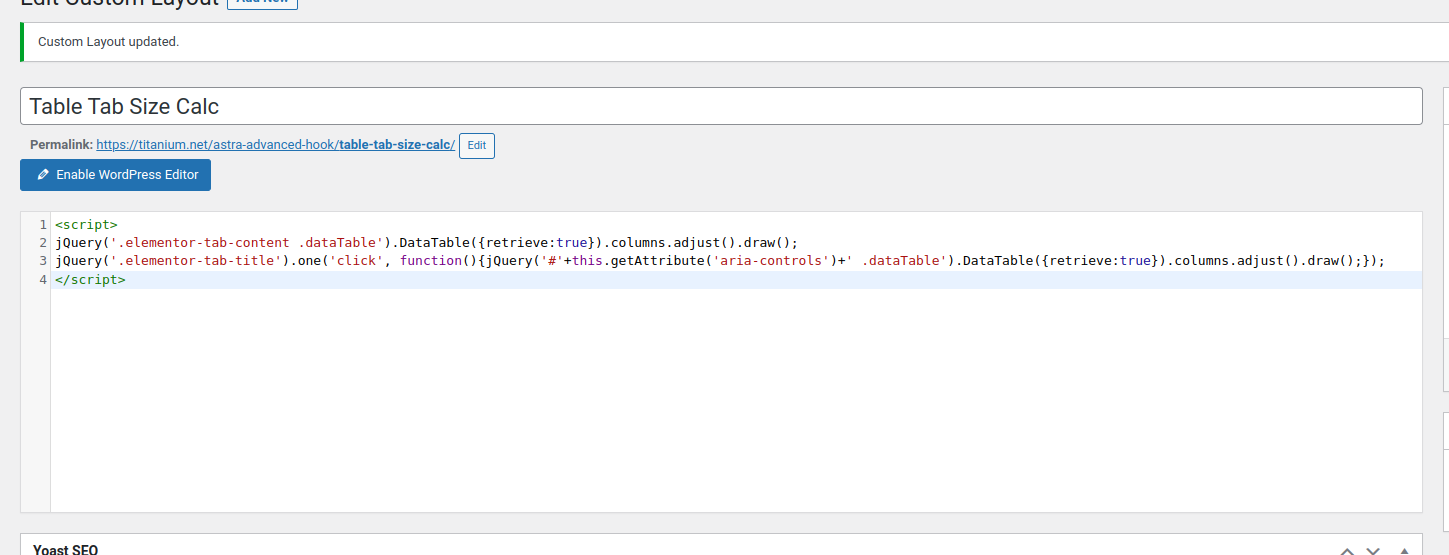
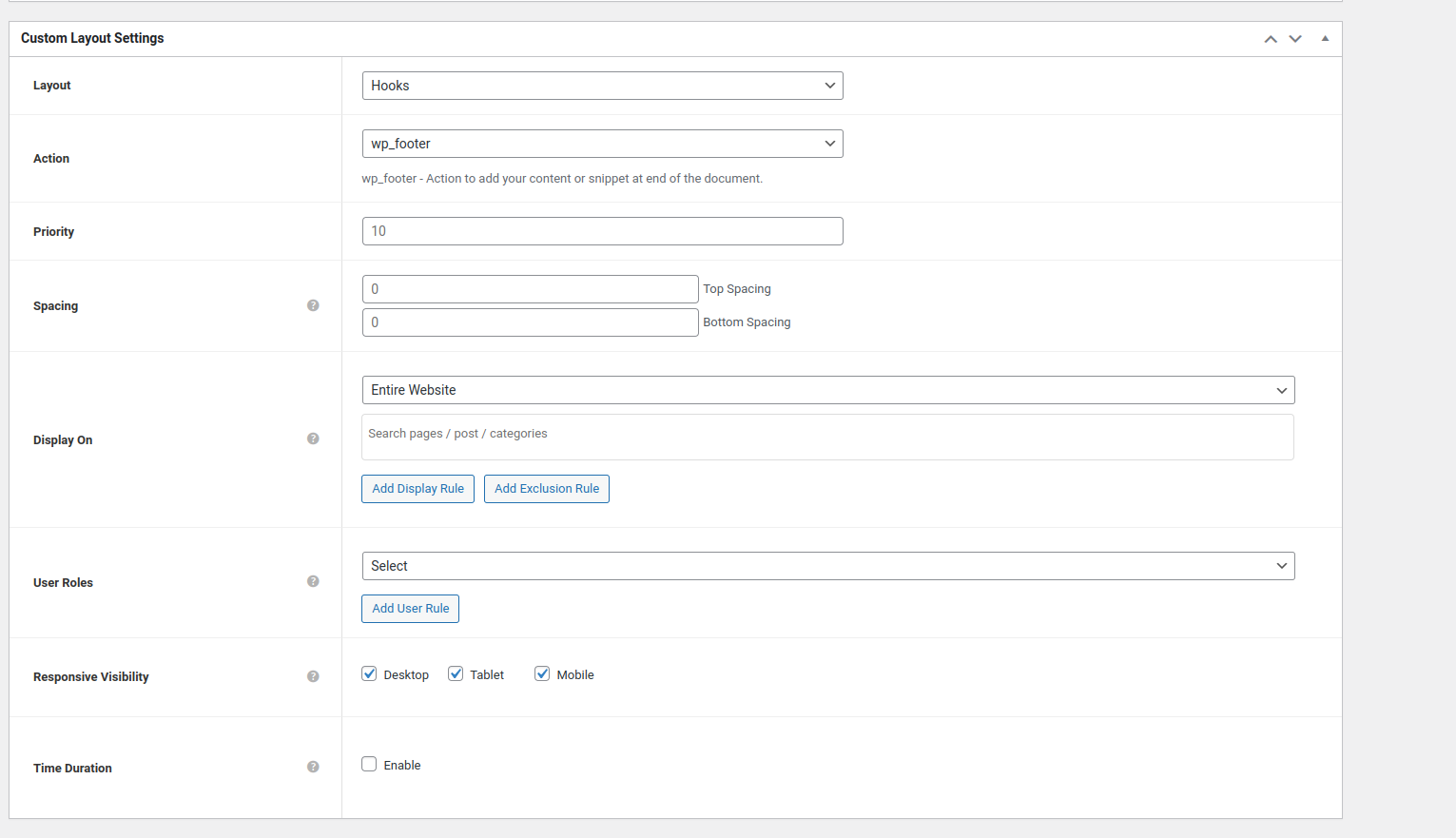
I’m using Astra Pro which has a “Custom Layout” feature. I’ve gone through the docs on how to use it, it does seems to be inserting the code which you kindly shared, although doesnt seem to be firing / updating the table still. I’m not sure why…
https://titanium.net/wp-content/uploads/2023/03/CustomLayoutCode1.png
https://titanium.net/wp-content/uploads/2023/03/CustomLayoutCode2.png
https://titanium.net/wp-content/uploads/2023/03/CustomCodeLayout3.pngThe code is inserted into the page line 3291.
view-source:https://titanium.net/flange/
Do you have any thoughts on what I might be missing ?
My experience is that (and probably dependent on your server setup) woocommerce grinds to a halt after a few thousand products and hence the reason why the plugin fails. I dont know if its a problem with woocommerce or wp but its a bit crazy that the performance can be so bad. It kinda doesnt make sense to force them in either as anyone or anything getting the pages is going to have to wait around for a long time…
Just following up on this (unfortunately not a fix) but I also tried tried adding a rewrite rule to stop timeouts with litespeed in .htaccess. Still no good. Looking a bit closer at this I’m finding that to import a single product can take several minutes.
Why would this be ? my connection is fine and I can create products normally with them being processed posted almost immediately. I cant figure out why the importer takes so long to import just a single row…
I am having this problem too. My only thoughts are if there is some server throttling going on as each product upload looks like its an individual ajax request.
Forum: Plugins
In reply to: [Woocommerce CSV importer] Products do not importok, so to make this work you still have to do the header field matching. Even if you are using the example csv and your header titles are exactly correct
Many thanks !
I figured out the problem it was because the home menu item didnt have the “www” subdomain in its URL (from the Appearance > Menu > Menu Structure) and was just e.g http://example.com I think when I uploaded to the new domain I just changed the URL in the general settings to include the www but it also needed to be added into the menu item URL.
Thanks again
Chris