CodePeople2

Forum Replies Created
-
Forum: Plugins
In reply to: [Calculated Fields Form] Form not loadingHello @pexel
In this case, you can try excluding the JS files in the following paths:
https://www.pexpe.com/wp-content/plugins/calculated-fields-form/*
https://www.pexpe.com/wp-includes/js/jquery/*
Best regards.
Forum: Plugins
In reply to: [Calculated Fields Form] Form not loadingHello @pexel
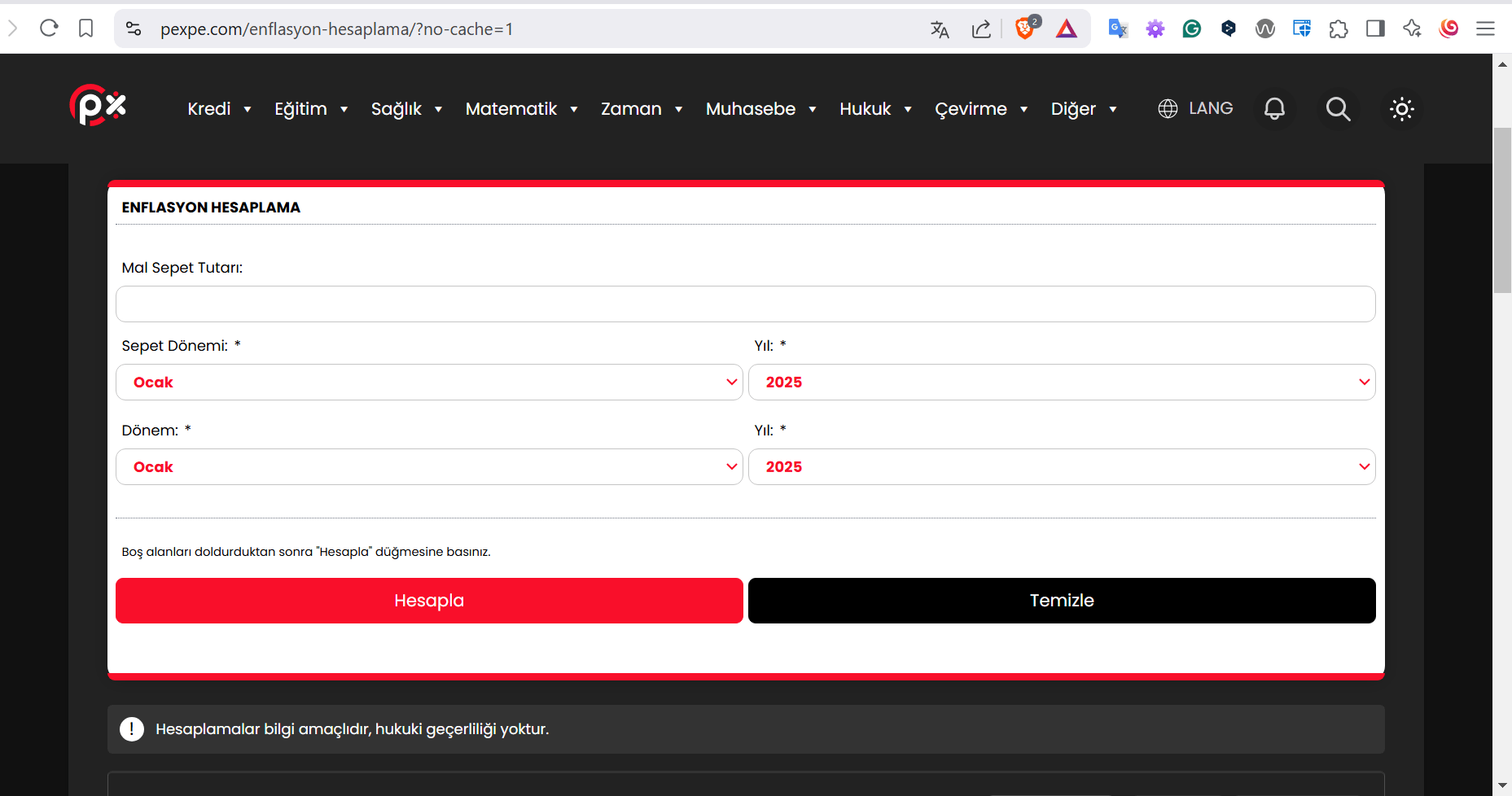
I visited your web page and it loads the form with no problems. I visited it by passing the no-cache parameter, and without any parameter:
Best regards.
Forum: Plugins
In reply to: [Calculated Fields Form] Form not loadingForum: Plugins
In reply to: [Calculated Fields Form] Form not loadingHello @pexel
The error you mention is not caused by the plugin, but by your form implementation. You entered the following piece of code into an HTML Content field in the form:
fbuilderjQuery(document).on('formReady', function(){
  // Set the value of fieldname19 to the first day of January (01-01-yyyy)
  getField('fieldname19').setVal('01-01-' + TODAY().getFullYear());

  // Set the value of fieldname20 to January (01)
  getField('fieldname20').jQueryRef().find('option:eq(0)').prop('selected', true);

  // Set the value of fieldname21 to the current year (e.g., 2023)
  getField('fieldname21').setVal(TODAY().getFullYear());
});
But your form does not have a fieldname19 field.
If you remove a field from the form, you must edit the code you entered using it.
Best regards.
Forum: Plugins
In reply to: [Calculated Fields Form] Butona görsel eklemeHello @metesey
Yes, of course, that’s possible. Please insert an “HTML Content” field in the form, and enter the following code as its content:
<button class="button-with-icon">
    <svg class="icon" viewBox="0 0 24 24">
      <path d="M15.5 14h-.79l-.28-.27A6.471 6.471 0 0 0 16 9.5 6.5 6.5 0 1 0 9.5 16c1.61 0 3.09-.59 4.23-1.57l.27.28v.79l5 4.99L20.49 19l-4.99-5zm-6 0C7.01 14 5 11.99 5 9.5S7.01 5 9.5 5 14 7.01 14 9.5 11.99 14 9.5 14z"/>
    </svg>
    Search
  </button>
Best regards.
Forum: Plugins
In reply to: [Calculated Fields Form] Form not loadingHello @pexel
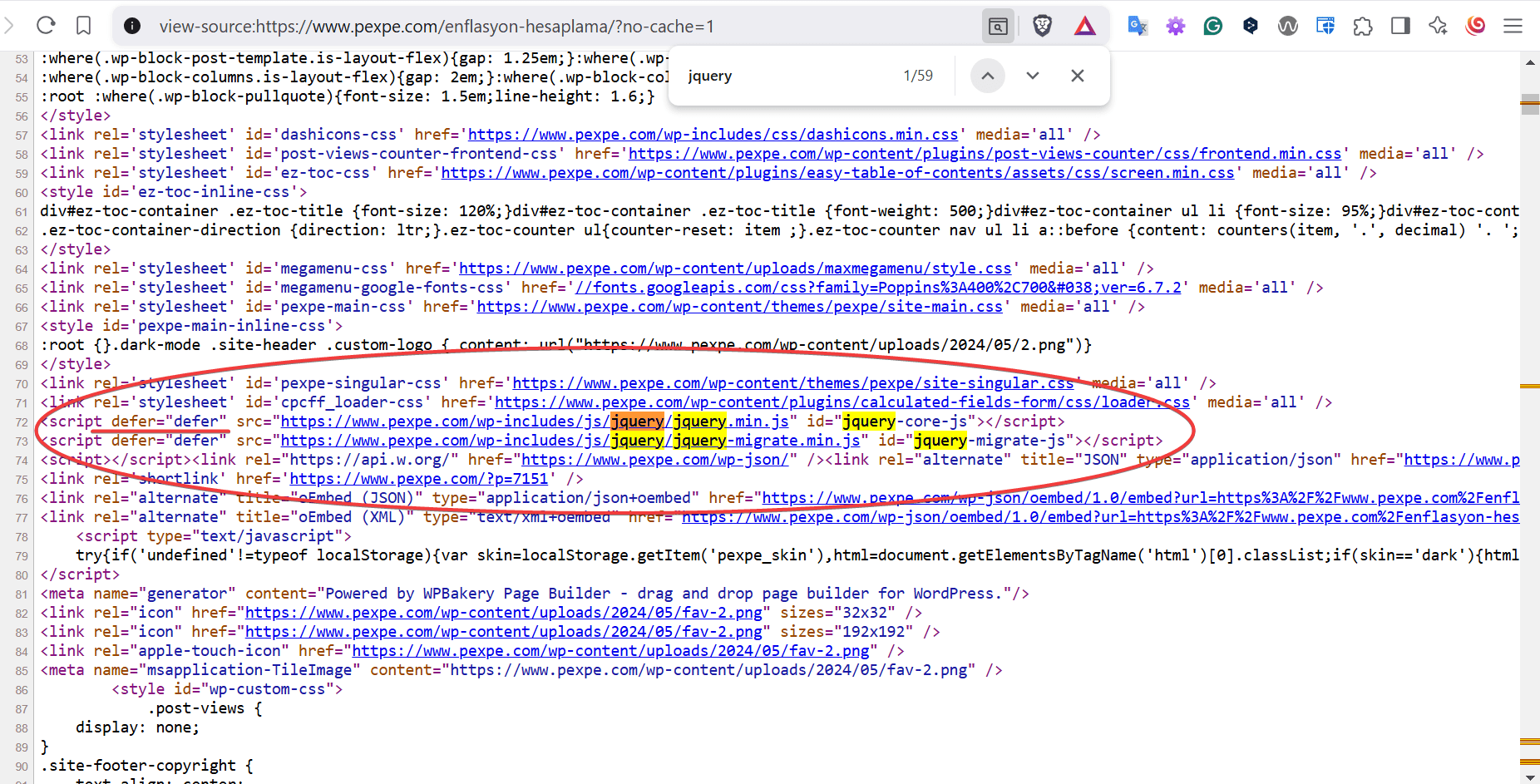
I recommended not delaying or deferring the jQuery library, but if you check the page source, you are deferring its files:
 Forum: Plugins
In reply to: [Calculated Fields Form] Form not loadingHello @pexel
The iframe alternative generates a unique additional URL per form. Based on previous experience, we only needed to configure WP Rocket to not combine, delay, or defer the jQuery API. In our plugin, we have selected the “Direct” option for the “Script load method” attribute, which is accessible through the “Troubleshoots Area & General Settings” section. After editing the field’s settings, you need to purge the WP Rocket and browser caches.
Best regards.
Forum: Plugins
In reply to: [Calculated Fields Form] Form not loadingHello @pexel
I’m offering you permanent solutions, such as using iframes or excluding the page from the cache, but you prefer not to use them.
I’ve configured our plugin on multiple clients’ websites using WP Rocket with no problems. Note it can be related to third-party plugins when WP Rocked generates the automatic cached JS files.
If you need personalized technical support, you can contact us through the plugin website. Contact Us.
Best regards.
Forum: Plugins
In reply to: [Calculated Fields Form] Form not loadingHello @pexel
You can try the following options. Exclude the URLs with jquery from any delaying, deferring, or other optimization process. If the issue persists, you can include the
iframe="1"attribute in the form shortcode. Finally, you can exclude the page that contains the form from the WP Rocket cache.Best regards.
Forum: Plugins
In reply to: [Calculated Fields Form] Form not loadingHello @pexel
The behavior you’re experiencing may be related to how you’ve configured the WP Rocket plugin. Specifically, caching and combining/minifying JavaScript files can cause issues if:
- Files requiring jQuery fail to load due to caching.
- Minification breaks generated JavaScript files that lack semicolons at the end of each line.
Also, check if you’ve enabled background preloading of cached resources. This process may struggle to identify dynamically loaded resources.
What option do you have selected in the “Script load method” attribute in the “Troubleshoots Area & General Settings” section on our plugin? You can change the option selected and try again.
Best regards.
Forum: Plugins
In reply to: [Calculated Fields Form] Multiple License for Website MigrationHello @grudzinski
Thank you so much. You can use the same plugin copy on all your websites:
https://cff.dwbooster.com/terms
Please note we are not allowed to support any customers in these forums.
For pro or commercial product support please contact us directly on our site. This includes any pre-sales topics as well.
Commercial products are not supported in these forums. We will happily answer this and any other questions you can have on our own site.
Thank you.
Forum: Plugins
In reply to: [Calculated Fields Form] Failed Security CheckForum: Plugins
In reply to: [Calculated Fields Form] Form no longer redirectingHello @iamdavidkennedy
I’m sorry, but I cannot check your form because it is accessible only to members. Could you please contact us directly through the plugin website? Contact Us
Best regards.
Forum: Plugins
In reply to: [Calculated Fields Form] Failed Security CheckHello @grudzinski
Thank you for your patience. After reviewing your website, I noticed that you’re using the free plugin version. In this version, the feature is enabled by default, and since your site was retrieving outdated cached data, the nonce verification failed.
To empower users with more control, we’ve now added the “Protect the forms with nonce” functionality to the free plugin distribution as well.
Could you please update to the latest plugin version and clear your website cache? Let me know if this resolves the issue or if you need any further assistance.
Best regards.
Forum: Plugins
In reply to: [Calculated Fields Form] Help Adding RulesHello @pexel
I’m sorry, but I don’t understand by the code what do you want to do.
However, if you want to display a message when the user selects a future date and you have a tag with a class like you did with the other elements on your form (E.g.
<div class="show-message-here"></div>) and the date field is the fieldname123.Your equation code would be similar to:
(function() {
    var kriter1 = "";
    var kriter2 = "";
    var kriter3 = "";
    var kriter4 = "";
    var kriter5 = "";

    if( TODAY() < DATEOBJ(fieldname123) ) {
      jQuery('.show-message-here').html('Your text here');
    } else {
      jQuery('.show-message-here').html('');
    }

    (function () {
        const formData = {
            baslangicYil: fieldname21|r,
            baslangicAy: fieldname20|r,
            bitisYil: fieldname3|r,
            bitisAy: fieldname2|r,
            malSepeti: fieldname26
        };
                kriter1 = data.yeniSepetDeger;
                kriter2 = data.toplamYil || data.toplamAy;
                kriter3 = data.ilkYilTufe;
                kriter4 = data.sonYilTufe;
				kriter5 = data.toplamDegisim;

                // Update the HTML elements with the new values
                jQuery('#calculation-kriter1').html(kriter1);
                jQuery('#calculation-kriter2').html(kriter2);
                jQuery('#calculation-kriter3').html(kriter3);
                jQuery('#calculation-kriter4').html(kriter4);
				jQuery('#calculation-kriter5').html(kriter5);

                // Optionally, update labels for better display
                jQuery('.kriter1-aciklama').html('Yeni Sepet Değeri: ');
                jQuery('.kriter1-sonuc').html(FORMAT(PREC(kriter1, 2, true), {groupingsymbol:".", decimalsymbol:","}) + ' TL');;
                jQuery('.kriter2-aciklama').html('Toplam Yıl: ');
                jQuery('.kriter2-sonuc').html(kriter2+' Yıl');
                jQuery('.kriter3-aciklama').html(fieldname21|v + ' Yılı ' + fieldname20|v + ' Ayındaki TÜFE: ');
                jQuery('.kriter3-sonuc').html(kriter3);
                jQuery('.kriter4-aciklama').html(fieldname3|v + ' Yılı ' + fieldname2|v + ' Ayındaki TÜFE: ');
                jQuery('.kriter4-sonuc').html(kriter4);
				jQuery('.kriter5-aciklama').html('Enflasyon Oranı: ');
                jQuery('.kriter5-sonuc').html('%' + kriter5);
            },
        });
    })();

    return { kriter1, kriter2, kriter3, kriter4, kriter5 };
})();
Best regards.