Alba

Forum Replies Created
-
Forum: Plugins
In reply to: [Sensei LMS - Online Courses, Quizzes, & Learning] Multilanguage supportHi @deividart
Have you had the chance to read our guideline about Translating Courses using Polylang?
If not, please give it a read and follow the instructions:
Let us know if you bump into any issues.
Forum: Plugins
In reply to: [WP Job Manager] New User alert subscribers status is -DisabledHi @dgadwahfht
Thanks for reaching out and sharing those details. Could you please confirm a few things for us?
- Which versions of WP Job Manager and Job Alerts you’re currently running
- Whether you’ve updated any themes, plugins, or WordPress recently
- If you have Email Verification enabled for job alerts, or any custom cron setup
- Whether you’re using any custom code or filters that modify alert behavior
- The exact steps to reproduce this (for example, creating a new alert while logged out)
It would also help to know if you see any errors in your site logs or the browser console when a new alert is created.
Once we have a bit more info, we’ll be able to pinpoint what’s causing those alerts to stay disabled.
Forum: Plugins
In reply to: [WP Job Manager] WP Job Manager Maps not showingHi @charlwoww
Thanks for the screenshot!
It looks like you don’t have the Google Maps API key enabled. However, you mentioned that on another page, you could see the Google Maps.
When you edit https://thehouseofstories.com/story/nasreddin-hodja-and-sultan-timur/ in wp-admin, do you see the section called “Custom Fields” (the one my colleague Jay shared in her screenshot)?
Forum: Plugins
In reply to: [Sensei LMS - Online Courses, Quizzes, & Learning] lesson actionHi @myst5917
Currently, the “Lesson Complete” button is displayed while the lesson is in progress,
and the “Completed” and “Next Lesson” buttons are displayed when the lesson is completed.This is the correct behavior. I haven’t seen anything different from that on my end.
Forum: Plugins
In reply to: [WP Job Manager] License Keys, wrong email accountI have answered your ticket #10313227. Let’s continue the conversation over there. 🙂
Forum: Plugins
In reply to: [WP Job Manager] _job_title _job_description Post Meta table issuesHi @zerogravity
There is none as far as I know and as my colleague Dan mentioned, we do not recommend editing jobs via the backend.
Forum: Plugins
In reply to: [WP Job Manager] _job_title _job_description Post Meta table issuesHi @zerogravity
Even as an admin you don’t have access to edit all listings on the front end. I hope they have a work around for this.
That’s a shame. I recommend reaching out to Astoundify and let them know about this.
Forum: Plugins
In reply to: [WP Job Manager] Change job post status to futureHi @just4me67
Our support policy does not cover customizations but I’ll leave the thread open for a while in case another WP Job Manager community member chimes in.
Unfortunately, Sensei do not offer such thing. However, as a workaround, you can enable comments on your lessons to allow student discussions. To enables learners to comment on lessons for courses they are enrolled in go to Sensei LMS > Settings > Lessons > Allow Comments for Lessons. Only registered learners can view these comments.
If you’d like to enable comments in Learning Mode, you must first add the ‘Post Comments Form’ block in the Site Editor for the lesson template.
In Appearance > Editor > Templates, select Lesson (Learning Mode) template.

Then, add the Post Comments Form block to the desired location of the lesson page:

Hope this helps!
Forum: Plugins
In reply to: [WP Job Manager] Job Form Login IssuesNo need to be embarrassed! Thanks so much for trying different things to solve this issue. I’m glad a simple cache clear did the trick!
Let us know if clearing cache solved it for the person who reported it.
Forum: Plugins
In reply to: [WP Job Manager] Job Form Login IssuesThanks for reaching out and for the thorough message.
I tried to reproduce this issue on my test site, and I wasn’t able to. Have you done any initial troubleshooting yet?
If not, please rule out a theme issue or a plugin conflict. I recommend testing things on a staging site rather than on your production (live) site. Many hosts provide a staging service, where you can do testing without affecting the live site. You can ask your host about this. If they don’t give you a staging site, you could try WP Staging or Duplicator:
– https://ww.wp.xz.cn/plugins/wp-staging/
– https://ww.wp.xz.cn/plugins/duplicator/
If you decide not to create a staging site, make sure to make a full backup of your site. Once done that, please do the following:
1. Verify that all plugins are fully updated to the latest versions.
2. Temporarily disable all plugins but WP Job Manager (and related addons), and see if the issue resolves. If it does, try activating your plugins one by one and try to reproduce the problem. If it comes back when you activate a particular plugin, you’ve found the culprit.
If things still don’t work properly, please try checking for a theme conflict.
3. Temporarily switch to Twenty Twenty, which is one of the default WordPress themes. You can do this by installing a plugin that only switches the theme for the current user, linked below:
https://ww.wp.xz.cn/plugins/theme-switcha/
If the issue resolves, you’ll need to contact your theme’s developer to see if they can help you troubleshoot.
Let us know what you find!Forum: Plugins
In reply to: [Sensei LMS - Online Courses, Quizzes, & Learning] Forminator/Sensei conflictThanks for your report! Our development team is aware of this issue and the fix will be released in the next Sensei LMS update 4.25.1.
Forum: Plugins
In reply to: [Sensei LMS Certificates] {{completion_date}} not workingCould you show us some screenshots on how the certificate template is configured and how the resulting certificate looks like?
Forum: Plugins
In reply to: [WP Job Manager] Guest users can’t upload attachmentsHi there,
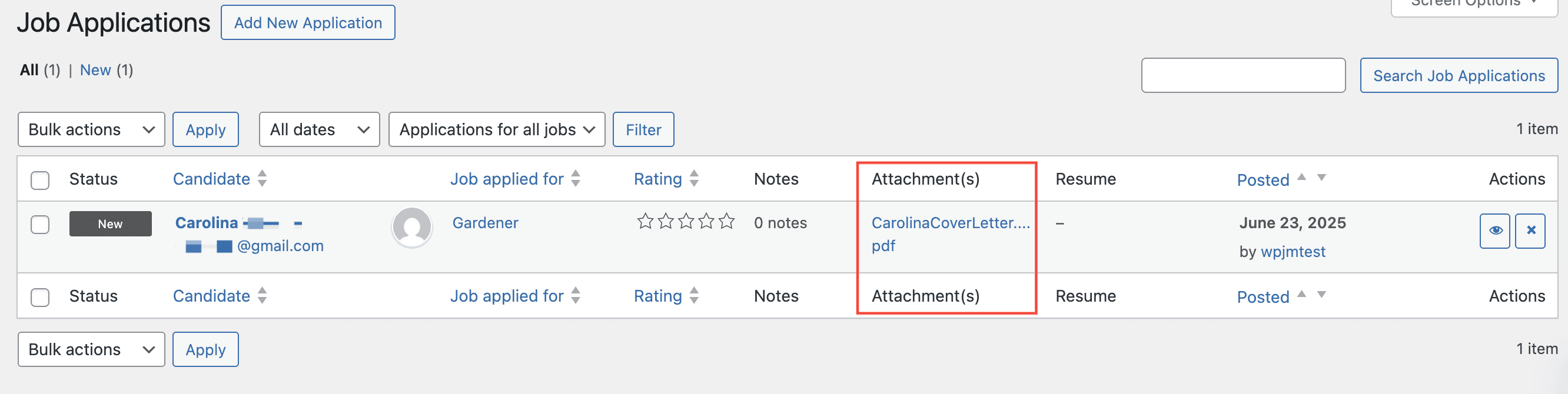
I tried to reproduce your issue on my test site as a guest user and I was unable to:
- Is this a recent issue? If so, was there any change on your site that could have triggered this problem?
- Have you done any troubleshooting yet?
If not, please rule out a theme issue or a plugin conflict. I recommend testing things on a staging site rather than on your production (live) site. Many hosts provide a staging service, where you can do testing without affecting the live site. You can ask your host about this. If they don’t give you a staging site, you could try WP Staging or Duplicator. Once done that, please do the following:
1. Verify that all plugins are fully updated to the latest versions.
2. Temporarily disable all plugins but WP Job Manager (and related addons), and see if the issue resolves. If it does, try activating your plugins one-by-one and try to reproduce the problem. If it comes back when you activate a particular plugin, you’ve found the culprit.
If things still don’t work properly, please try checking for a theme conflict.
3. Temporarily switch to Twenty Twenty, which is one of the default WordPress themes.
If the issue resolves, you’ll need to contact your theme’s developer to see if they can help you troubleshoot.
Let us know what you find!
Forum: Plugins
In reply to: [WP Job Manager] Listing renewalsHi @ibiza69
Sure! We will leave your thread open in case others can chime in.