fabriziosorbara

Forum Replies Created
-
Forum: Plugins
In reply to: [Social Media Auto Publish] Threads authorize problemHi, i can confirm that
- I have entered the App ID (1st field) and App Secret (2nd field) in the correct fields (Threads credentials not the app generic)
- I’ve clicked Generate Token from the plugin Threads settings page (and after that firs it let me login to threads and after clicking “continue as ****” the error appears.
- I am logged in with the Facebook account listed under the app as developer and the error stil occurs, so
- i’m emailing you for further investigation.
Thank you
Forum: Plugins
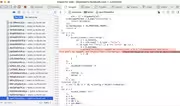
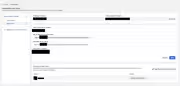
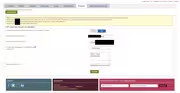
In reply to: [Social Media Auto Publish] Threads authorize problemHi, thank you, here you are the screenshoots, if can help the called URL is:
and then
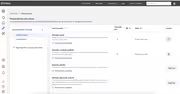
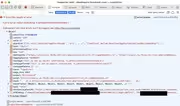
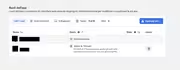

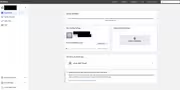

 Forum: Plugins
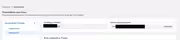
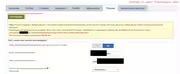
In reply to: [Social Media Auto Publish] Threads authorize problemHi, i confirm that i put the App ID int the first field and the App Secret in the second field, and also tried to regenerate a new token, but the problem still persists.
I attach screenshoots. Thank you
 Forum: Plugins
In reply to: [Social Media Auto Publish] Threads authorize problemHi and thank you again for your response.
Redirect URI: yes i used a placeholder just for privacy reasons, in the app i have used the production domain in Valid OAuth Redirect URIs;
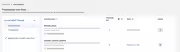
App Permissions: yes the app has both
threads_basicandthreads_content_publish(and they have also been tested Ready for Testing doneThreads app credentials (App ID and Secret USE CASE specific) are from the same app and that the redirect URL matches what is configured in the threads app
Yes the user user is listed under the app Roles > Testers or Developers and the generate token button is clickable.
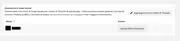
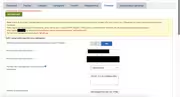
I also attach some screenshots of the settings.
I have just one doubt, in the italian versione, both fields App and secret are named “Nome utente delle discussioni” (i halso have tried to switch between them but the error is still the same.
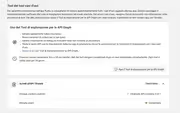
[url=https://postimg.cc/dkQdxyNP][img]https://i.postimg.cc/dkQdxyNP/temp-Imagelhno-Mx.avif[/img][/url]
- This reply was modified 1 year, 2 months ago by fabriziosorbara.
- This reply was modified 1 year, 2 months ago by fabriziosorbara.
- This reply was modified 1 year, 2 months ago by fabriziosorbara.
Forum: Plugins
In reply to: [Social Media Auto Publish] Threads authorize problemHi, thank you for you response. I have verified the following:
Tester Invitation Accepted: YES ACCEPTED since beginningUse “Use Case” App Credentials: YES, since beginning used just them
Redirect URI: YES it’s HTTPS and is exactly the same that appears https://www.domain.tld/wp-admin/admin.php?page=social-media-auto-publish-settings&auth=1
I don’t understand where could be the problem, still error {“error_message”:”Authorization failed: No redirect present in URI”,”error_code”:4476001}
Forum: Plugins
In reply to: [Social Media Auto Publish] Threads authorize problemHi, i have deleted the app and recreated from scratch (this time without adding it to a business account) but i went into the same exact error. Also tried to clear cache, use another browser, other connection, tried in incognito mode, nothing worked, still this error:
{“error_message”:”Authorization failed: No redirect present in URI”,”error_code”:4476001}
https://www.threads.net/oauth/authorize/error.json?error_message=Authorization+failed%3A+No+redirect+present+in+URI&error_code=4476001&ext=1743773710&hash=AeTzb1WCu4pvnK_2qVQForum: Plugins
In reply to: [Social Media Auto Publish] Threads authorize problemHi, i have the same problem, followed the guide step by step and everything seems to be ok in the threads app configuration but i still get the same error
{“error_message”:”Authorization failed: No redirect present in URI”,”error_code”:4476001}- This reply was modified 1 year, 2 months ago by fabriziosorbara.
![[url=https://postimg.cc/dkQdxyNP][img]https://i.postimg.cc/dkQdxyNP/temp-Imagelhno-Mx.avif[/img][/url]](https://i.postimg.cc/Qt1bVgpt/temp-Imagelhno-Mx.avif)