Joiningpoint

Forum Replies Created
-
Hi, it’s now working.
ThanksHi MailPoet,
I’ve done some fiddling around and got everything working, buy using my own pages AND by sending emails via my host and not via MailPoet.
1. I would prefer to use mailpoet…
2. When registering/subscribing via the mail poet form for the newsletter I still get the 404 message to this page: https://alexclarkart.de/newsletter/falseThanks for your support
Andy
Hi @raffi007
Did you stick to your custom pages or is it working with the mailpoet pages now?
I have the same problem with the 404 error
ThanksAndy
Hi Elvira,
I have just spent yesterday afternoon and this morning setting up MailPoet and I feel there is good potential after having changed from another Newsletter plugin.
I have the same problem as above – I have read the link above and the email is authorized, the website is verified via the DNS, I am sending via the mail poet sending service etc. I just can’t get it to work.
The website is http://www.alexclarkart.de, the newsletter registration page is https://alexclarkart.de/newsletter/
In addition I couldn’t import my old subscribers – they appear during the import process and I can choose the fields I need, but at the end when finished it says it can’t find any subscribers.
I have also set up the slide in for newsletter registration and it is activated, but despite clearing cookies etc and trying on my mobile and another browser, nothing slides in.
I hope you can help.Thanks
Andy
Forum: Plugins
In reply to: [WooCommerce] Woocommerce Block > invalid JSON responseHi,
I contacted my host and they were kind enough to update the WP memory limit.
MySQL they don’t update for customers, I would have to do this myself…is it easy?
Today there was also a Storefornt Theme update.
I deactivated the last three plugins I installed:
CleverReach Newsletter Plugin
Storefront Top Bar by Wooassist
Customer Reviews for woocommerce
After deactivation of all 3 I did not get any JSON invalid responses and could use the woocommerce features, bestsellers etc..
I then activated the plugins one by one and it appears to be the Customer Reviews plugin which was conflicting, however after logging out, clearing cache etc and logging back in everything appears to be working fine for the moment…very strange…Forum: Plugins
In reply to: [WooCommerce] Woocommerce Block > invalid JSON responseok. Thanks for the feedback. I will give this a go tomorrow.
Andy
Forum: Plugins
In reply to: [WooCommerce] Featured category button no longer centeredHi, I had the same problem after the update I did today. I used the code and it worked as well. Thanks
Thanks. I did just that and deactivated and reactivated plugins, then the problem was gone.
Hi Rick,
Sorry for the delay in getting back – that was the solution.Thanks for the advice.
Andy
Hi Matheus,
Thanks for the quick reply.
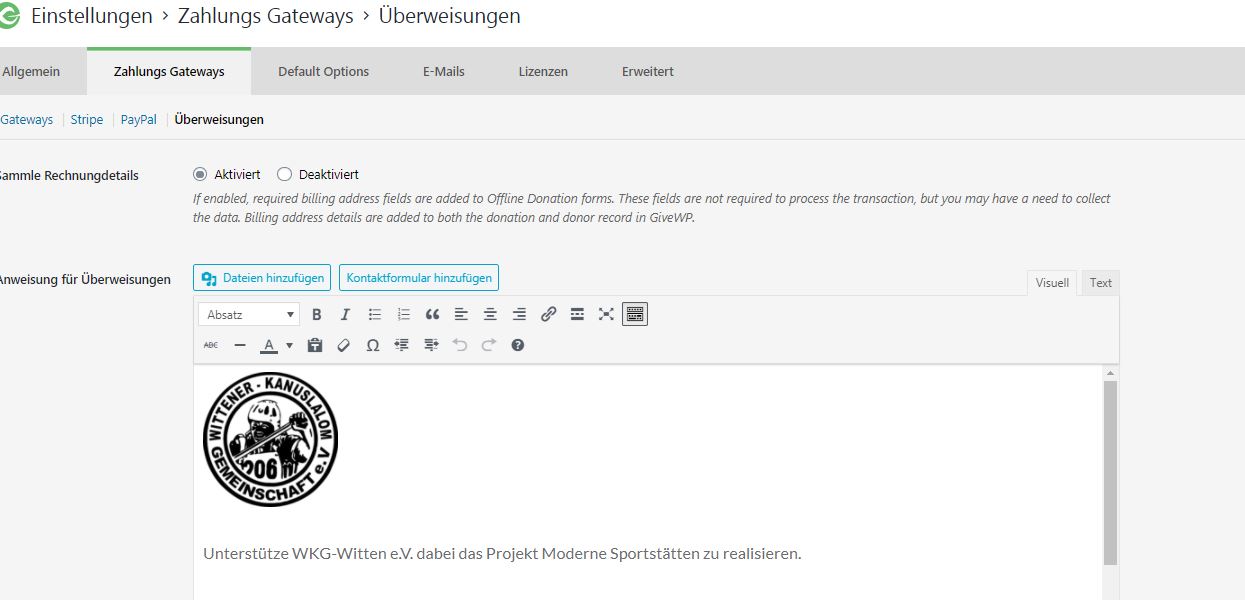
Screenshot 1 shows that the offline donations billing is activated. It has also been saved.
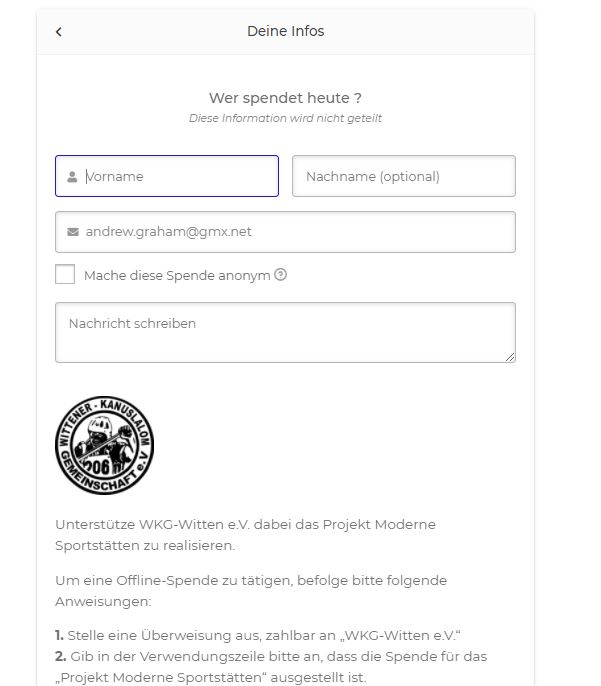
Screenshot 2 shows the webpage and that the billing details do not appear as they should.Screenshot 1: https://wkg-witten.de/wp-content/uploads/2021/01/screenshot_1.jpg
Screenshot 2: https://wkg-witten.de/wp-content/uploads/2021/01/screenshot_2.jpg, also available under: https://wkg-witten.de/2021/01/18/jetzt-spenden/Any ideas or further information required?
Thanks
Andy
Forum: Themes and Templates
In reply to: [Storefront] Storefront – problem with font size since updateThanks, that worked a treat.
Danke
Kann mir hier jemanden helfen? Danke
Forum: Plugins
In reply to: [WooCommerce] Woocommerce – Cart, Checkout and My Account not workingHi Amanda & Lorro,
Thanks both of you for your help and comments. Amanda – your tip with deleting the pages and using the tool to create the new pages worked perfectly – thank you.
Lorro – yes the breadcrumbs are too far left. I’m using the woocommerce breadcrumbs plugin because I didn’t want the homepage as the URL when people are in the shop and then click that and are out of the shop and on the homepage again.. I wanted SHOP to be up their first, that’s why I used that plugin. Are there any other options available?
ThanksAndy
Forum: Plugins
In reply to: [WooCommerce] Can’t access Woo blocks on home & shop pageHi Philip,
I managed to find the solution – I needed to change the template on the homepage. ThnaksAndy