qwack

Forum Replies Created
-
Hello,
Thank you for your quick response.
If we hide the promo badge, how can we make it appear in the event of a promotion ?
The problem is that he introduced the items with a normal price only, and he manages the special prices directly from “B2B”, “Dynamic rules”, “Discount (percentage)”, “For whom: Partner customer”, for example, 20%.
So the prices are displayed correctly, there is the promo badge, but if I add the code and the badge disappears, how can I make it appear if necessary ?
Thanks.
Forum: Plugins
In reply to: [Happy Addons for Elementor] Effect : Scrolling ImageHello @saifislam01,
Thank you very much for your response.
https://projet.webbih.com/wptest34/
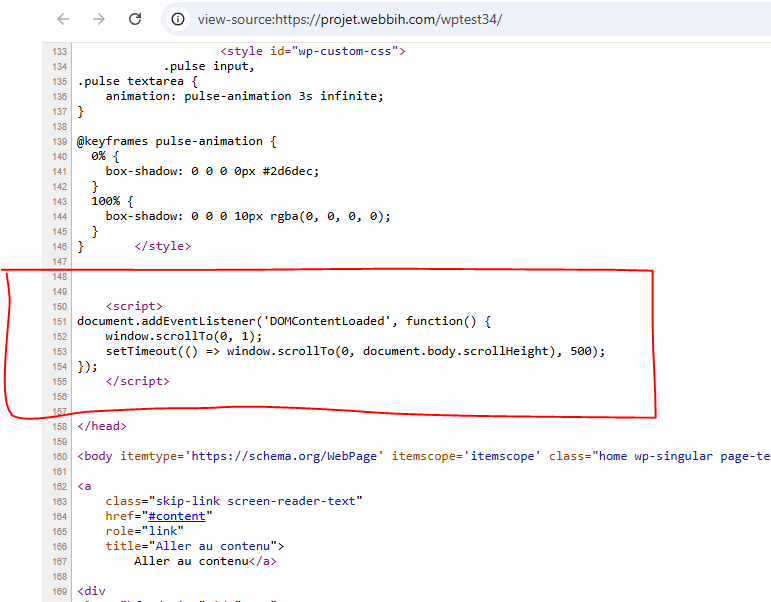
I inserted the code as provided, but it does not work.
https://i.postimg.cc/9QbtdGq4/Capture.png
Thank you very much for your help.
Forum: Plugins
In reply to: [Happy Addons for Elementor] Effect : Scrolling ImageHello @saifislam01,
Thank you very much for your response.
Unfortunately, I work locally. I use the latest versions of Elementor Pro and Happy Addons.
I reproduced this quickly under : https://projet.webbih.com/wptest34/
What bothers me is that you have to wait for it to scroll a bit and then it continues without interruption.
I would really like this to scroll directly.
I quickly found a script on Google, and look for example here how it starts right away : https://projet.webbih.com/wptest34/test.htm
Do you have an idea for code to insert ?
Thank you very much for your help.
Forum: Themes and Templates
In reply to: [Blocksy] One-page site anchor problemHi @cteduard
Sorry for the late response.
In fact, there is a problem with Elementor’s Flexbox Containers option, regardless of the theme (I tried on other themes, it’s the same thing).
I disabled Flexbox Containers, it works, even on Blocksy, see : https://projet.webbih.com/wptest34/
I don’t understand why the sections don’t go to the top with Flexbox.
Thanks.
Forum: Themes and Templates
In reply to: [Blocksy] One-page site anchor problemHi @cteduard
Yes, demo : https://projet.webbih.com/wptest34
See : https://i.postimg.cc/3NmShMnT/Capture.png
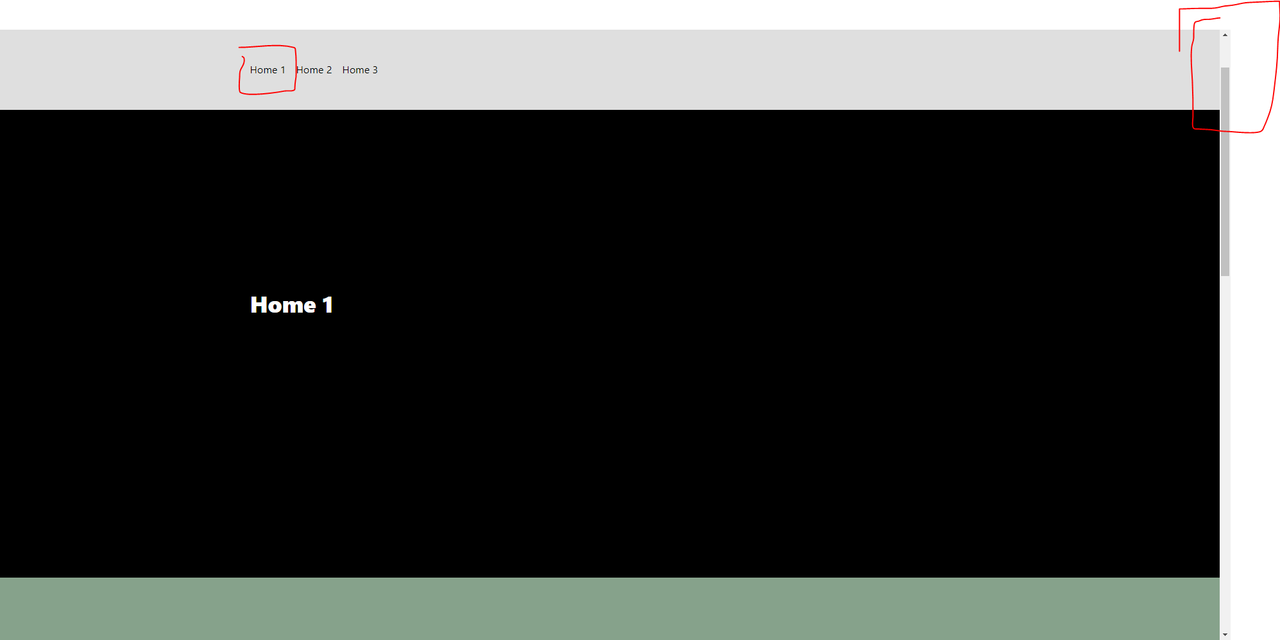
I created a menu with 3 links (One-Page site), with 3 sections. Normally, if we click on a link in the menu, it should arrive on the section, for example, Home1, it should go up again because there is space as we see in the image below -above.
Do you understand ? Sorry, my English is not perfect.
Thanks.
Forum: Themes and Templates
In reply to: [Blocksy] One-page site anchor problemHello again, after several searches, I found this code which works. On the other hand, it’s strange, with another theme, no need for this code, I think there is a code already integrated into Blocksy.
<script>
window.addEventListener( 'elementor/frontend/init', function() {
if ( typeof elementorFrontend === 'undefined' ) {
return;
}
elementorFrontend.on( 'components:init', function() {
elementorFrontend.utils.anchors.setSettings('selectors',{});
} );
} );
</script>
<style>
html, body {
scroll-padding-top: 100px;
}
@media (prefers-reduced-motion: no-preference) {
html, body {
scroll-behavior: smooth;
}
}
</style>
EDIT : On the other hand, on mobile, this poses a problem because you also have to adapt…
Many thanks to the B2BKing team for solving my problem. Professional and responsive support.
Solution :
add_filter(‘b2bking_display_both_cache_disable’,’__return_true’);
Good morning,
Great, thanks, I’ll open a ticket.
You are a great and responsive team.
Thanks.
Hi WebWizards,
Thank you very much for your help.
However, I did put the code in the functions.php file (I’m fairly good at WordPress), but it still doesn’t work.
On the other hand, if I empty the “Cache & Performance” via B2BKing – Tools, as shown in the video, it works.
An other idea ?
Thanks.
PS 1 :
I want to clarify that I have also just tested with the cache plugin deactivation, but it still does not work.
PS 2 :
For WooCommerce, I disabled this plugin, and it works fine. The plugin in question is : https://ww.wp.xz.cn/plugins/woo-variation-swatches/
Is it possible to do something to make it work well with this plugin please ?
PS 3 :
https://prnt.sc/yyIE2OFnMd97 – Without clearing the cache
https://prnt.sc/qn97l_4M-jw6 – As soon as I clear the cache “Cache & Performance” via B2BKing and refresh the page F5
I think there must be a problem here…
Forum: Plugins
In reply to: [WooCommerce] Remove the fat on the invoice (variation of products)Resolved.
/wp-content/plugins/woocommerce/templates/emails/email-order-items.php
Line 63
‘label_before’ => ‘<strong class=”wc-item-meta-label” style=”float: ‘ . esc_attr( $text_align ) . ‘; margin-‘ . esc_attr( $margin_side ) . ‘: .25em; clear: both”>’,
Delete strong.