WPGear-Support

Forum Replies Created
-
Forum: Plugins
In reply to: [Decimal Product Quantity for WooCommerce] Unable to create Admin OrderThat’s interesting.
I’ll try checking compatibility with some of the Plugins on your list.Forum: Plugins
In reply to: [Decimal Product Quantity for WooCommerce] Unable to create Admin OrderHi Jason Houge!
I couldn’t replicate your problem.
1. Create Order
2. Add Product 1
3. Add Product 2
4. Edit Quantity Product 1, Edit Quantity Product 2
5. Fill Billing Fields.
6. “OrderAction” -> “Send order detail to customer”.
7. Update.
——————–
Result:
Order updated.
Email sending OK.What other Woo plugins do you use?
What happens if you try to edit an Order placed in the normal way?
*The current version of the plugin “Decimal Product Quantity for Woocommerce” will not work correctly if the pages: Cart, Checkout, Order – have a block structure.
You can use for example, plugin: “Classic Editor”.
Also, you can try a plugin “Block Manager” for control of Blocks.
ShortCode for Cart page: [woocommerce_cart]
ShortCode for Checkout page: [woocommerce_checkout]Forum: Plugins
In reply to: [Decimal Product Quantity for WooCommerce] Apply to only certain Categories?Forum: Plugins
In reply to: [Decimal Product Quantity for WooCommerce] Apply to only certain Categories?If a Product belongs to only one Category, then nothing needs to be configured for each product.
Forum: Plugins
In reply to: [Decimal Product Quantity for WooCommerce] Apply to only certain Categories?Hi melanie71
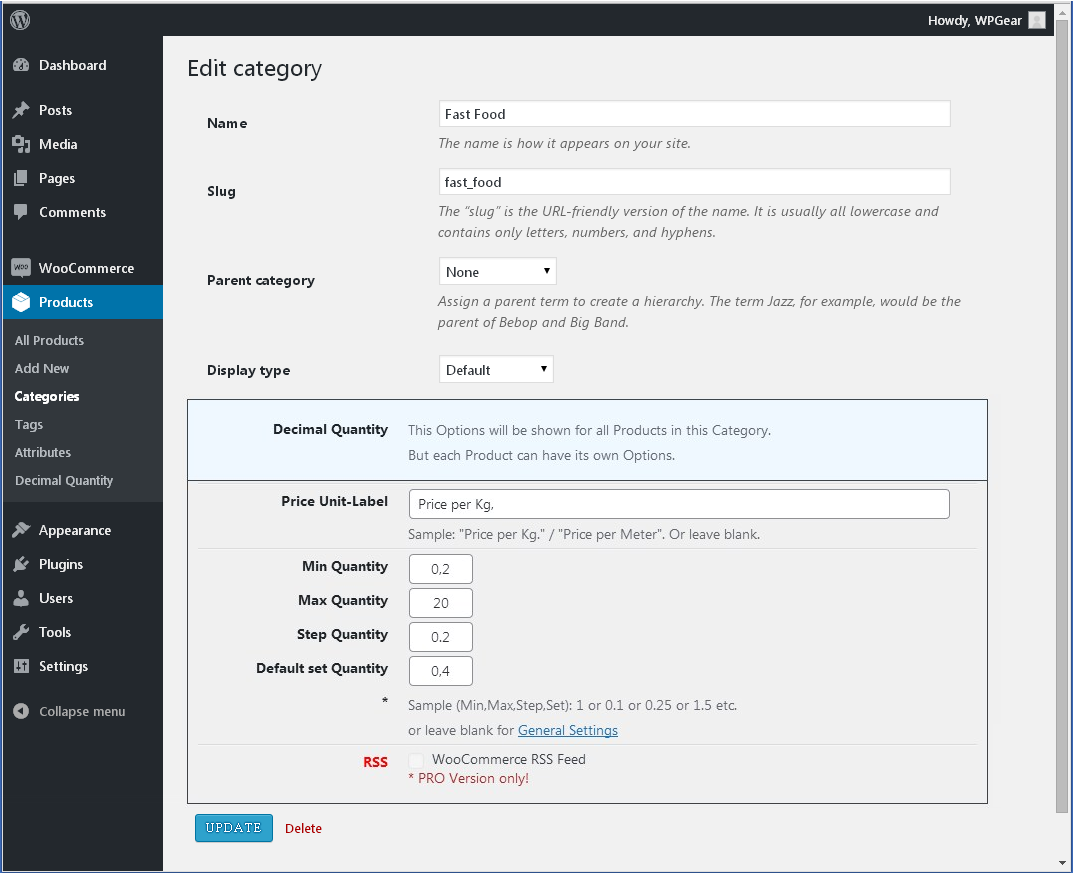
1. Yes. Each Product Category can have its own Decimal Quantity settings.
You can set the following in General Settings:
Min = 1
Max = 1
Step = 1
Default =1This will apply to all Categories.
And in the “Fabrics” Category, set custom values.
All Products in this Category will have decimal values.2. “…the price for the qty selected doesn’t display…”
No. In my opinion, that’s what the Shopping Cart is for. In the Cart, the buyer sees the Amounts and can adjust their Budget.Check v20.63
A few days ago, when I was trying to find a way to register, I left a request to the email address posted on your website.
And if you want, you can find my contact information.
Your website (Stading) is like a “Limited Access Club.”
A regular visitor can’t buy anything. They can’t even see the products.
So, I couldn’t see anything specific.
I also don’t know how to apply to join.Forum: Plugins
In reply to: [Counter-Hits] Double countHi turbomaximus!
This is interesting information. Thank you.
“Counter Hits” counts the absolute number of page hits on a site.
This is both its benefit and its drawback.
It’s a tool.It helps you truly understand what’s happening when you visit a site.
Some Themes and some Plugins can create multiple redirects to themselves Page/Post. And this isn’t always justified or necessary. Sometimes it’s just bad practice.This is precisely the purpose for which this plugin was created.
Perhaps I’ll add options to the settings someday to selectively exclude duplicates.
Can I see a link to your website (or shop test site)?
Ow!
“The current version of the plugin “Decimal Product Quantity for Woocommerce” will not work correctly if the pages: Cart, Checkout, Order – have a block structure.
This is very important.
This could be the reason.Pages: Cart, Checkout:
Pages should be created or replaced in existing Pages with Shortcode.Shortcodes for Classic Cart:
<!-- wp:shortcode -->[woocommerce_cart]<!-- /wp:shortcode -->Shortcodes for Classic Checkout:
<!-- wp:woocommerce/cart {"align":"none"} -->wp:woocommerce/cart {"align":"none"} --><div class="wp-block-woocommerce-cart is-loading"></div><!-- /wp:woocommerce/cart -->In Woo Settings, you need to check that these are the Pages that are being used.
Woo -> Settings -> Advanced- This reply was modified 4 months, 3 weeks ago by WPGear-Support.
List all the Plugins you use with Woo, please?
I’d be interested in exploring this issue on a test site.
However, the Rules of this Forum prohibit offering or requesting such access.Hi!
I can’t repeat your mistake on pure WP & Woo.
See ScreenshotMore information needed. Other Plugins, Tax Settings, etc.
Can you show Product Settings “Bugs XL – Cooked Frozen”?