natsshop

Forum Replies Created
-
Seriously??? Okay, I’ll find a different consent plugin.
Hi Dennis,
vielen Dank für die wie immer kompetente und schnelle Antwort.
Ja, ich hatte erst heute Zeit, mich mit der HPOS Nachricht auseinanderzusetzen.
Dann ändere ich einfach die Versionsnummer und gut ist.
Ich kann einfach Fehlernachrichten nicht sehen. 😉
Besten Dank und GrüßeHello,
thank you for wanting to help me.
The cookies are set by Gravity Forms, a plugin I’m using. Gravity Forms has a feature to integrate Google reCAPTCHA. If I understand correctly, Gravity Forms then sets the cookies. Shouldn’t there be a way to prevent that?
Best Regards GiselaHello,
great, thank you very much. Works perfectly.
Best Regards GiselaForum: Plugins
In reply to: [CheckoutWC Lite] free shipping without address not visibleHello Clifton,
thank you, the free delivery notice is now visible again even without an address.Best Regards Gisela
Forum: Plugins
In reply to: [CheckoutWC Lite] free shipping without address not visibleThank you for that. Since I haven’t enabled the WooCommerce setting “Show shipping costs only after an address has been entered,” the shipping costs should be visible even without an address.
Forum: Plugins
In reply to: [CheckoutWC Lite] free shipping without address not visibleForum: Plugins
In reply to: [CheckoutWC Lite] free shipping without address not visibleHi Clif,
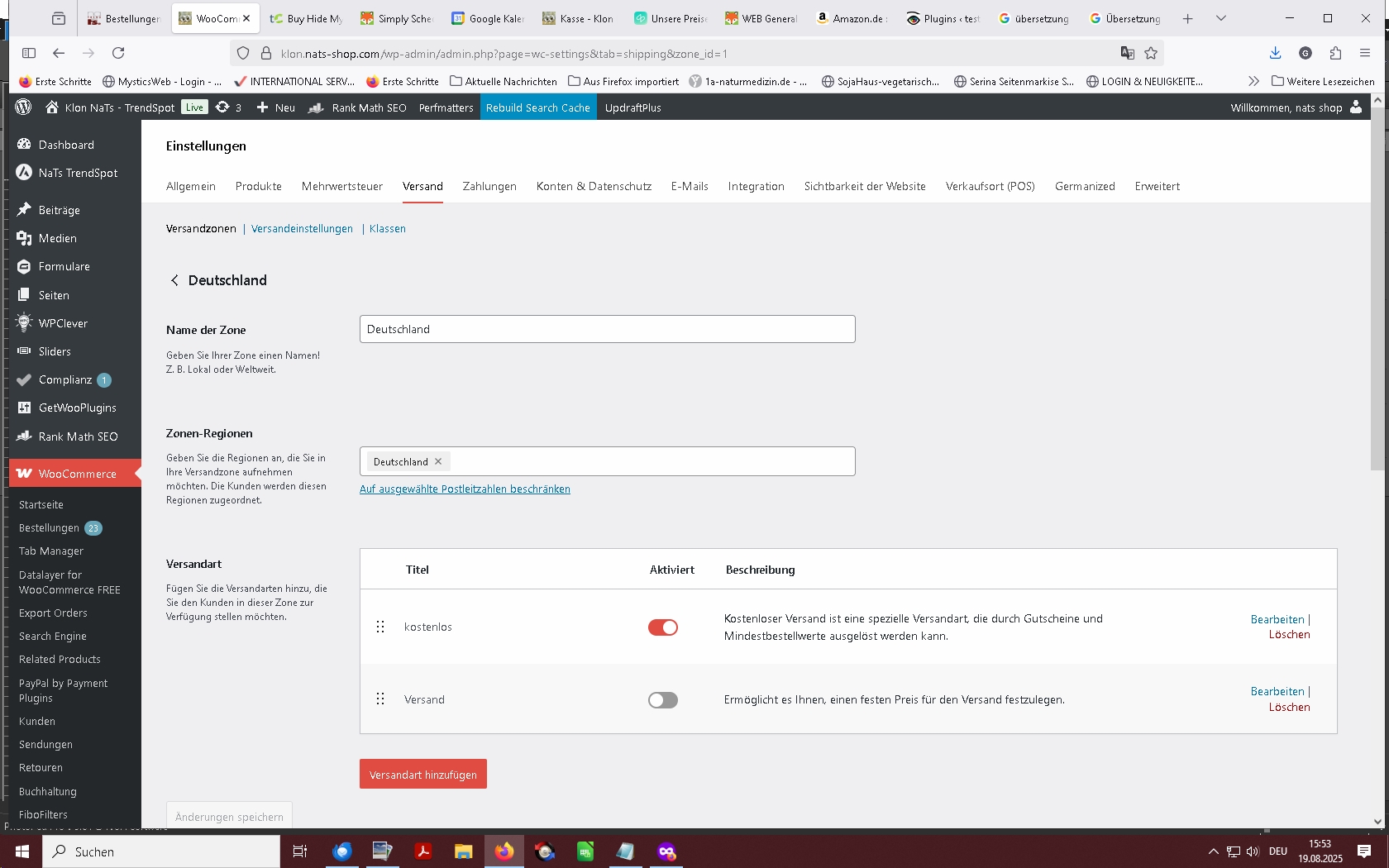
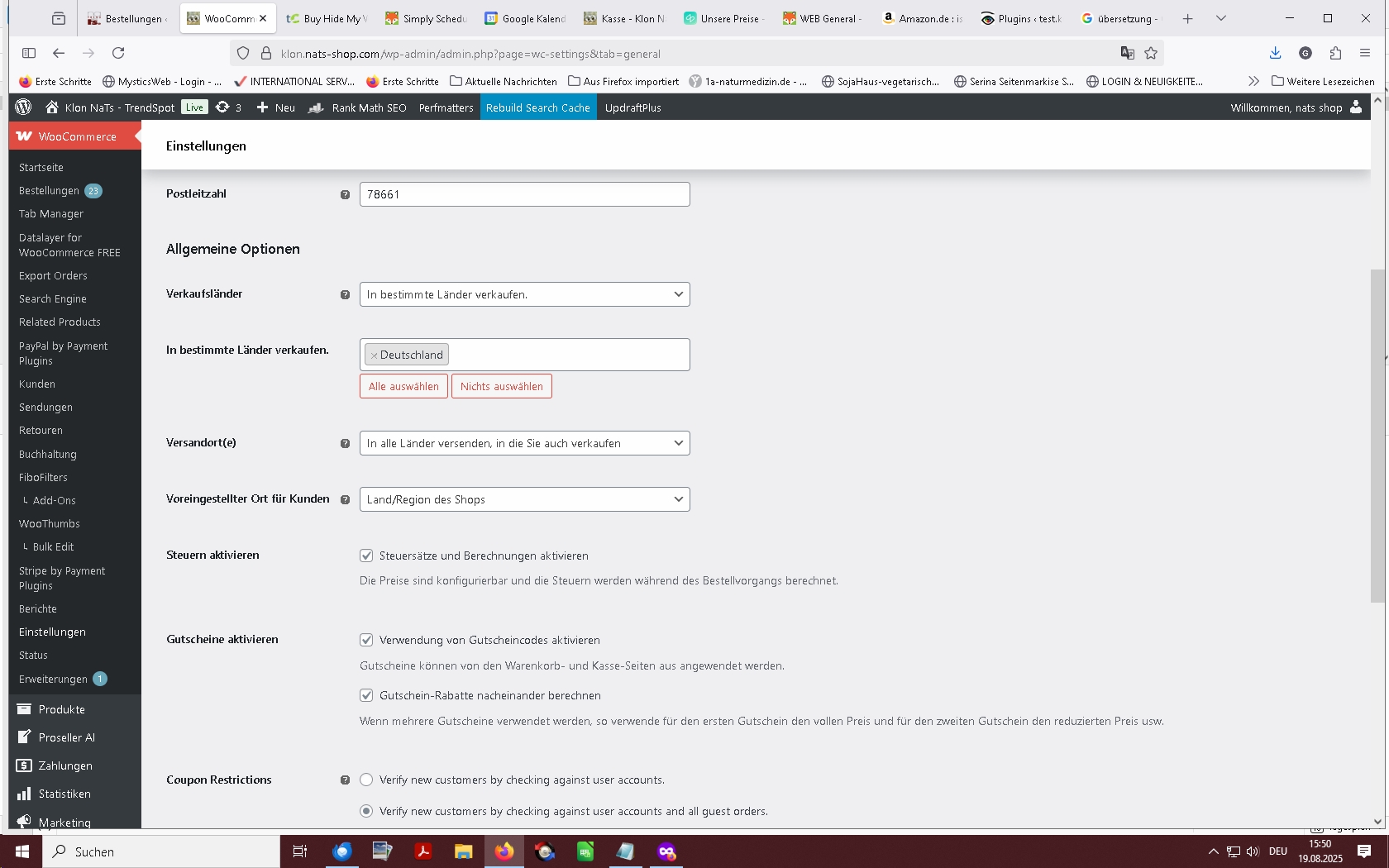
Thank you for your help. I only sell in Germany. The default customer location is “Shop Country/Region.” Shipping zone configuration: Germany – free shipping, shipping settings: Customer billing address as default. I haven’t actually entered anything specific here.
https://klon.nats-shop.com/wp-content/uploads/2025/08/4.jpg
https://klon.nats-shop.com/wp-content/uploads/2025/08/3.jpg
https://klon.nats-shop.com/wp-content/uploads/2025/08/2.jpgBest Regards Gisela
Forum: Plugins
In reply to: [Payment Plugins for PayPal WooCommerce] re-connect with paypal not possibleHello,
yes, it looks great again. It works perfectly again. Thank you very much for all the effort you put into it.
Best RegardsForum: Plugins
In reply to: [Payment Plugins for PayPal WooCommerce] re-connect with paypal not possibleHello,
yes, I’ll do it right away, I just have to wait a moment for the backup to be restored.
RegardsForum: Plugins
In reply to: [Payment Plugins for PayPal WooCommerce] re-connect with paypal not possibleHello,
I received the following error log from my server:Got error ‘PHP message: PHP Fatal error: Uncaught TypeError: Cannot access offset of type string on string in /pymntpl-paypal-woocommerce/src/Rest/Routes/Admin/ConnectAccount.php:52\nStack trace:\n#0
/pymntpl-paypal-woocommerce/src/Rest/Routes/AbstractRoute.php(28): PaymentPlugins\\WooCommerce\\PPCP\\Rest\\Routes\\Admin\\ConnectAccount->handle_put_request(Object(WP_REST_Request))\n#1 /rest-api/class-wp-rest-server.php(1292): PaymentPlugins\\WooCommerce\\PPCP\\Rest\\Routes\\AbstractRoute->handle_request(Object(WP_REST_Request))\n#2 /rest-api/class-wp-rest-server.php(1125): WP_REST_Server->respond_to_request(Object(WP_REST_Request), ‘/wc-ppcp/v1/adm…’, Array, NULL)\n#3 /rest-api/class-wp-rest-server.php(439): WP_REST_Server->dispatch(Object(WP_REST_Request))\n…’, referer: /admin.php?page=wc-settings&tab=checkout§ion=ppcp_apiRegards Gisela
Forum: Plugins
In reply to: [Payment Plugins for PayPal WooCommerce] re-connect with paypal not possibleHello,
thank you very much. I’m also very grateful for any suggestions, if the error is my fault.
Regards
Forum: Plugins
In reply to: [Payment Plugins for PayPal WooCommerce] re-connect with paypal not possibleHello,
I’ve now rolled back to version 1.1.4. With this version, I was able to connect to PayPal immediately. I’m a little further along now. Any idea what might be causing this? The plug-in only has the new settings for credit cards with PayPal. But I haven’t activated them.
I am connected to PayPal with my shop. After updating to 1.1.5, I disconnected and tried to reconnect. That didn’t work. Then I went back to 1.1.4. That reconnected me. After updating to 1.1.5 again, I simply didn’t disconnect. But my staging site was always in sandbox mode. Now I have my staging site back on 1.1.4.
I can connect to PayPal perfectly with this version. It just doesn’t work with version 1.1.5. I just tried it with my staging site: A connection with version 1.1.5 doesn’t work.Regards
Forum: Plugins
In reply to: [Payment Plugins for PayPal WooCommerce] re-connect with paypal not possibleHello,
yes, I’ve always logged in with Firefox. The pop-up opens. Now I just tried it with Chrome. I don’t see any connection to PayPal in the plug-in. But PayPal just sent me an email, that someone logged in with a new device using Chrome. So I was logged in, but the connection isn’t visible in the plug-in.
Regards
Forum: Plugins
In reply to: [Payment Plugins for PayPal WooCommerce] re-connect with paypal not possibleHello,
for better understanding, I need to add the following: I am redirected to PayPal to log in. After clicking “connect,” I land on the PayPal connection page. A security check is performed, and the login window for email and password appears. Then I confirm my identity by entering a code, and finally I am redirected back to the shop. The “connect” status is not yet achieved. However, I am initially redirected to PayPal.It’s always very difficult with further information. I’m still groping in the dark. Of course, I’m investigating the problem. I did that before I wrote. Only when I can’t get any further do I write. And that’s the case now.
Regards