Rickp01

Forum Replies Created
-
Thanks for looking!
WordPress Hosting.
Chat GPT search:From the HTML you shared, there is no clear evidence of a traditional WordPress caching plugin (like WP Rocket, W3 Total Cache, LiteSpeed Cache, etc.). However, there is strong evidence of WordPress.com / Jetpack edge caching.
Here are the key indicators. 1️⃣ WordPress.com / Jetpack platform caching
This line is the giveaway:
/wp-content/mu-plugins/wpcomsh/jetpack_vendor/
wpcomsh= WordPress.com hosting environmentThat means the site is very likely running on WordPress.com Business / VIP style infrastructure where caching is handled automatically at the platform level.
These platforms use:
- edge caching
- object caching
- CDN caching
- asset concatenation
All done without a visible caching plugin. 2️⃣ Static asset bundling (another caching signal)
You also have URLs like:
/_static/??-eJyVjMEKgCAQRH8o…
That format is typical of WordPress.com asset concatenation / caching, where multiple CSS files are bundled and cached.
This again confirms platform-level optimization rather than a plugin. 3️⃣ WordPress.com CDN for images
Your schema shows images loading from:
i0.wp.comis the Jetpack / WordPress.com CDN.That means:
- images are cached globally
- resized dynamically
- served via CDN
4️⃣ Jetpack is installed
You also have:
/wp-content/plugins/jetpack/
Jetpack often provides:
- image CDN
- lazy loading
- asset optimization
- site accelerator caching
✅ Conclusion
The site does have caching, but it is:
Platform-level caching from WordPress.com + Jetpack CDN
NOT a WordPress caching plugin.
- This reply was modified 2 months, 1 week ago by Rickp01.
Hi Jonas, Thanks for looking. Happy to help debug.
I’m not a coder so if you could tell me how to check PHP error logs. Is there a Plugin?
I’m happy to then test by updating the plugin again.
I’ve had to restore the previous versionof the plugin. Now working.
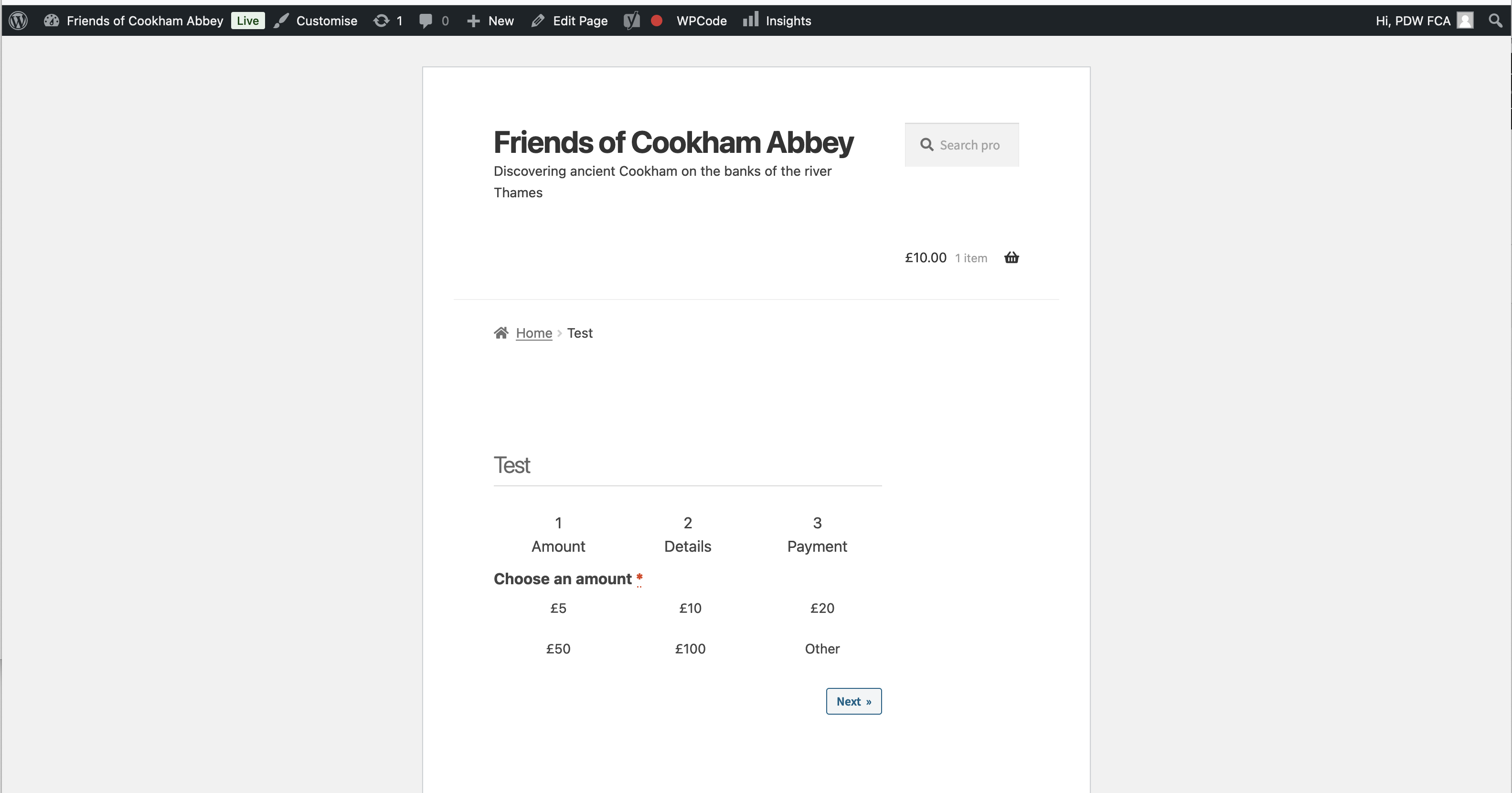
For further info. I created a Test page https://www.cookhamabbey.org.uk/test/ and I enabled the Storefront Theme and looks like this: https://www.cookhamabbey.org.uk/wp-content/uploads/2024/11/Screenshot-2024-11-26-at-14.38.17.png
Forum: Plugins
In reply to: [The Events Calendar] Multi Day Event Border RadiusReview added!
Forum: Plugins
In reply to: [The Events Calendar] Multi Day Event Border RadiusHi Abz,
Perfect thanks!
RichardForum: Plugins
In reply to: [The Events Calendar] Multi Day Event Border RadiusHi Erica,
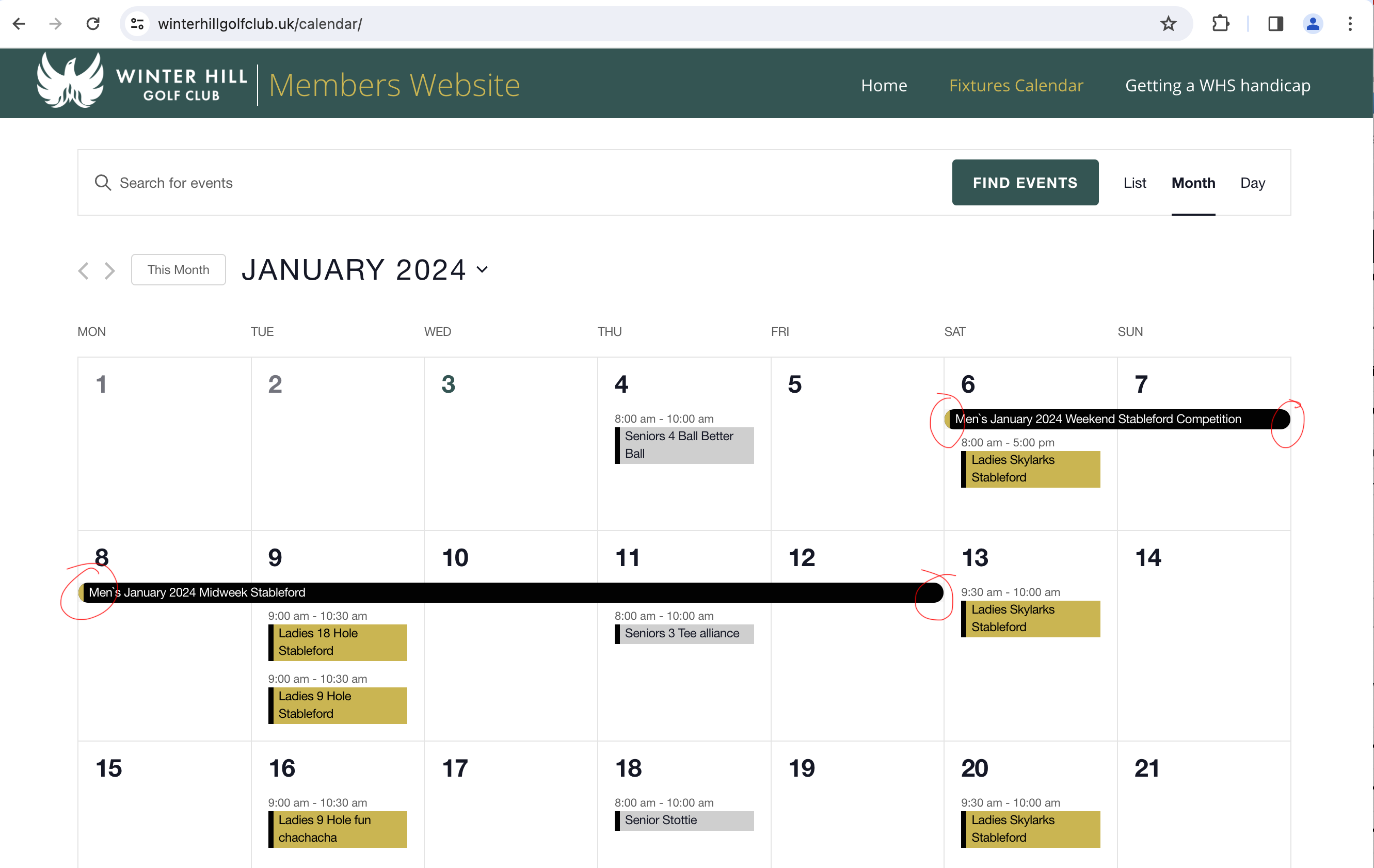
Thanks for looking. Unfortunatley that doesnt seem to work: https://winterhillgolfclub.uk/calendar/Here’s a screenshot of the round corners I’d like to remove: https://winterhillgolfclub.uk/wp-content/uploads/2024/01/Screenshot-2024-01-03-at-12.16.06.png
Thanks Jonas,
I’ve reached out to my Theme support (Themify). They are investiaging as we can see that it fails when the shortcode is placed using the Themify builder.
Cheers,
RichardThanks for the fast response.
I’ve reached out to my Theme support: https://themify.me/
Thank you again! Perfect.
I do have an issue where accessing the Media Library stops working when the form is on a page (Themify Builder – https://themify.me/).
I’ve asked Themify for support and I will share if I get any response.
That’s perfect. Thanks!
Forum: Plugins
In reply to: [The Events Calendar] How long for a support tickets to be answered?Thanks Andras,
I did get a reply after 48hrs but no reply for more than 18hrs to my next reply.
I know this is not a live chat but this could be very difficult to see a resolution happening soon!
My lisence key starts with: 8bb7fba2
I for a solution ASAP.
Hope you can help!
Forum: Plugins
In reply to: [The Events Calendar] Next month events not appearing in iMac CalendarHi Deblyn,
Thanks for looking!
Great, I already have that plugin installed.
But I can’t see any option to increase from the events in the current month.
The is url that is used to subscribe to: https://www.cantorumchoir.org.uk/calendar/?ical=1&tribe_display=custom&start_date=2021&end_date=2023
Any ideas?
Rich
Forum: Plugins
In reply to: [Redirection] Redirects Not workingHi John,
I have a fix.I’ve added this to the .htaccess file:
<FilesMatch “\.aspx$”>
Order allow,deny
Allow from all
Satisfy All
</FilesMatch>From with in the plugin when I use ‘check redirect’ it does show an error but the redirections work.
Rich
This might be useful information for anyone else having the same problem.Hi Perry,
Strange, I don’t actually have any caching plugins running.