roguefab

Forum Replies Created
-
We experienced this same issue and have no way to cancel this subscription without running a chargeback. Very frustrating! Agree, do not buy!
Forum: Plugins
In reply to: [Calculated Fields Form] calculated fields form not working rightWow. I can’t believe I was missing an open quote. That fixed it (of course). Thank you so much for the help!
Forum: Plugins
In reply to: [Calculated Fields Form] calculated fields form not working rightI took a screenshot, but it won’t let me attach it here. My code I am using is this: <p style=”text-align: center;”>[CP_CALCULATED_FIELDS id=11″]</p>
Forum: Plugins
In reply to: [Calculated Fields Form] calculated fields form not working righthttp://www.roguefab.com/design2 is the page. The bottom form is the one that is loading wrong.
Forum: Reviews
In reply to: [Mailchimp for WooCommerce] App ok. Service and billing are TERRIBLEI was in contact with their support staff. That was the reason for mentioning them in my review. I appreciate your reply.
Forum: Plugins
In reply to: [WooCommerce] How to edit button sizes without ruining spacingAlright, you killed it. Nicely done. As soon as I entered my CSS in teh main framework it worked right away. I have it set for 3 viewport sizes, width and height. It scales beautifully. Now I am ready to make the rest of the buttons.
THANK YOU LORRO!!!!!
To anyone else – I do not recommend adding CSS in the visual builder within the Divi theme. I don’t know what the syntax is, but that little bot Lorro brought up is not a typed thing, it is a visual artifact of the editor. I was never able to get the CSS to do anything in there.
I also did this with comet cache off as he recommended. I will flip it back on now.
Forum: Plugins
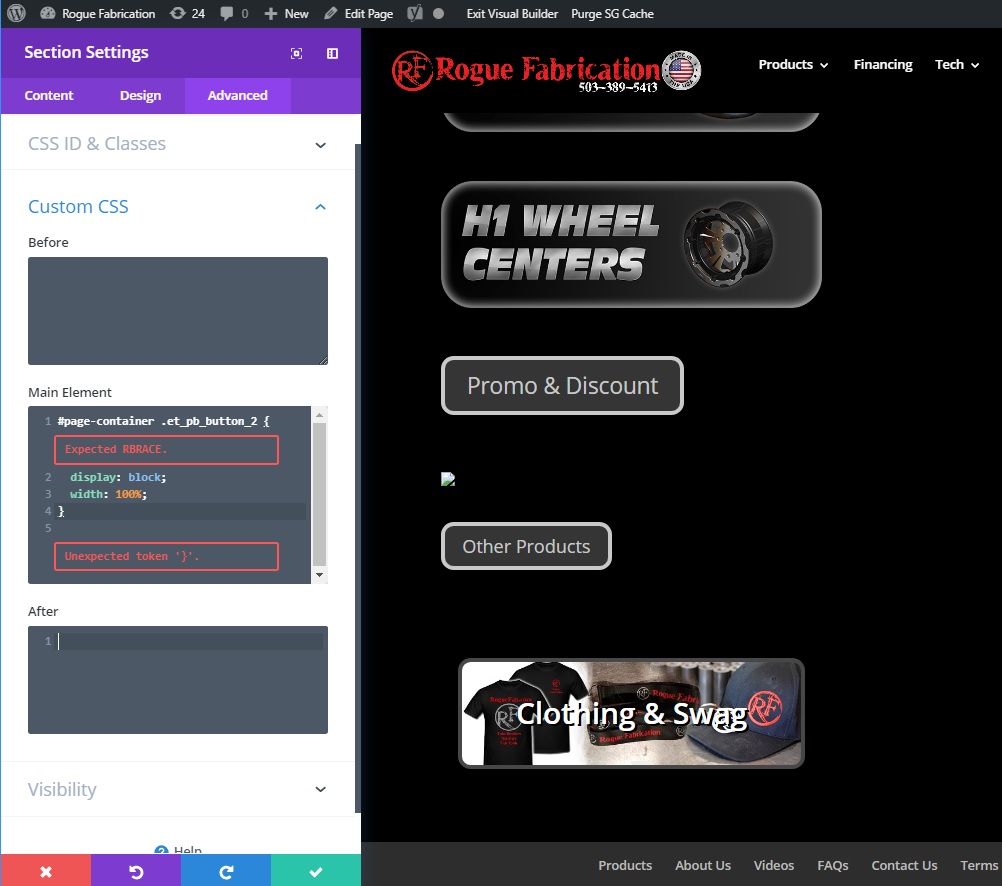
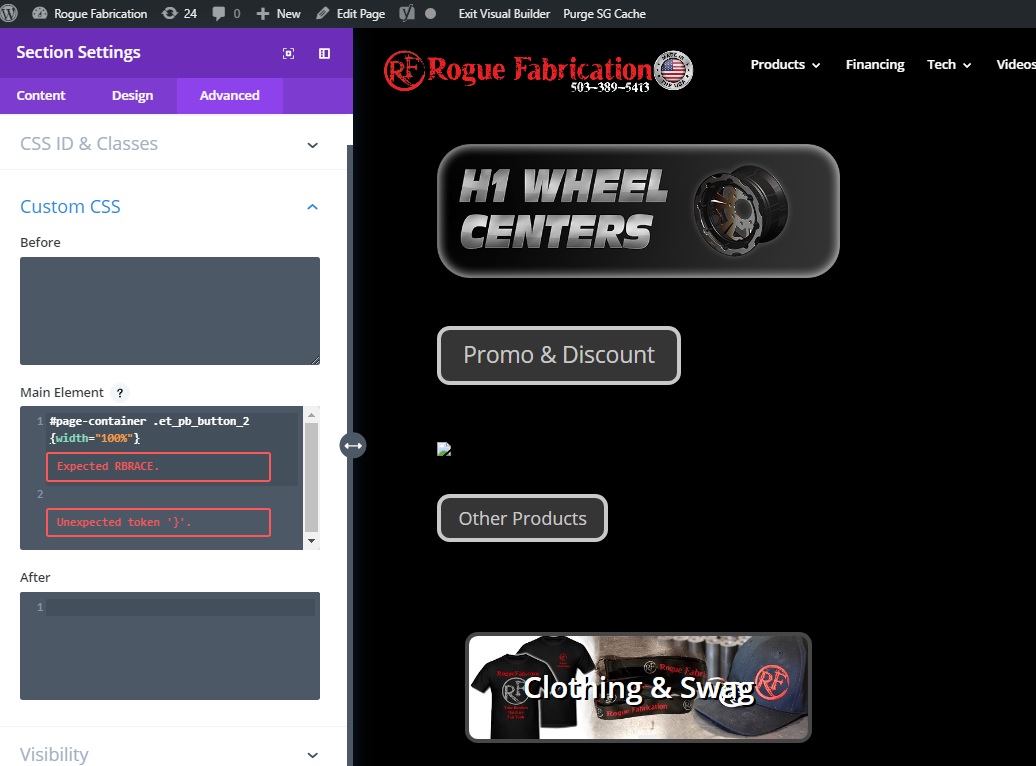
In reply to: [WooCommerce] How to edit button sizes without ruining spacingThank you Lorro. I used that validator until I got no errors, and I came up with what I show in this screenshot. Which I feel should work. It doesn’t do anything and still returns errors though (shown in the screenshot).
Forum: Plugins
In reply to: [WooCommerce] How to edit button sizes without ruining spacingI don’t know how to post a photo, so I just hosted it. I have tried every combination of brace syntax I know of and I can’t get the red warnings to go away. And the CSS isn’t doing anything for width=”1000px” or set to a percentage like 100%. I haven’t even tried the viewport driven CSS yet. Any tips?
photo of what I’m working with:
https://www.roguefab.com/photos/Untitled.jpgForum: Fixing WordPress
In reply to: How do I chose a default shipping method?This is killing me!!!!!!!!! Customers are posting in public forums asking why shipping costs so much. There MUST BE A WAY TO SET A DEFAULT!!!!!
Forum: Fixing WordPress
In reply to: How do I chose a default shipping method?My customers can chose from the other methods, but it is also scaring some of the less patient ones off 🙁
Forum: Fixing WordPress
In reply to: Comments will not displayI checked the global setting (settings/discussion), comments were already enabled. I also edited the page, comments were already enabled there too.
I get e mails about approving spam comments all the time. Spam robots do it all the time. And we have had some valid comments from customers on our products in our e commerce area of our site. I don’t know why they work there and not anywhere else.