Don Baker

Forum Replies Created
-
Forum: Plugins
In reply to: [Polylang] Taxonomy Filter & Post Category URLs Cannot Load ContentRESOLVED
We were trying to remove the word “category” form our category URLs using the method below.
Connect to your WordPress dashboard.
Go to Settings >> Permalinks.
Go to Custom Structure and put ‘/%category%/%postname%/’.
Go to Category Base and type in a dot “. “.
Save the changes.It broke the functionality of category URLs and taxonomy filter for blog posts.
We changed permalink structure to <site URL>/blog/%postname%/ and everything worked as expected. The Yoast SEO plugin has a setting to remove the word category. You can toggle the setting here:
Yoast SEO > Settings > Categories > Show the categories prefix in the slug
Forum: Plugins
In reply to: [Polylang] Category/taxonomy send 404 on secondary languageI had the same experience as stefaniekruse using the same permalink structure with a dot (.) to remove category. This also broke by blog filter for the second language. Removing the dot notation form the permalink structure resolved both issues. NOTE – With Yoast SEO plugin, you can remove the word ‘category’ by toggling a setting at Yoast SEO > Settings > Categories > Show the categories prefix in the slug.
Forum: Plugins
In reply to: [Polylang] Taxonomy Filter & Post Category URLs Cannot Load ContentI discovered why this does not work on my second language on the site. We change our permalink settings to remove the word Catergory form the URL using the following code.:
We used the Custom Structure setting and set it to https://staging.scamnetic.com/%category%/%postname%/
We set the category base to a period ( . ).Our category URLs look like this https://staging.scamnetic.com/category/charity-scams/ / https://staging.scamnetic.com/fr-ca/category/arnaques-caritatives/ The English ones work but the French ones do not. Any way the good folks at Polylang could determine how to make tis work with the second language?
- This reply was modified 1 year, 6 months ago by Don Baker.
Hello @ibrahimsharif,
The field mapping resolved my issue. Thank you for the detail instructions and the support.
Don Baker
Any thoughts on my updated information?
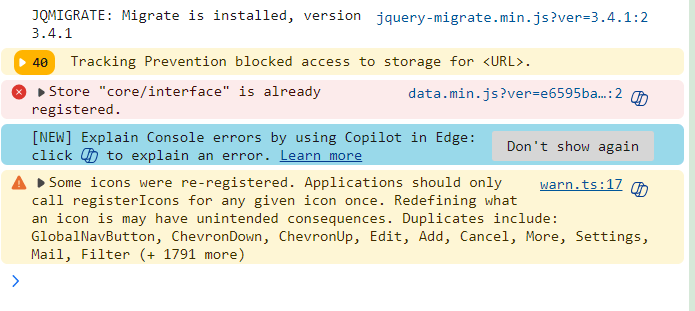
Sorry for the delayed response. Here is the output from the console window while contact list is loading. I don’t see any errors that relate to my issue. Here is the screenshot.
I disabled all plugins and repeated my testing. Same issue.
I have more detail on the problem. I filled out the registration popup form with the following data.

The contact list shows the following. Notice the name data is missing.

If I open the contact created by the popup submission, I see the following with no name info.

If I select the Fluent Form > my form > Entries, I see the following indicating the name information being sent to the backend.


The first name and last name data is being sent into FluentCRM as evidenced by the data being displayed in the Fluent Form Entries data. The name is not making into the name fields of the Contact details form.
I disabled all plugins one by one and tested the login experience. No change I was able to access the WP-LOGIN page with all plugins disabled except AIOS. I noticed when I try to login via scamnetic.com/wp-admin I get a message that says NOT AVAILABLE. when I use scanmetic.com/wp-login I see the stand WordPress Login page.
Have you tested this on a site with version 5.2.5 installed? IS there more than one place to set this in the plugin? I set this under the BRUTE FORCE menu.
If I install WPS Hide Login plugin login is hidden and works as expected.
The only code in my .htaccess file is the standard WordPress block. I backed up the file before configuring AIOS plugin. both active and backup .htaccess file have same block or WordPress Code.
The hosting provider is IONS. They do not use the standard CPanel. They do not provide wp-login form their control panel. I have 8 other sites hosted at IONOS without this problem.
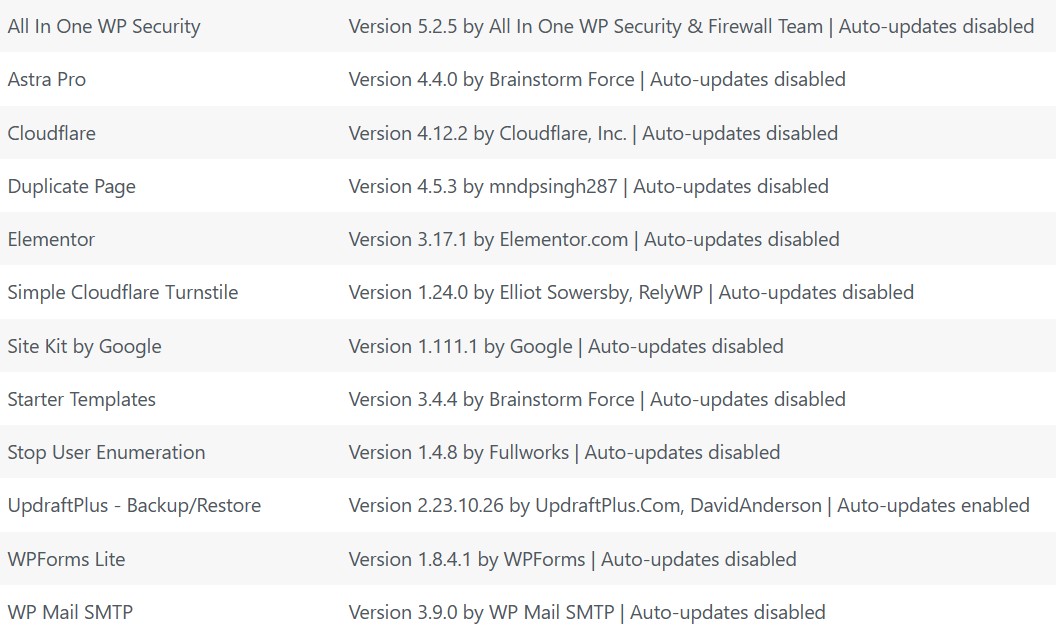
I do not have any other plugins related to login. A list of installed plugins is shown below.
When I I read the description in plugin I thought it was used recovery key, not a setup key.. Thanks for the response.
Forum: Plugins
In reply to: [WPS Hide Login] Getting White Screen During LoginI replaced the plugin with a different plugin today.
Forum: Plugins
In reply to: [WPS Hide Login] Getting White Screen During LoginNo it does not work. The wp-admin page has been excluded from caching for two weeks.
Forum: Plugins
In reply to: [WPS Hide Login] Getting White Screen During LoginI am using a cache plugin (W3 Total CacheVersion 2.5.0 by BoldGrid) I have excluded the wp-admin page form the cache.
Awesome! I can confirm this works. Thank you for the prompt response.
That was my first instinct. I checked the FAQ and it said to request to move. (https://ww.wp.xz.cn/support/forum-user-guide/faq/#what-do-i-do-if-i-posted-in-the-wrong-place-or-with-the-wrong-account). I’ll mark this thread resolved and create a new one. Thanks for the quick response.
I created this post in the wrong location. It should at [All-inclusive Security Solution by SiteGround] Support | ww.wp.xz.cn Can a moderator move the thread to the SiteGround forum?